Client cases Case 09
VIC Education: from essay review to admissions readiness, one system for the whole application season
VIC Education essay review and progress system

Industry
US college admissions consultingServices
Workflow interviews, system planning, interface design, development, university data, Google Docs integration, permissions and auditingType
Internal system in daily use, 28 pages, on desktop and phoneResult
Essays, admissions progress, parent updates and internal auditing in one system
Background
VIC Education helps Taiwanese students apply to universities in the US, the UK and Canada. Essays take the most time in an application season: the Common App personal statement, four UC Personal Insight Questions, school supplements, and the activities and awards list. One student can have more than ten essays in a season, each revised several times.
In the first phase we brought essay review, deadlines and parent updates into one system. Once it was in use, the consultants raised the next question: essays are only part of an application. How far along each student is with grades, tests and activities, and what is still missing for their target schools, still lived in separate spreadsheets. The second phase extended the system across grades 9 to 12, and added a family portal, spreadsheet import and internal auditing, so the whole season runs in one place.
Blank Design handled both phases end to end, from workflow interviews and system planning to interface design and development. The system is in daily use.
The challenge
We walked through one student's journey with the consultants, from signing up to submitting applications, and found five sticking points:
| Sticking point | How it was done | What went wrong |
|---|---|---|
| Essay review | Word, shared folders, LINE groups | Feedback style depended on the person; versions and approvals weren't recorded |
| Deadlines | Each consultant's own spreadsheet | No one could see who was holding how many essays, or which were due soon |
| Readiness | A consultant's experience | When parents asked "is my child ready?", answers weren't consistent or easy to explain |
| Data entry | One entry at a time | Typing four years of grades and activities for one student took half an hour |
| Accounts and security | Shared logins, forwarded files | No record of who saw or changed what; most students are minors |
One principle was not negotiable: the system must not write essays for students or replace a consultant's judgment. Readiness is the same. It can say what is missing against published standards, never present itself as a chance of admission.
Site structure
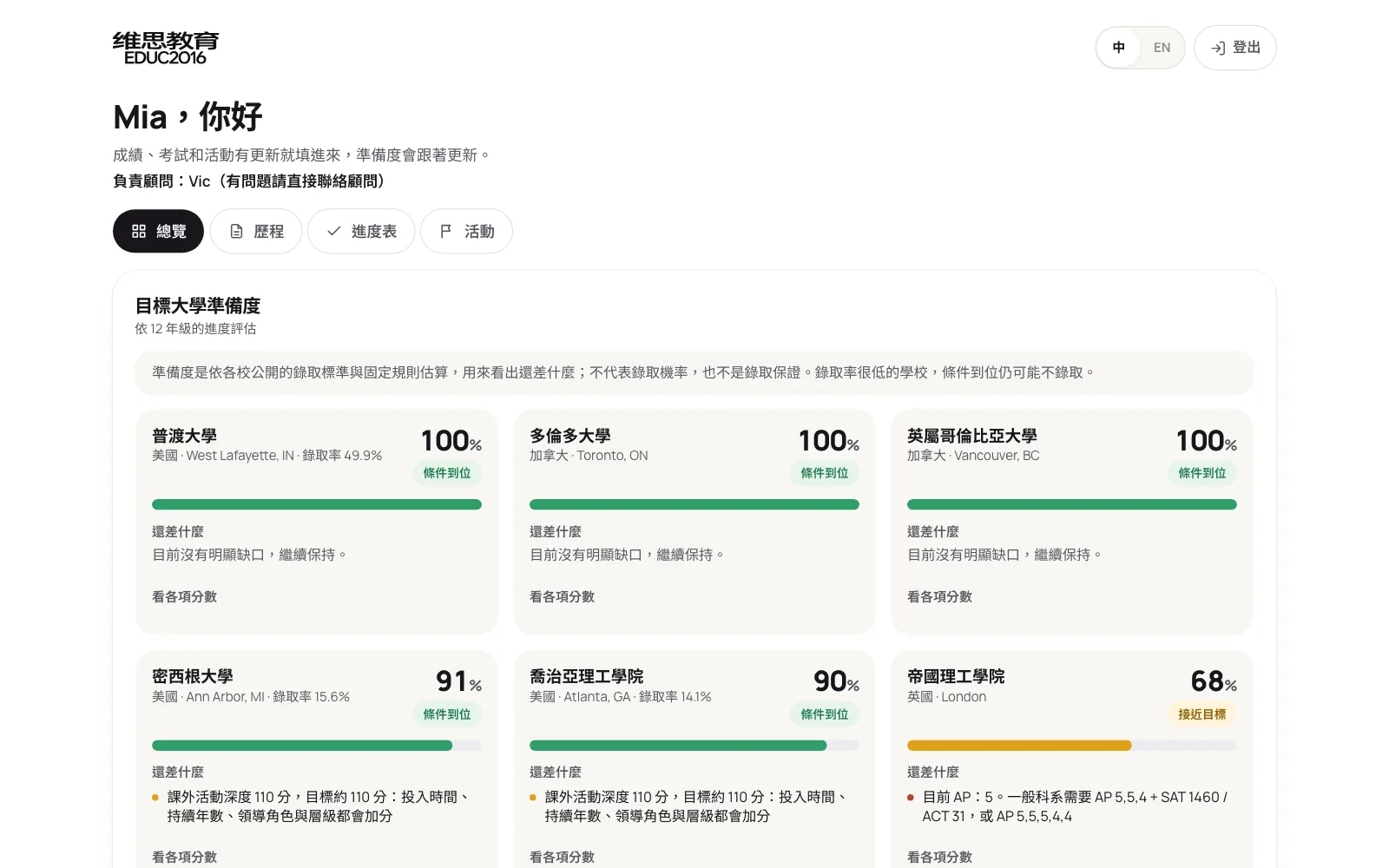
The system has 28 pages built around the essay board. From the board you upload or import essays, open each essay's review page, or move to students, progress, universities, the activity library and team management. Students and parents have a separate portal that shows only their own data.
The solution
The system runs along two lines. The first is essays: after upload, the system drafts feedback in the team's style, consultants decide on each comment, and approved work goes to the student in one click while parents get a progress update.
The second is admissions progress: once grades, tests and activities come in, they are scored against each target university's published standards, the gaps are listed, and the work goes into the application plan, which the student updates and parents can check at any time.
Under those two lines, every feature falls into one of these themes:
| Theme | Problem it solves | Main features |
|---|---|---|
| Essay review | Inconsistent feedback, mixed-up versions | Three essay types, comment-by-comment approval, Google Docs export, parent updates, team playbook |
| Deadlines and board | No overall view of progress | Drag-and-drop board, internal deadlines worked out automatically, workload |
| Progress and readiness | Not knowing what is missing | Grades and GPA, tests, activities, readiness and gaps per university |
| Application plan | Scattered to-dos, unclear owners | Five tracks, owner, due date, overdue flags |
| Universities and activity library | Hours spent looking things up | 223 US, Canadian and UK universities, search as you type, team-uploaded schools, a team-built activity library with suggestions |
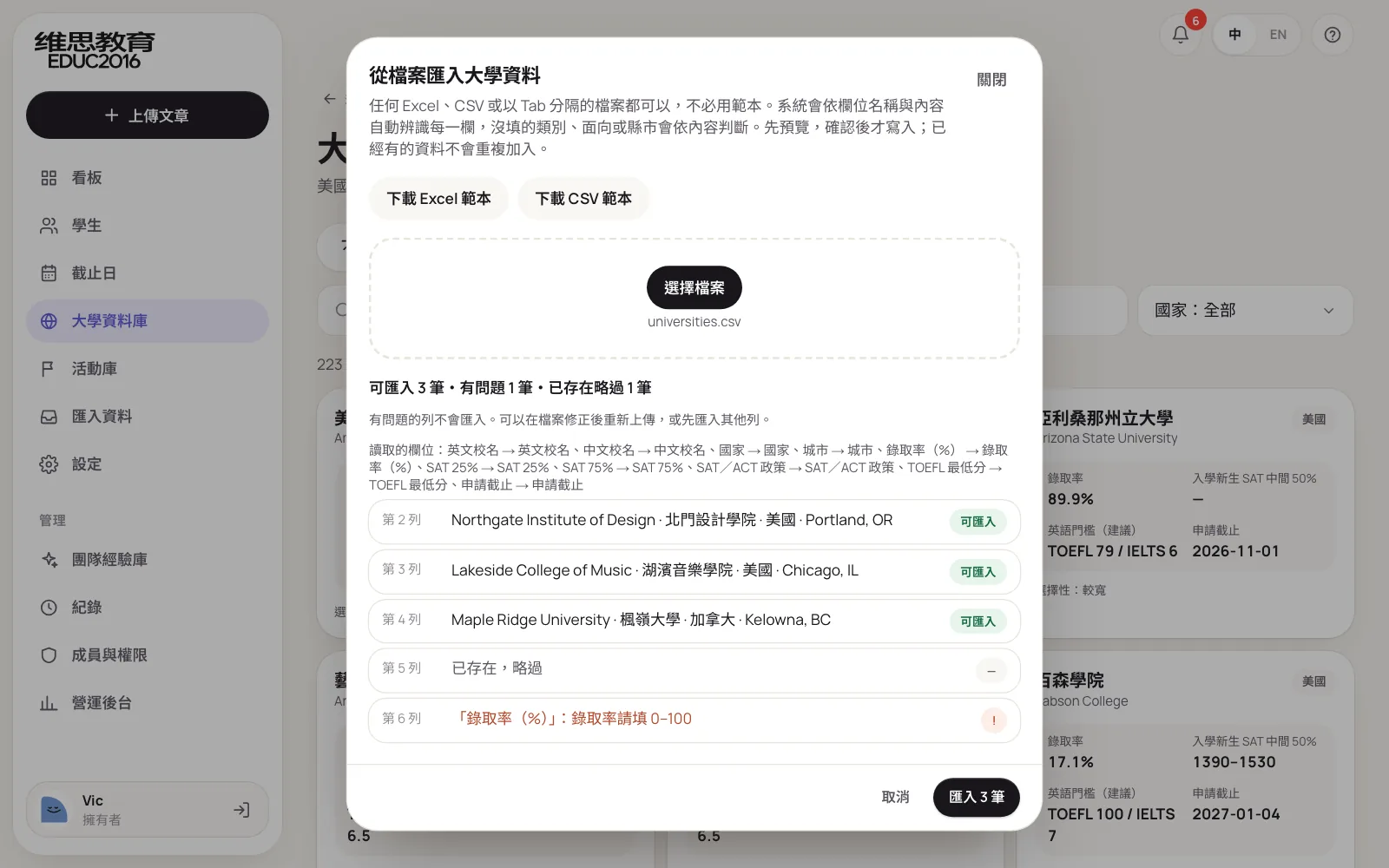
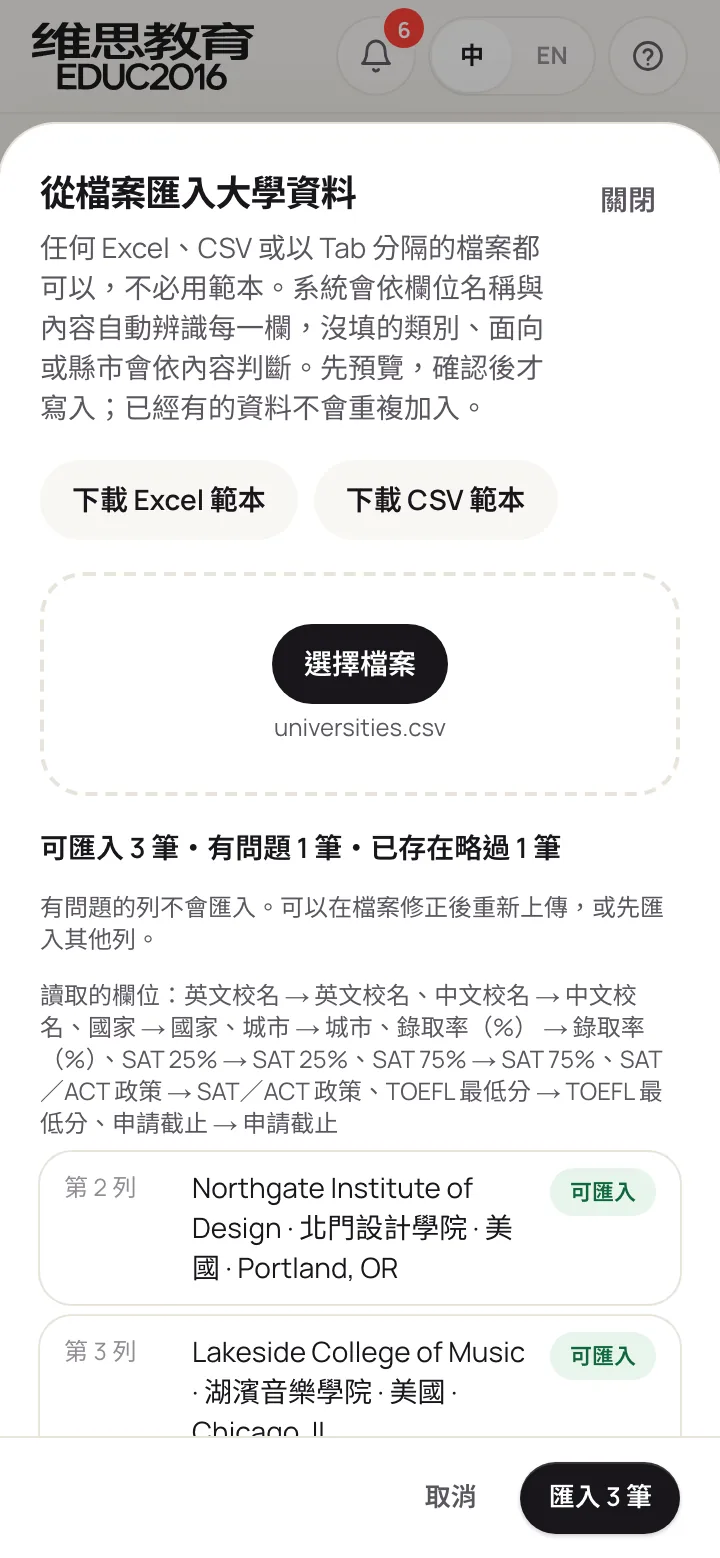
| Spreadsheet import | Typing entries one by one | Any Excel or CSV, columns and categories recognised, sheets sorted automatically, row-by-row preview |
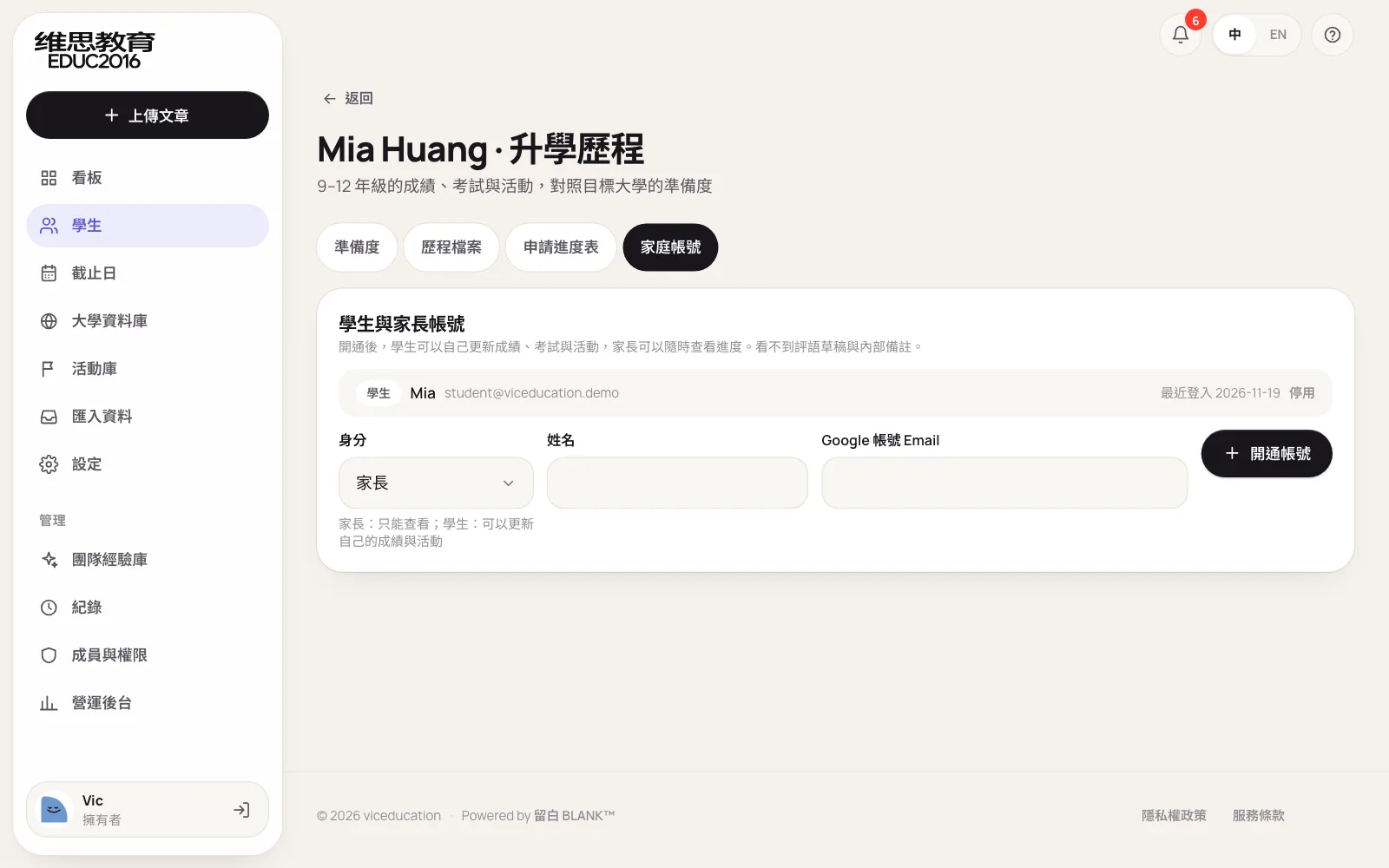
| Student and parent portal | Parents asking for updates | Invite-only accounts, students update their own record, parents read only |
| Internal monitoring and security | No record of who did what | Audit log, members and roles |
Desktop
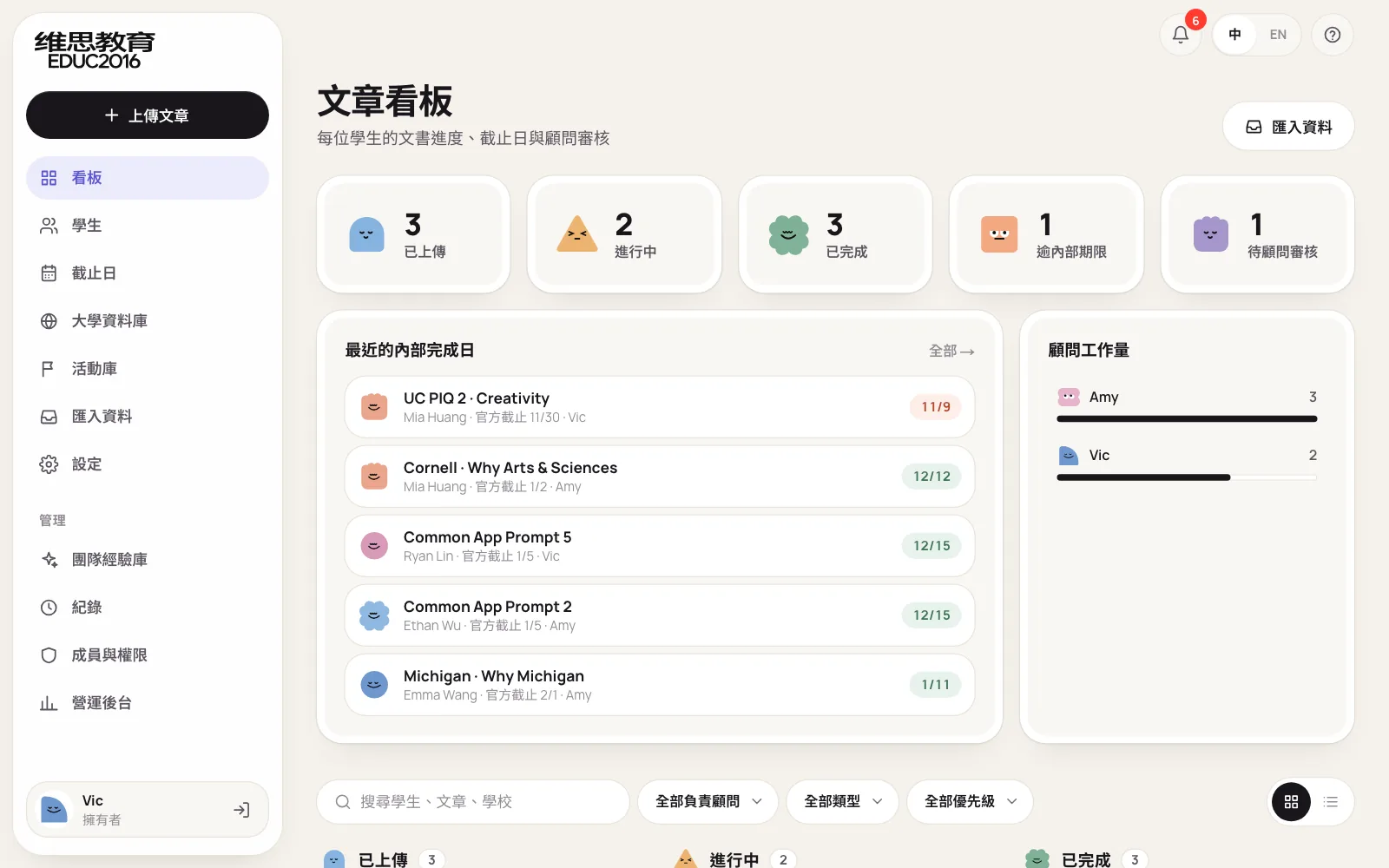
The first screen after signing in is the essay board. At the top are counts for uploaded, in progress, done, past internal deadline and awaiting review; in the middle, upcoming internal deadlines and each consultant's workload; below, a three-column board. Drag a card from Uploaded to In progress to Done and the status and counts update at once. The side menu is grouped into essays, admissions and management, so a manager can see progress without asking around.
Phone
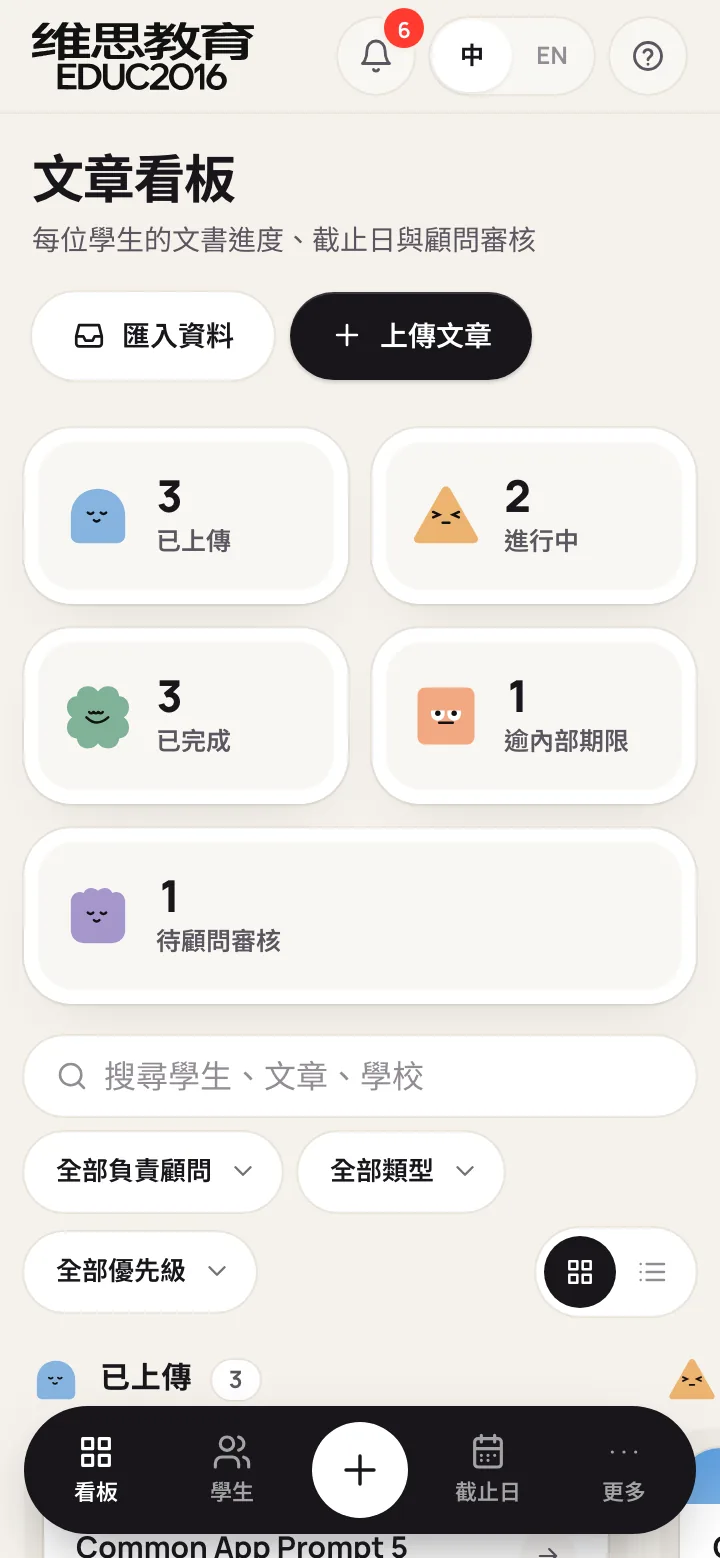
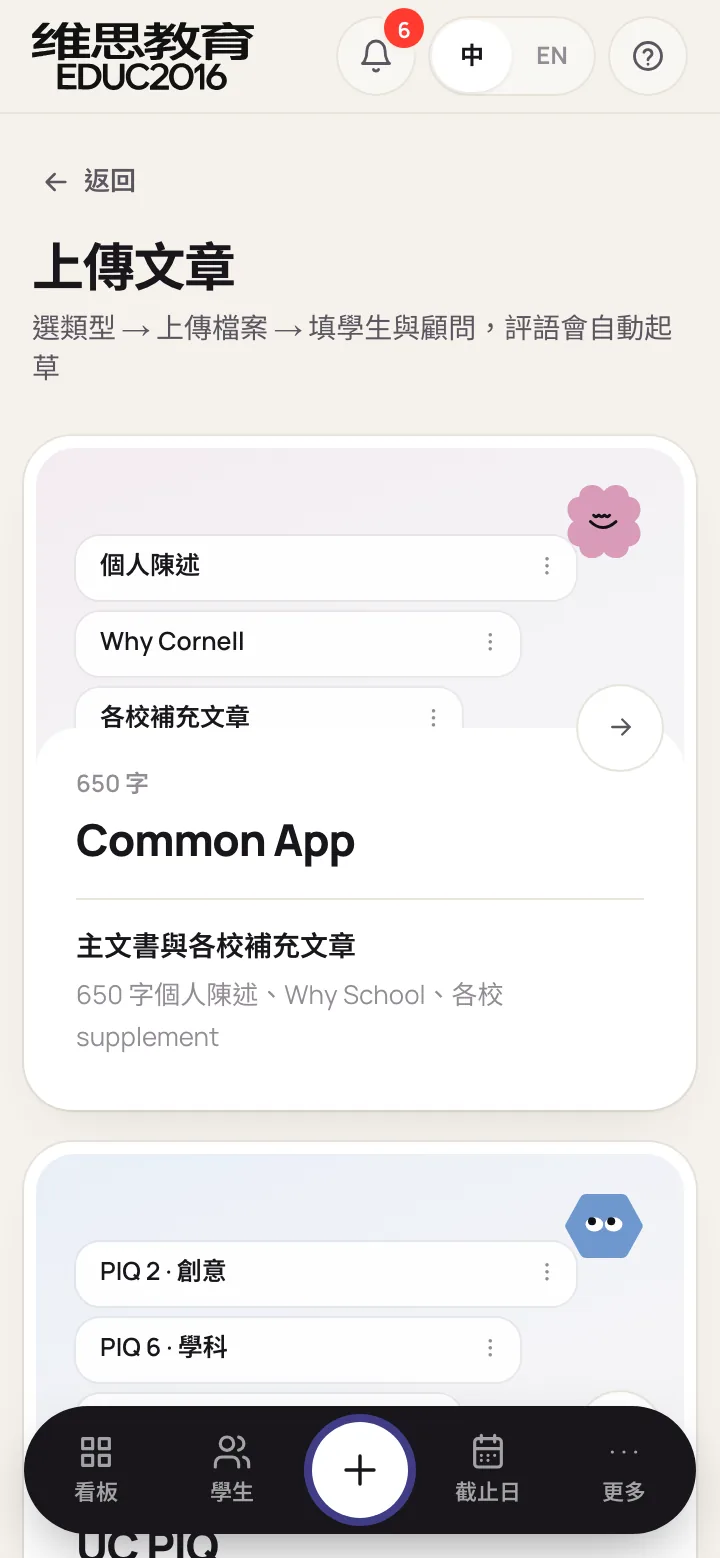
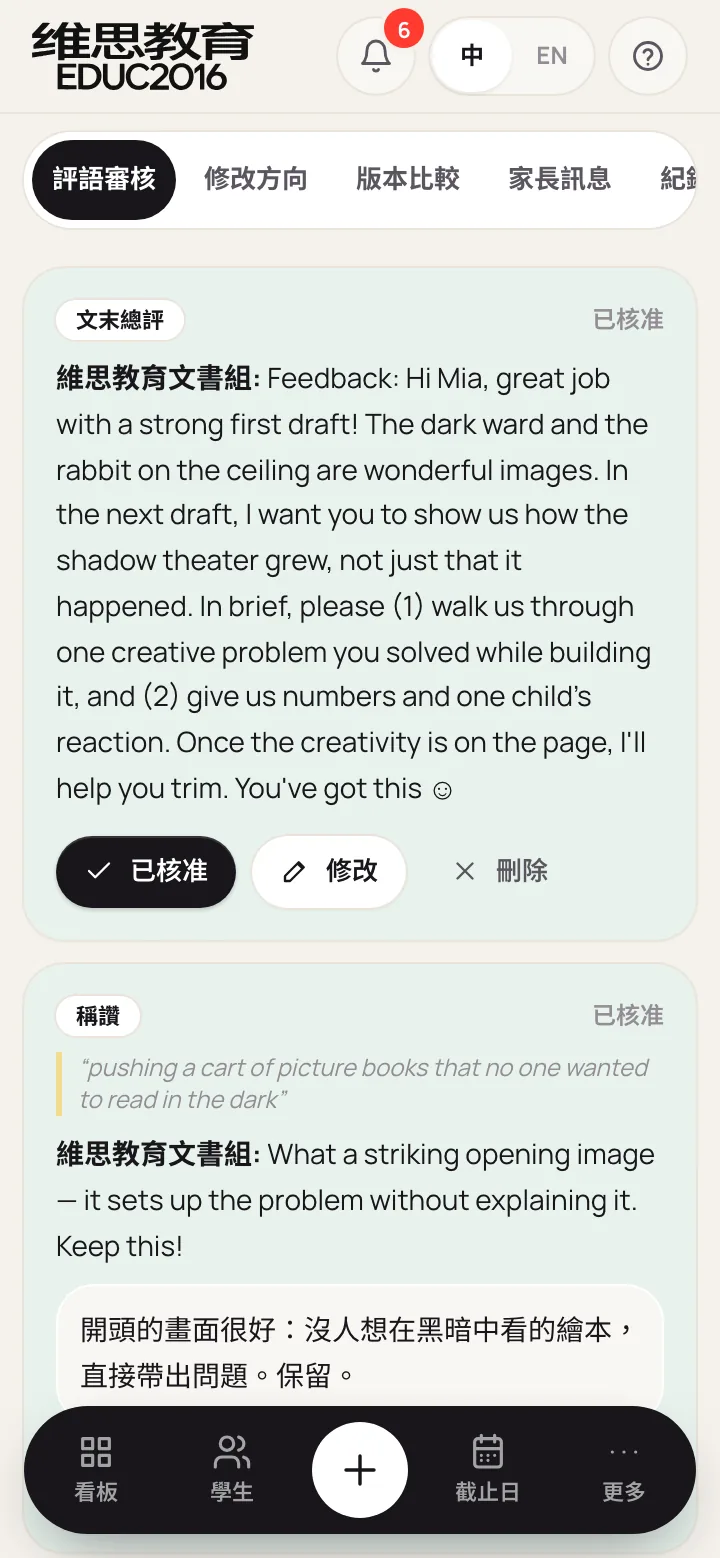
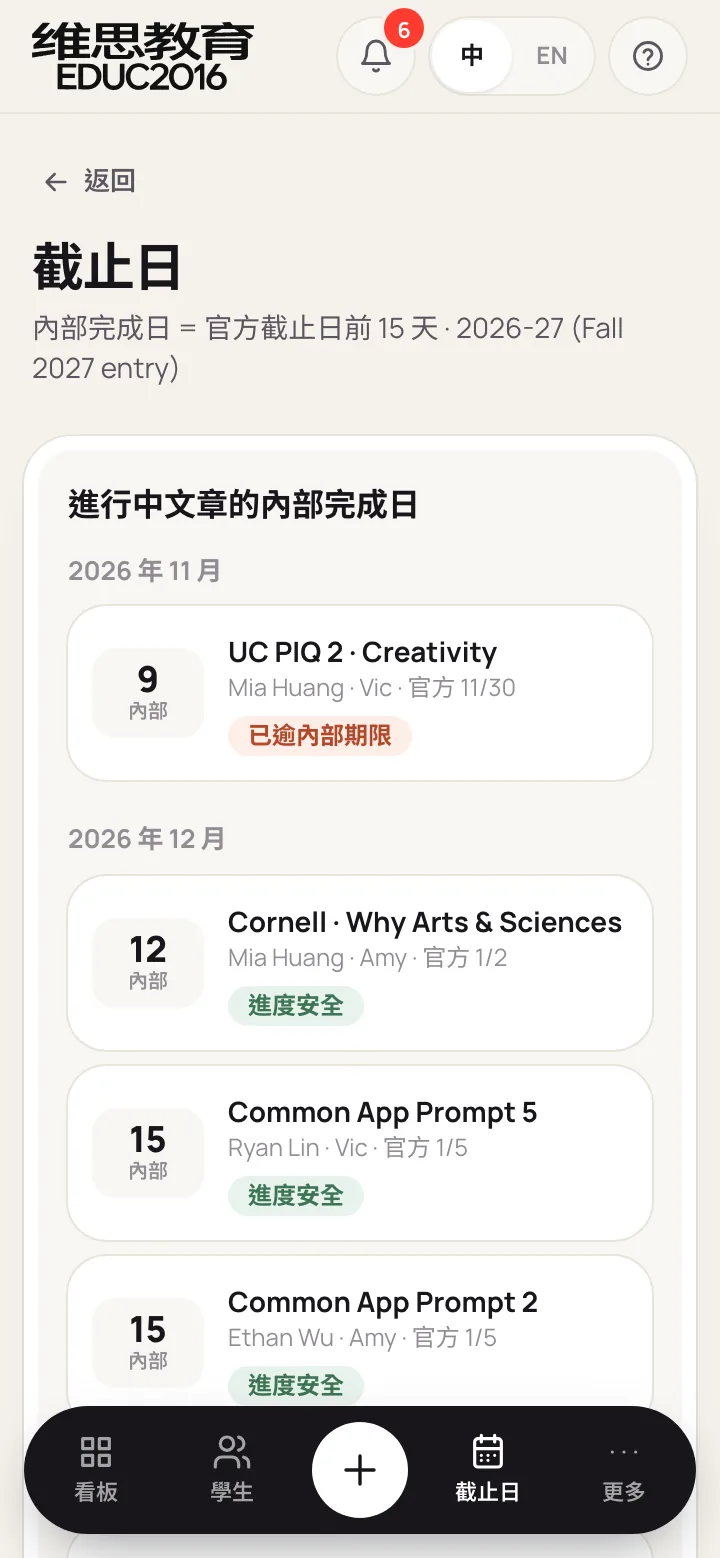
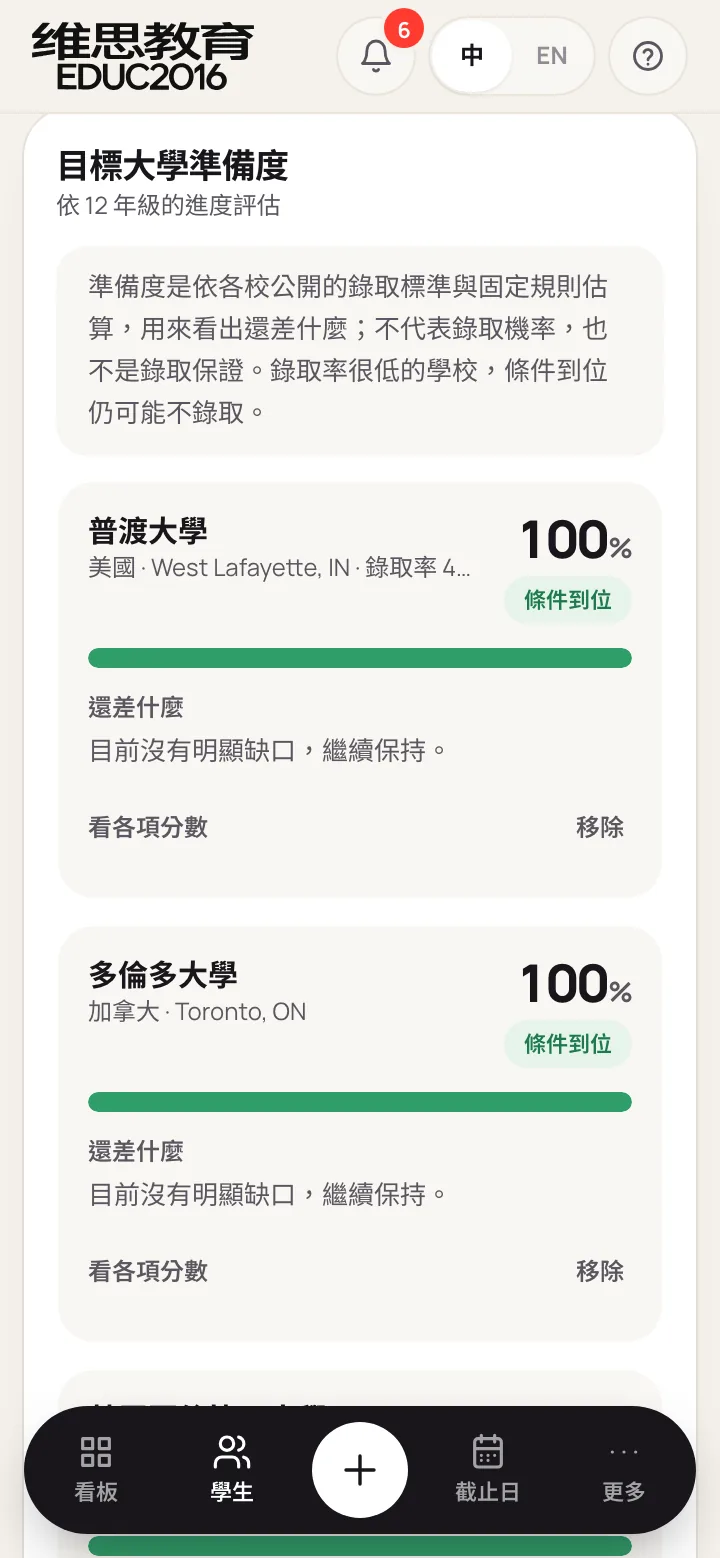
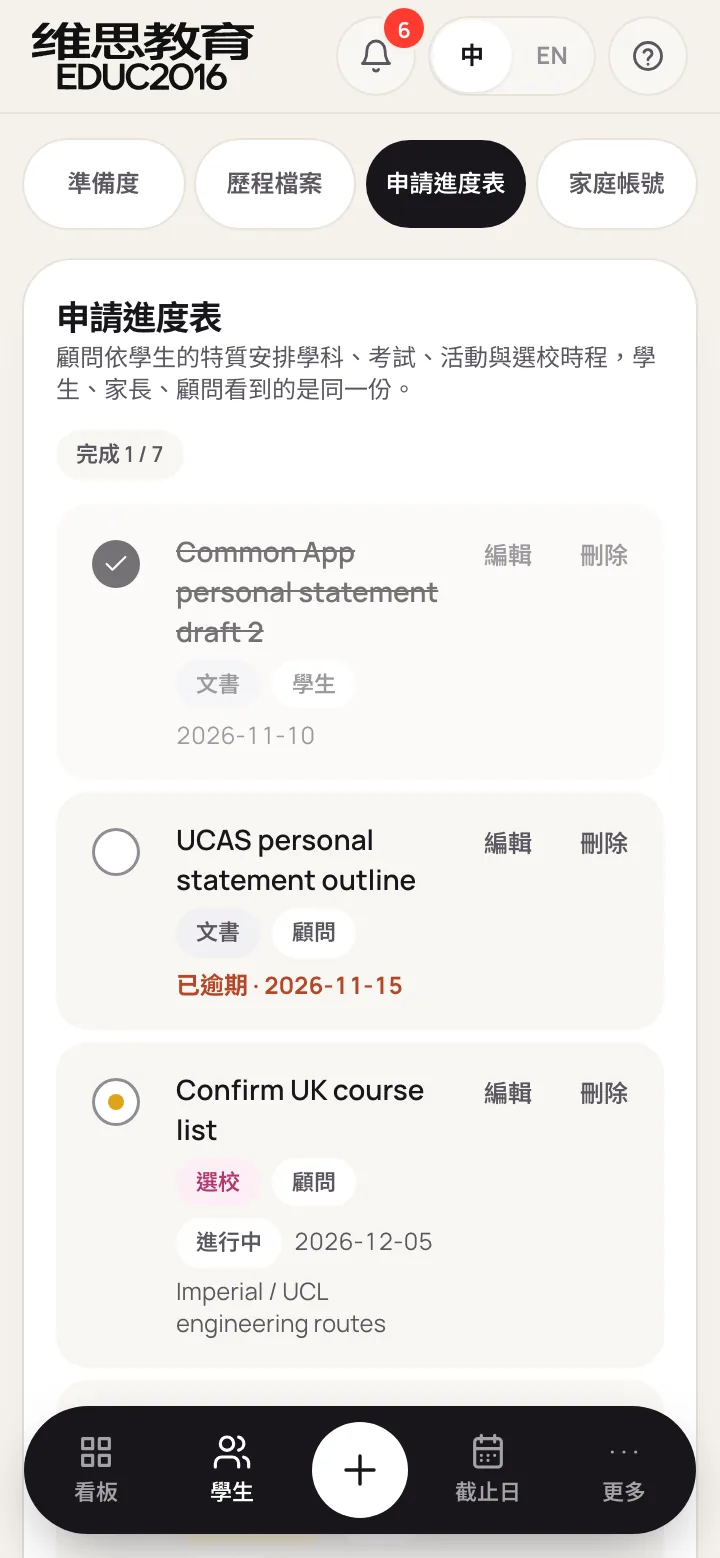
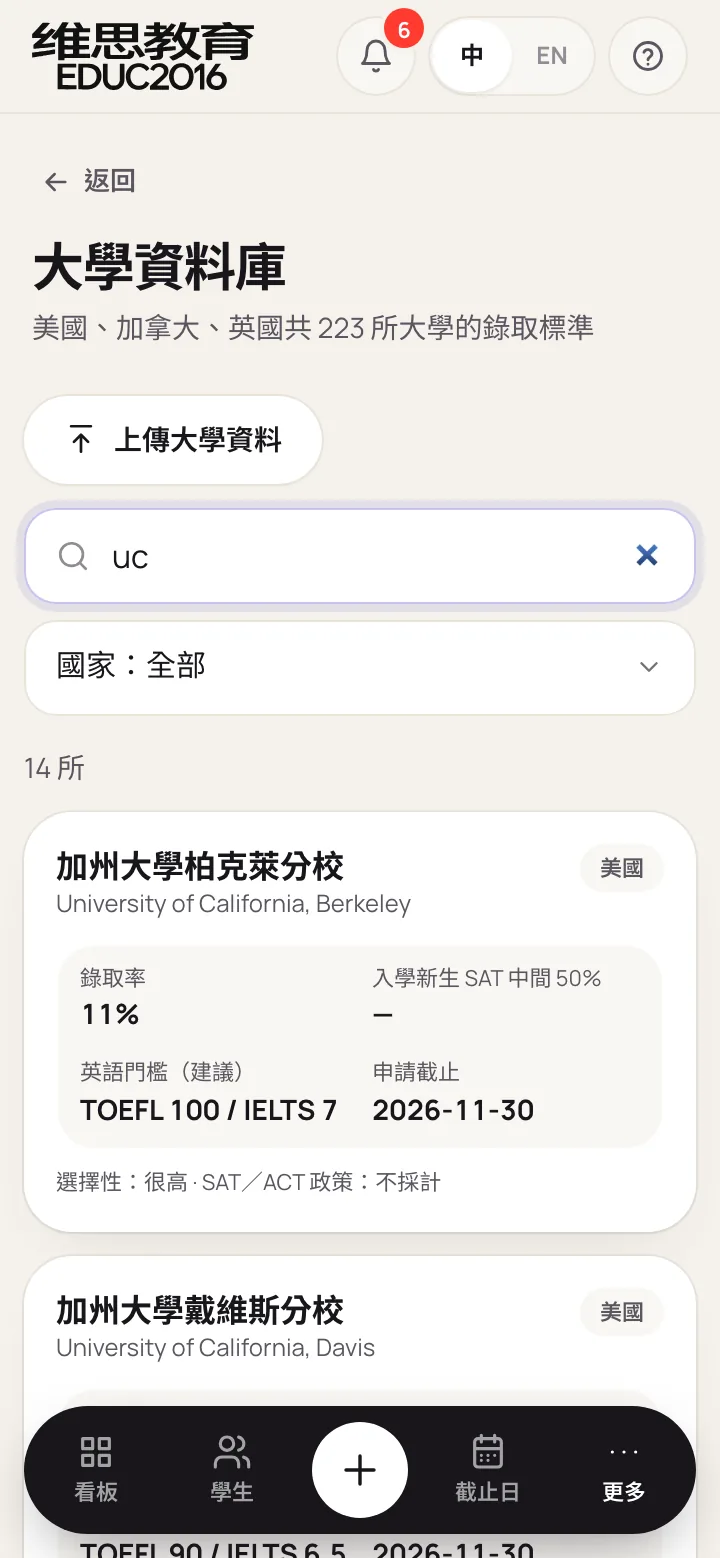
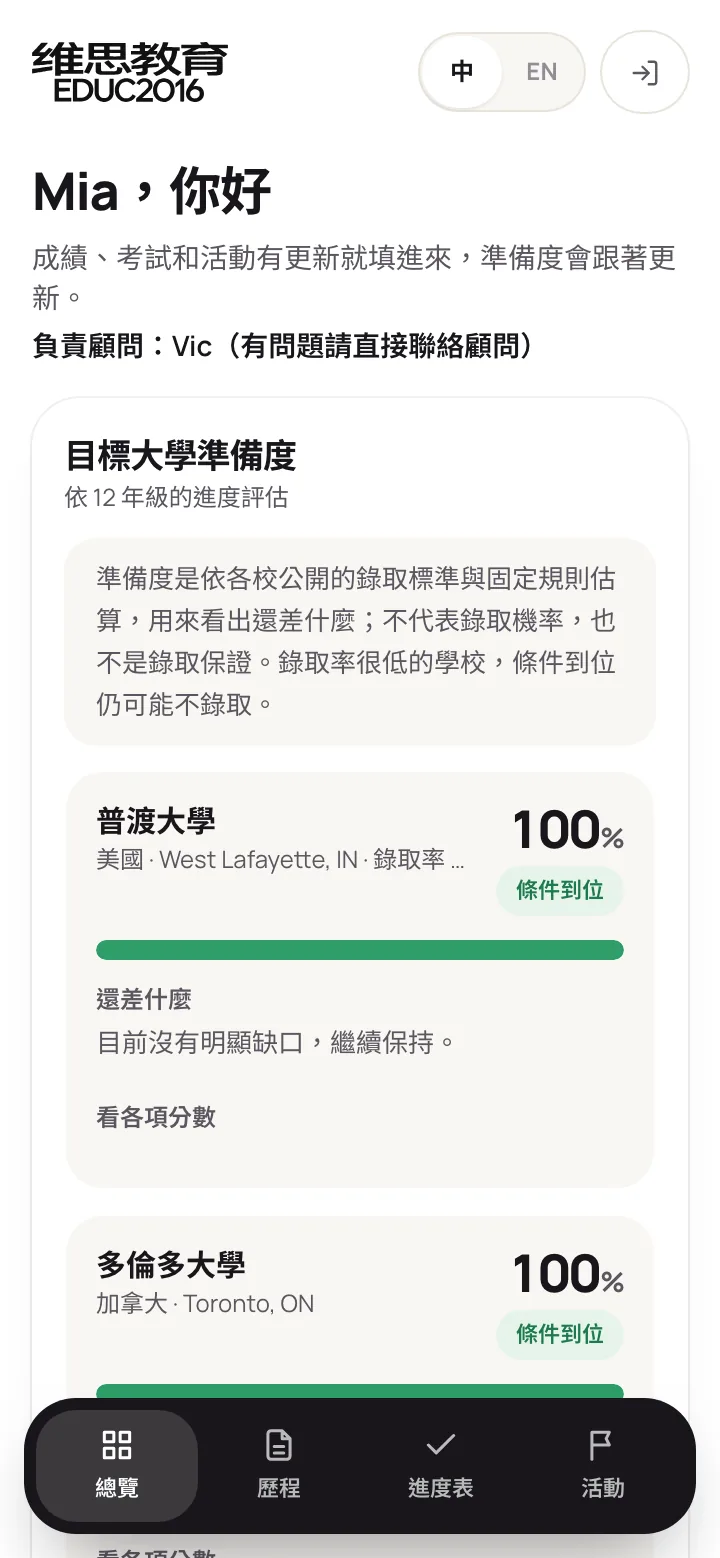
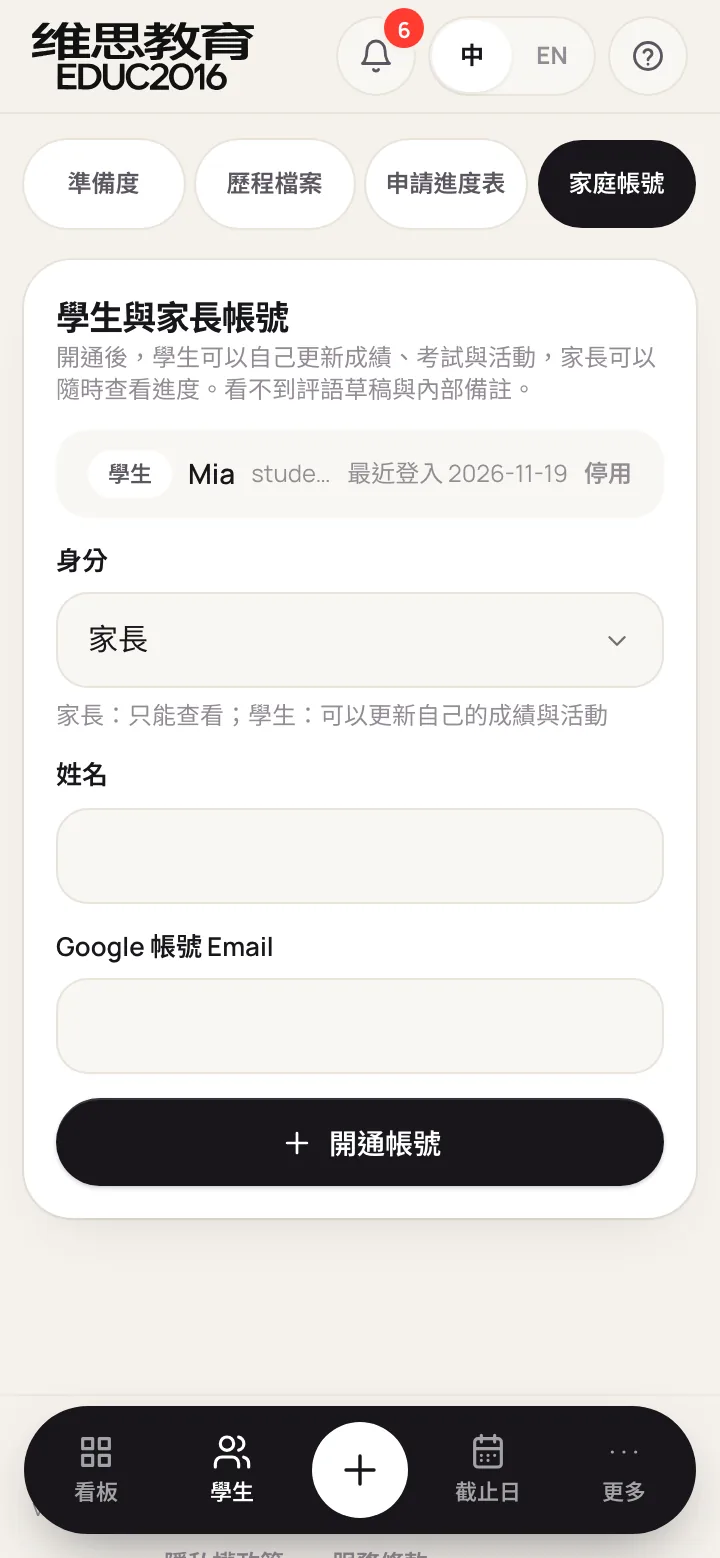
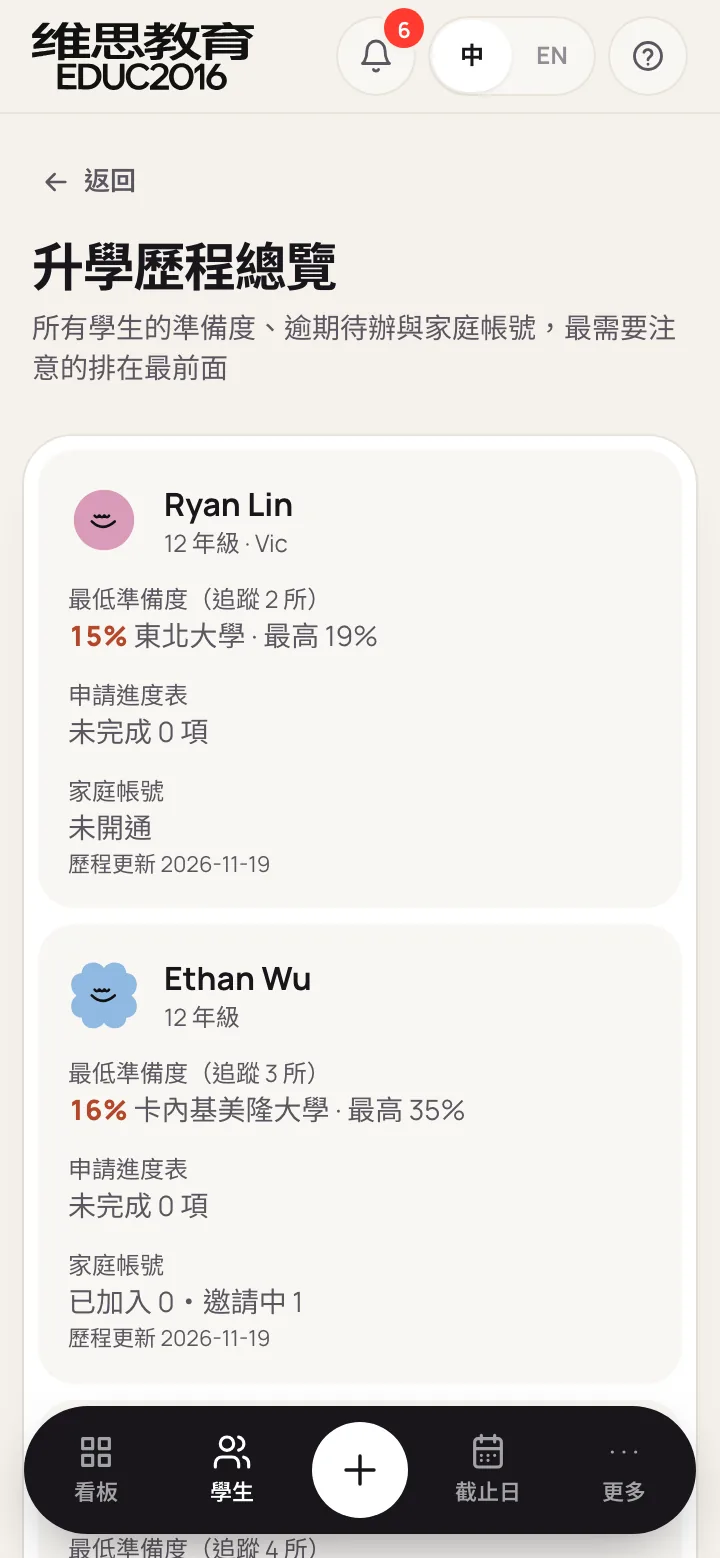
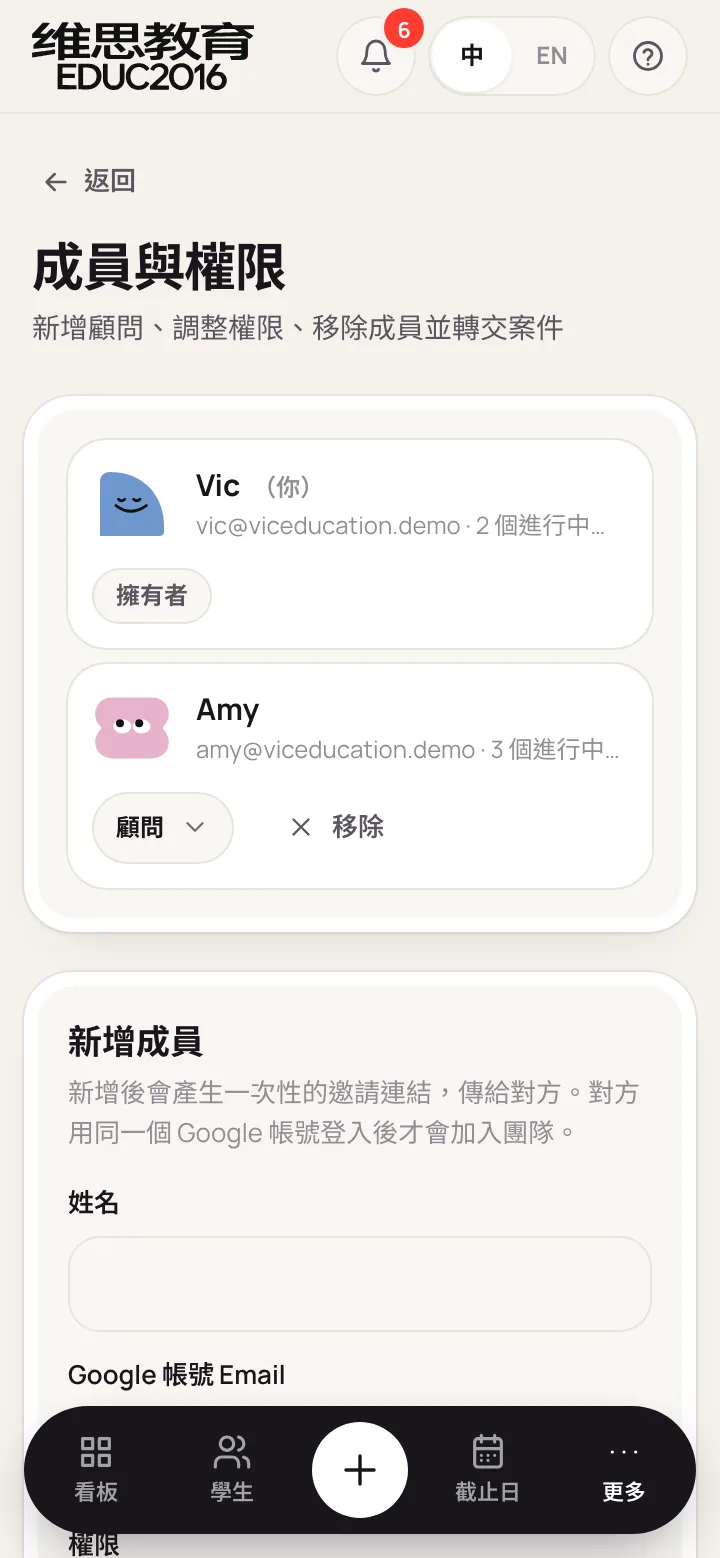
Consultants check progress on the go, and students and parents use almost nothing but their phones, so every screen was laid out again for the phone rather than shrunk. Navigation moves to a fixed bottom bar with a "+" in the middle for uploading; comments, readiness and to-dos become cards with buttons within thumb reach; the upload window slides up from the bottom.
Key design decisions
Theme 1. Essay review: the system drafts, the consultant decides
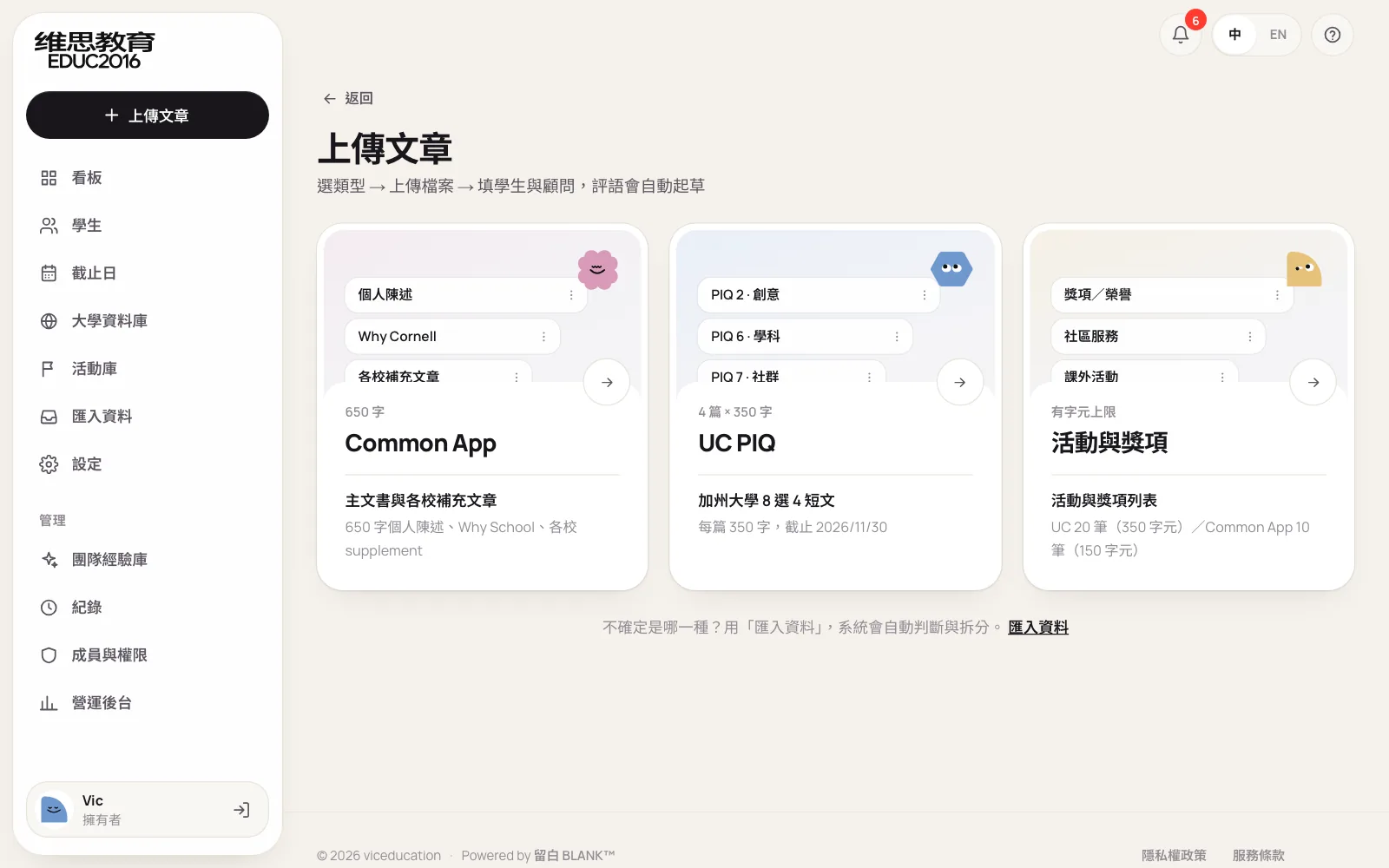
An upload starts with one of three types: Common App, UC PIQ, or activities and awards. The prompt, word limit and the school's official deadline fill in automatically; a new version of the same prompt for the same student is numbered V1, V2 and so on.
The system drafts in the review style the team wrote down: questioning inline comments, edits that only touch the student's own sentences, an overall comment, and notes in Chinese for the consultant only. Each item must be approved, edited then approved, or deleted. Nothing unapproved reaches the student, and the reviewer and time are recorded. When review is done, one click creates a Google Doc with every comment and suggestion in place.
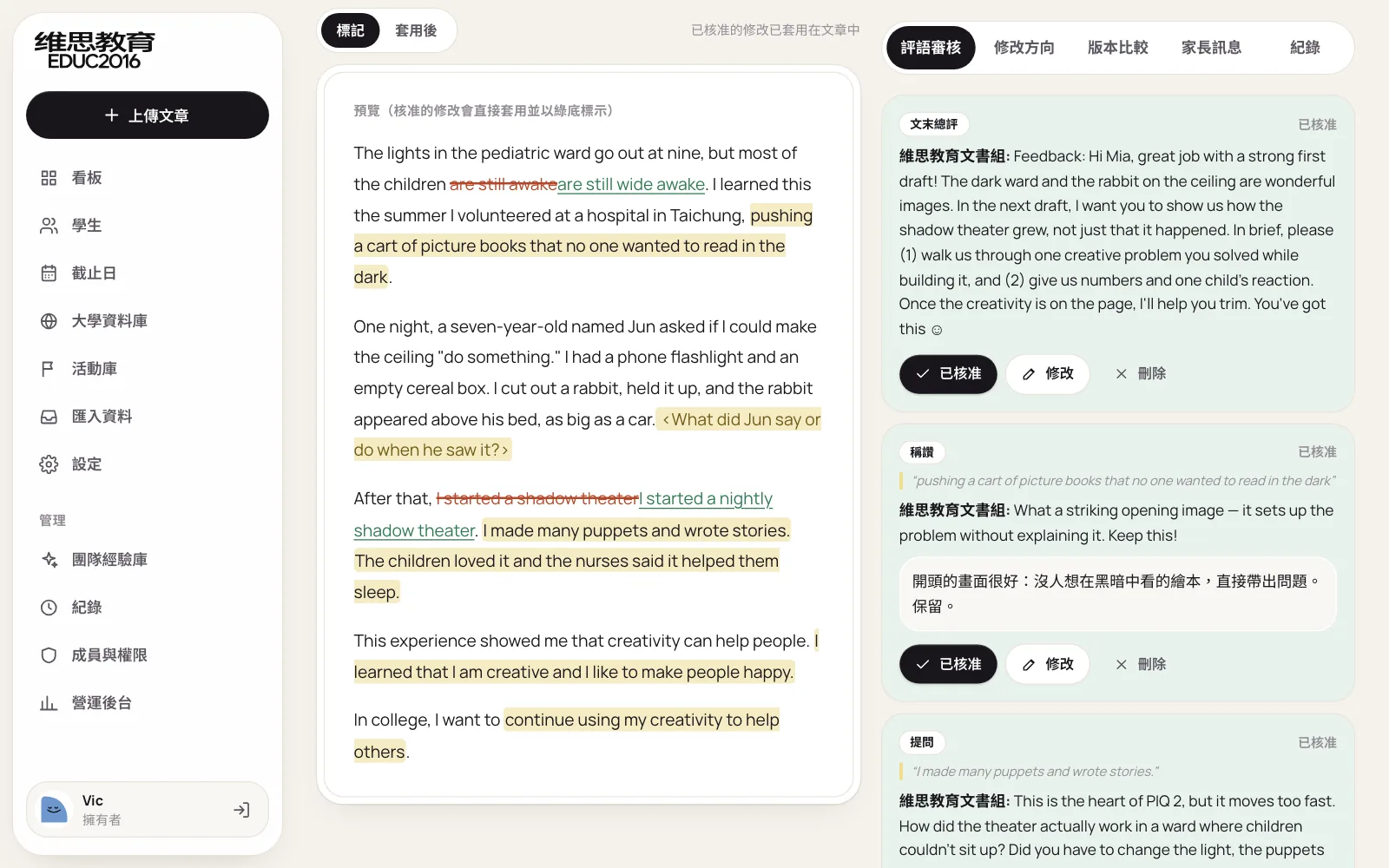
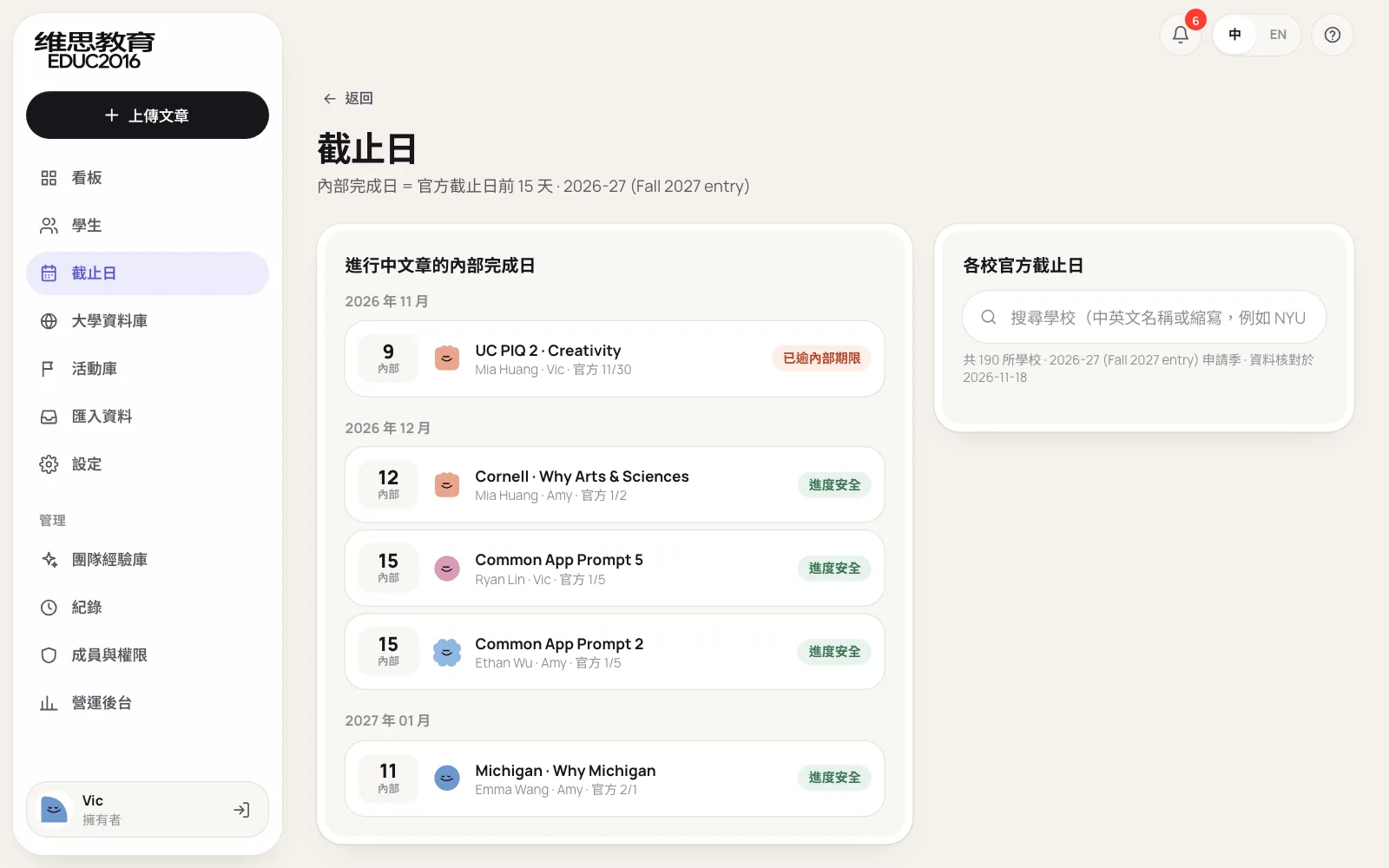
Internal deadlines aren't typed in. They are worked back from each school's official deadline, leaving time for revisions. Overdue items show in red and safe ones in green, and official deadlines can be looked up alongside.
Theme 2. Progress and readiness: published standards, plain answers
Every student has a grade 9 to 12 record. School grades can be entered as letters (A-), percentages (93) or on a 4.0 scale; the system works out unweighted and weighted GPA, the average and the number of advanced courses. Tests cover SAT, ACT, TOEFL, IELTS (with all four bands), Duolingo, AP and IB. Activities record category, role, level, grades and hours.
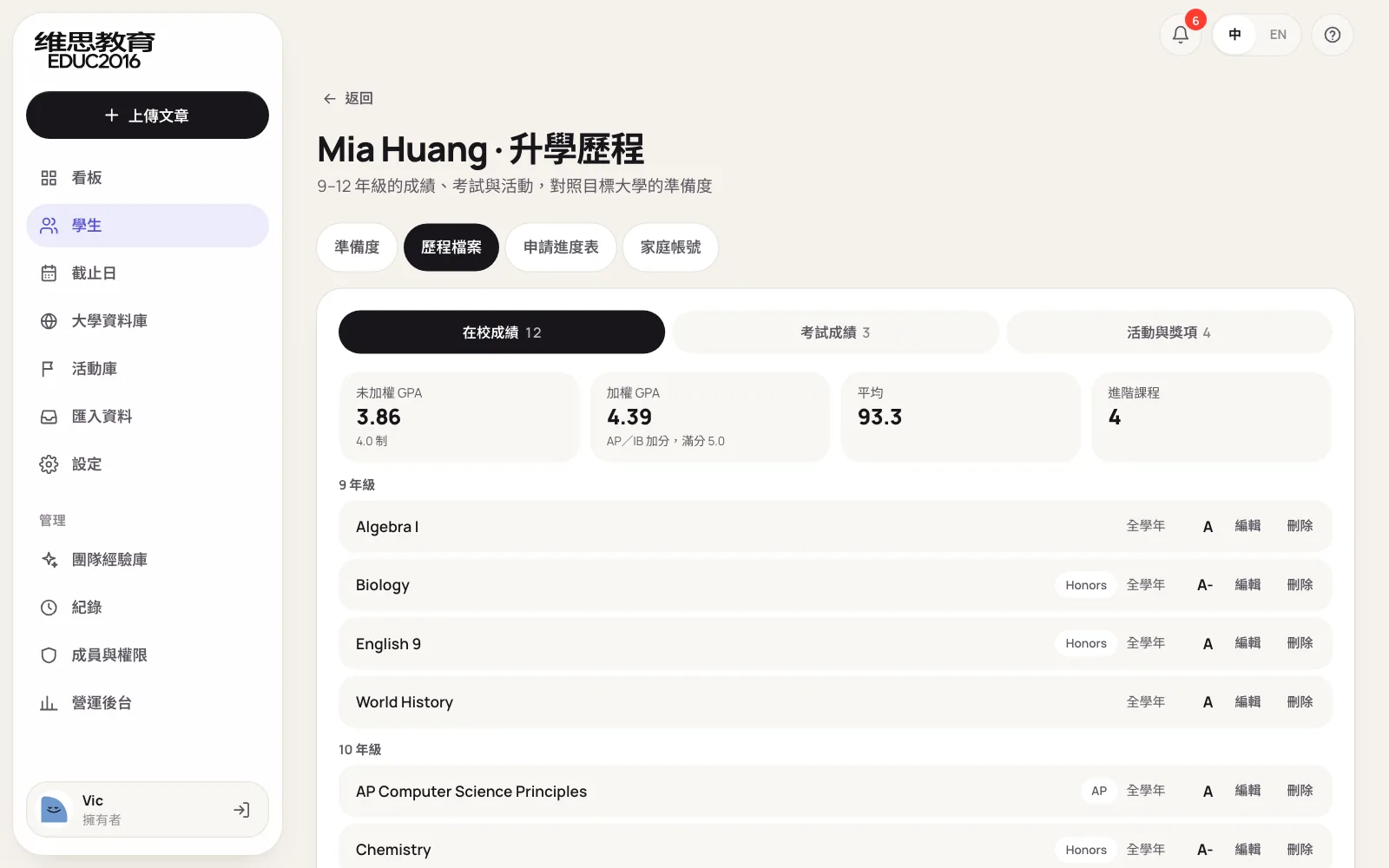
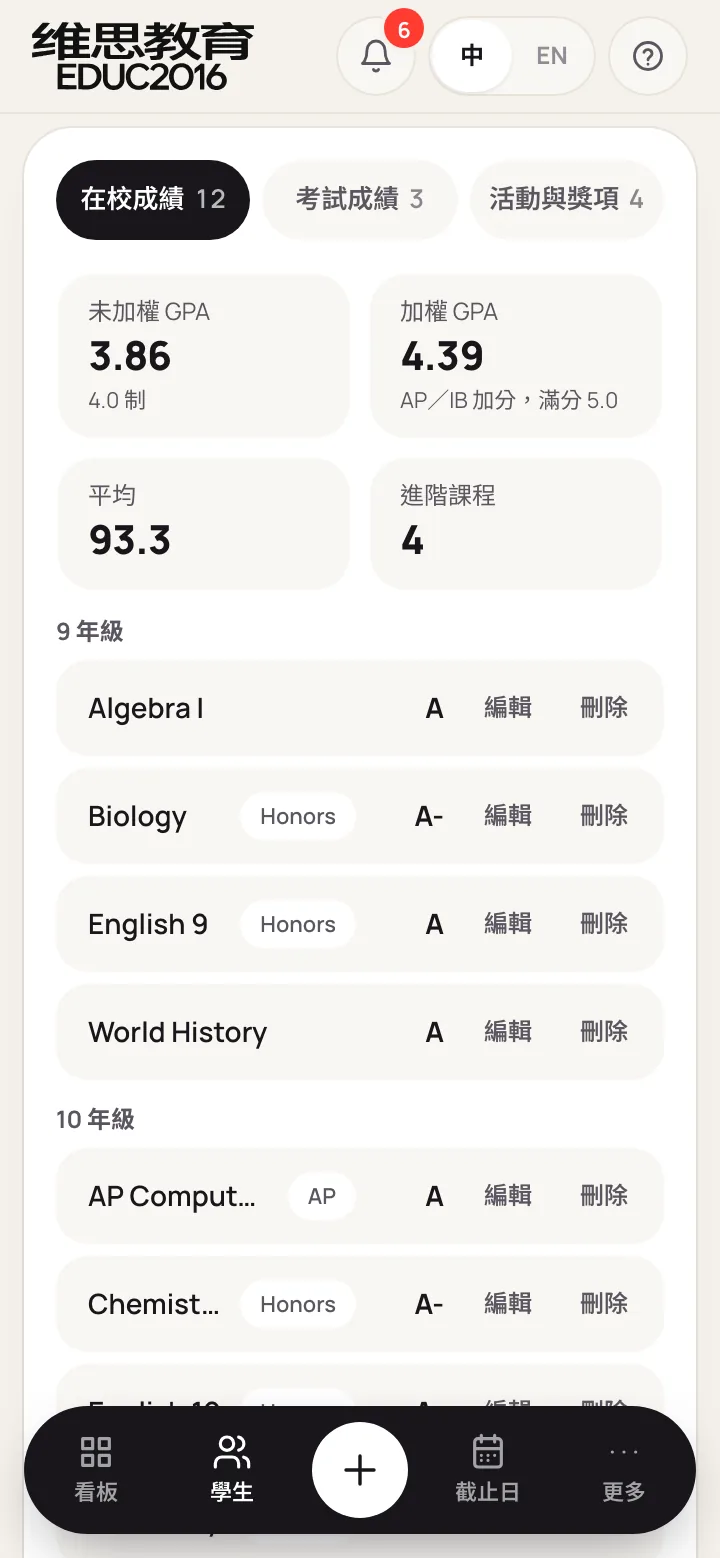
Readiness compares that record with the published standards of every university the student tracks, and gives a percentage from 0 to 100 with one of three bands: on target, close, or still building. We deliberately did not use machine learning to predict admission. Fixed rules mean consultants can follow every point and explain it to parents; each score can be expanded, and the screen states plainly that it is not a chance of admission.
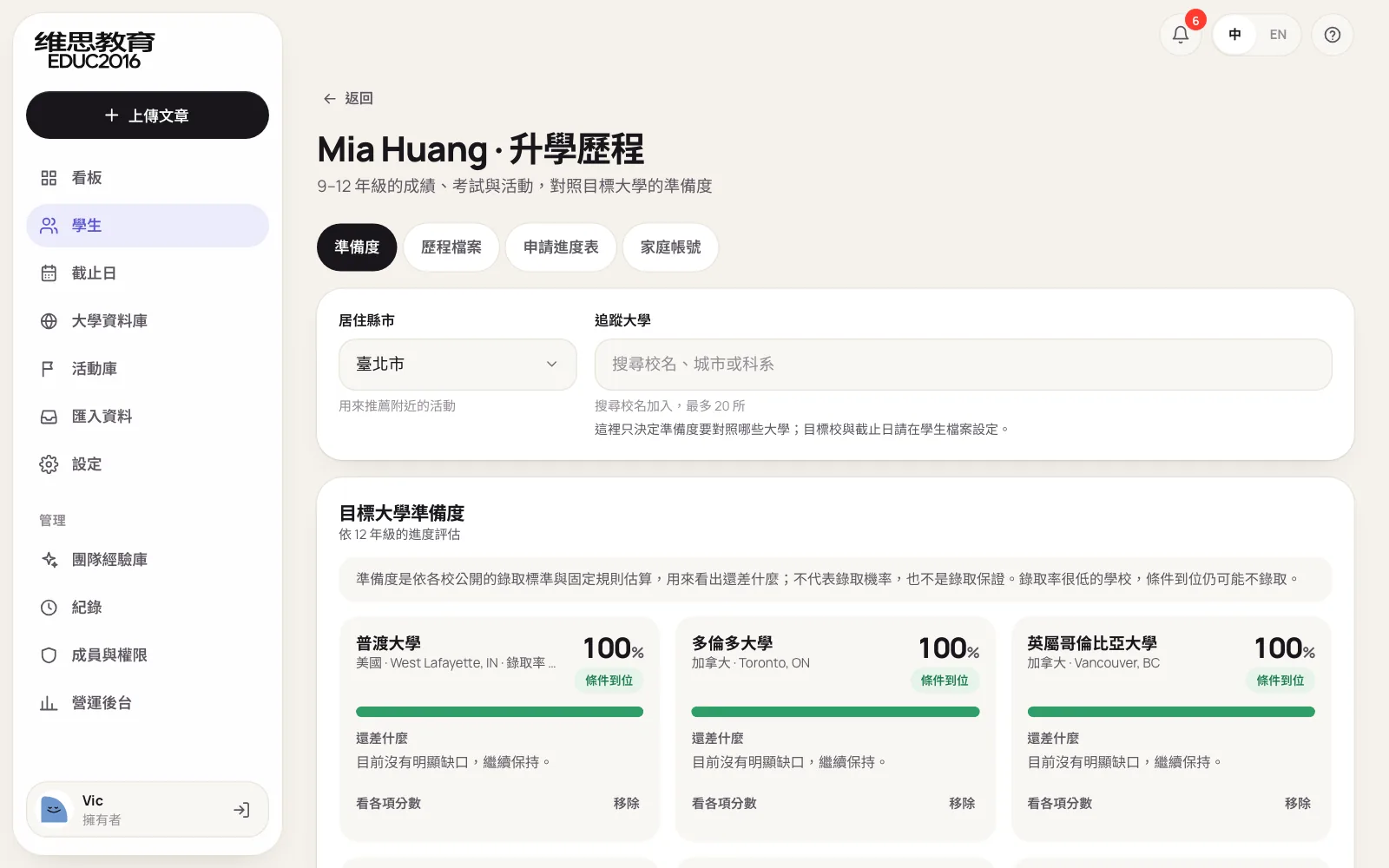
US, UK and Canadian admissions work differently, so the rules are separate:
| Country | Compared against | Special handling |
|---|---|---|
| US | GPA and course rigor, SAT/ACT middle 50%, English minimum, activities and awards | Each school's test policy (required, optional, test-blind) decides whether scores count |
| UK | Each university's AP, SAT or GPA entry routes | Checked route by route as the university publishes them |
| Canada | Grade 11 and 12 average against the minimum | Where no figure is published, a guideline by selectivity is used |
English scores are compared on each test's own scale rather than converted, and IELTS band minimums are checked separately. When there is too little data (say fewer than four courses, or no English score), the percentage is capped at 60% with a note that the record is incomplete, so parents don't get false comfort.
Theme 3. Application plan: an owner and a date for everything
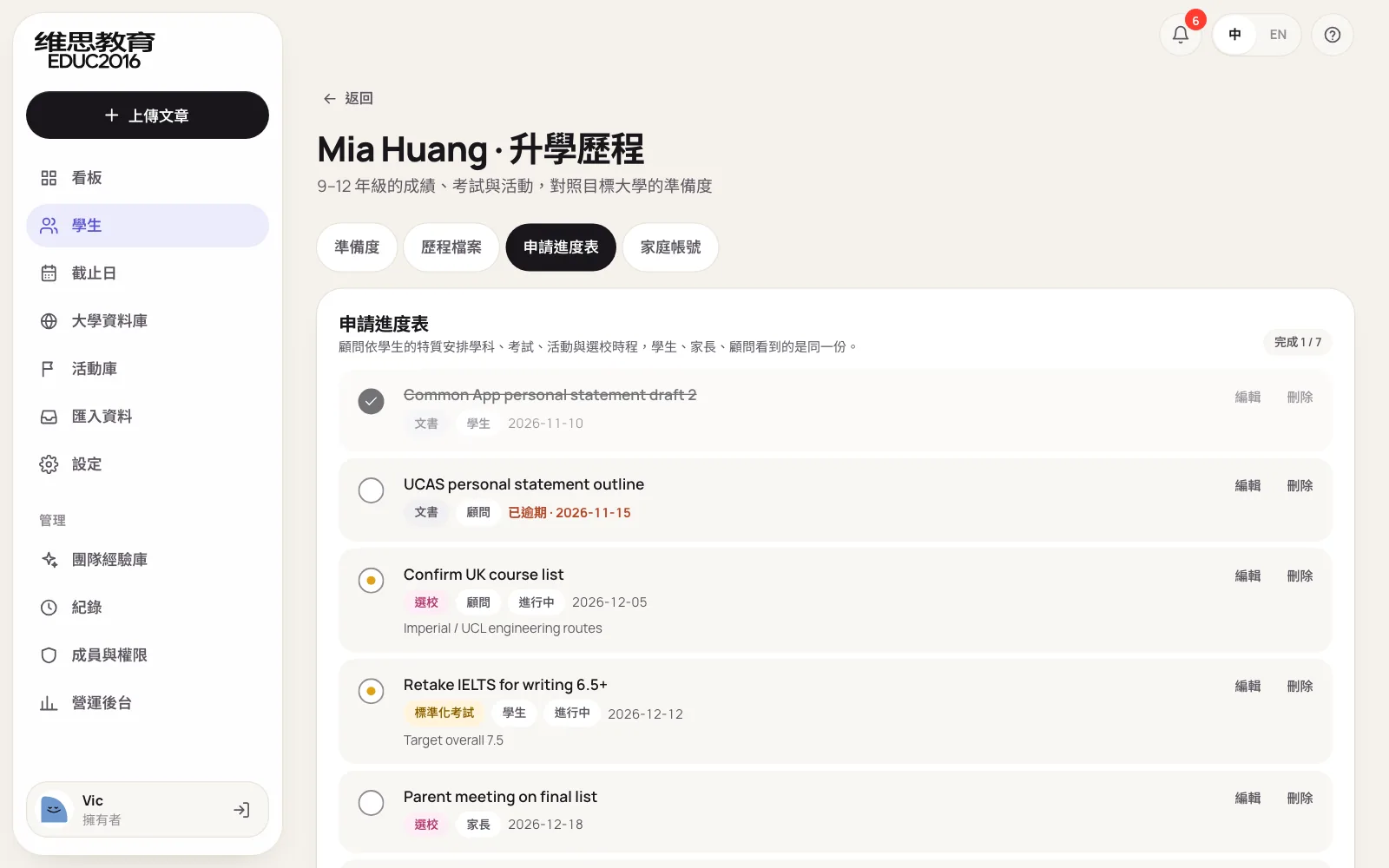
Based on each student's gaps, consultants plan work in five tracks: academics, testing, activities, school list and essays. Every item has an owner (student, consultant or parent) and a due date. Overdue items show in red; students tick off their own items in the portal and the team sees it straight away.
Theme 4. Universities and the activity library: less time looking things up
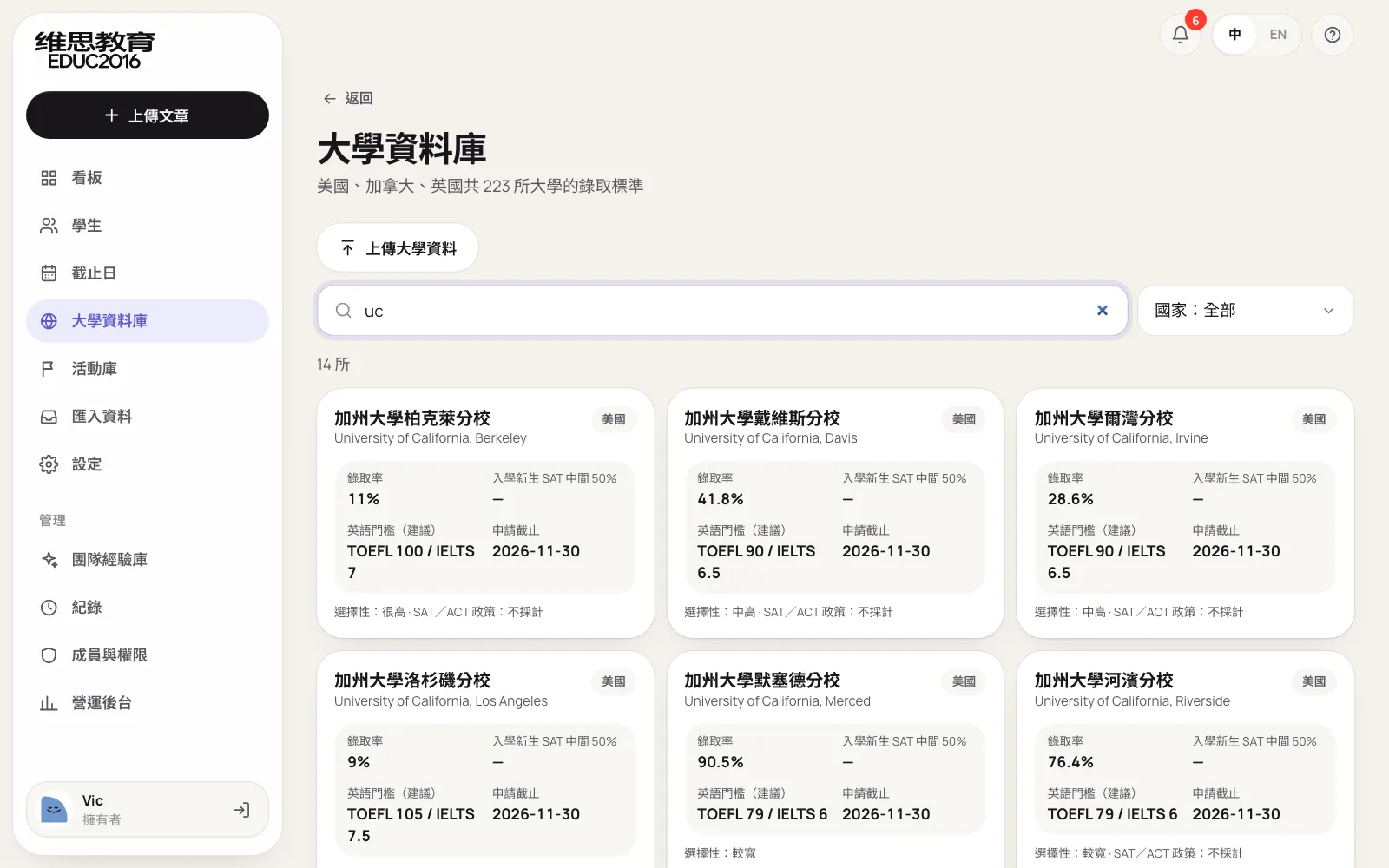
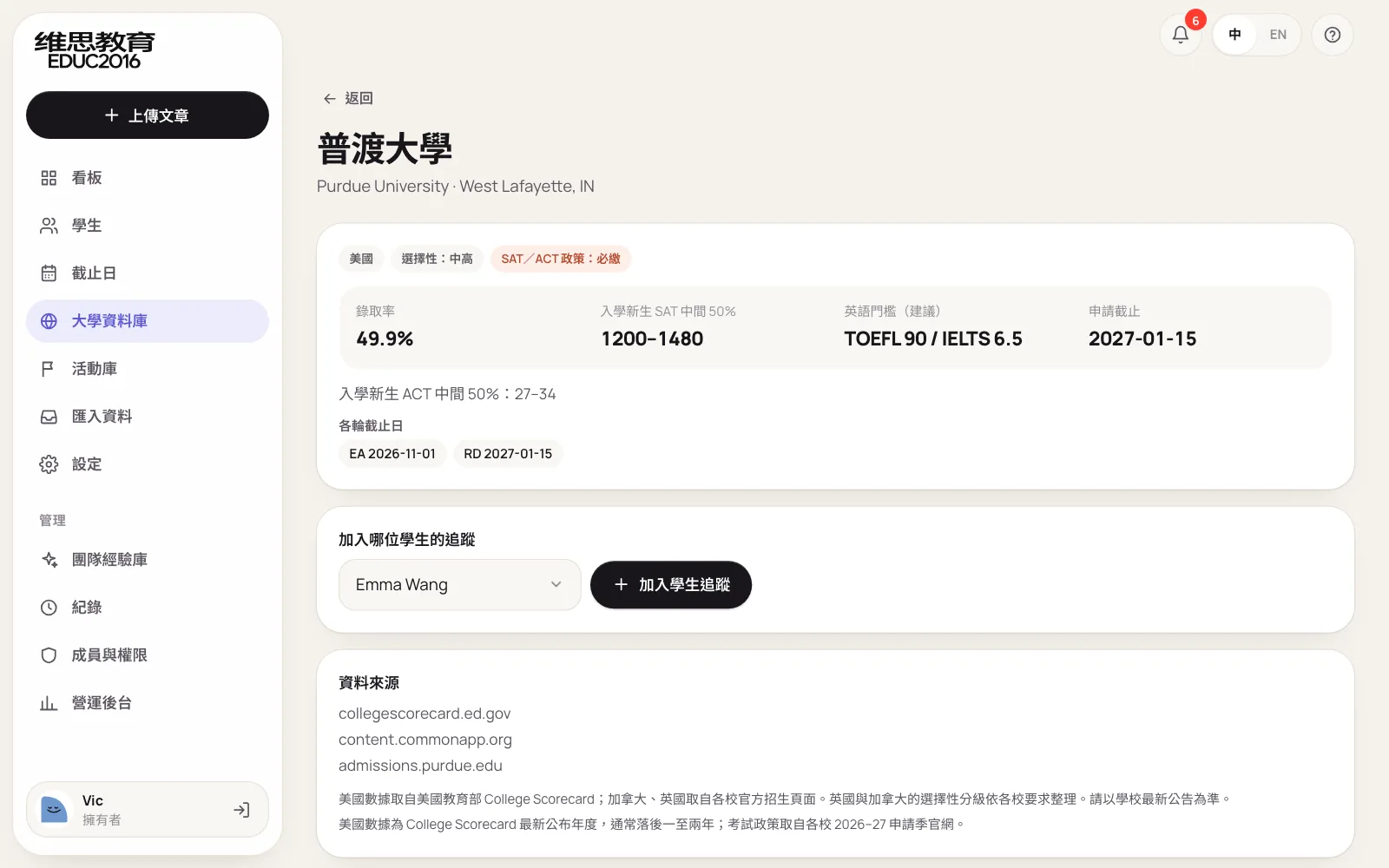
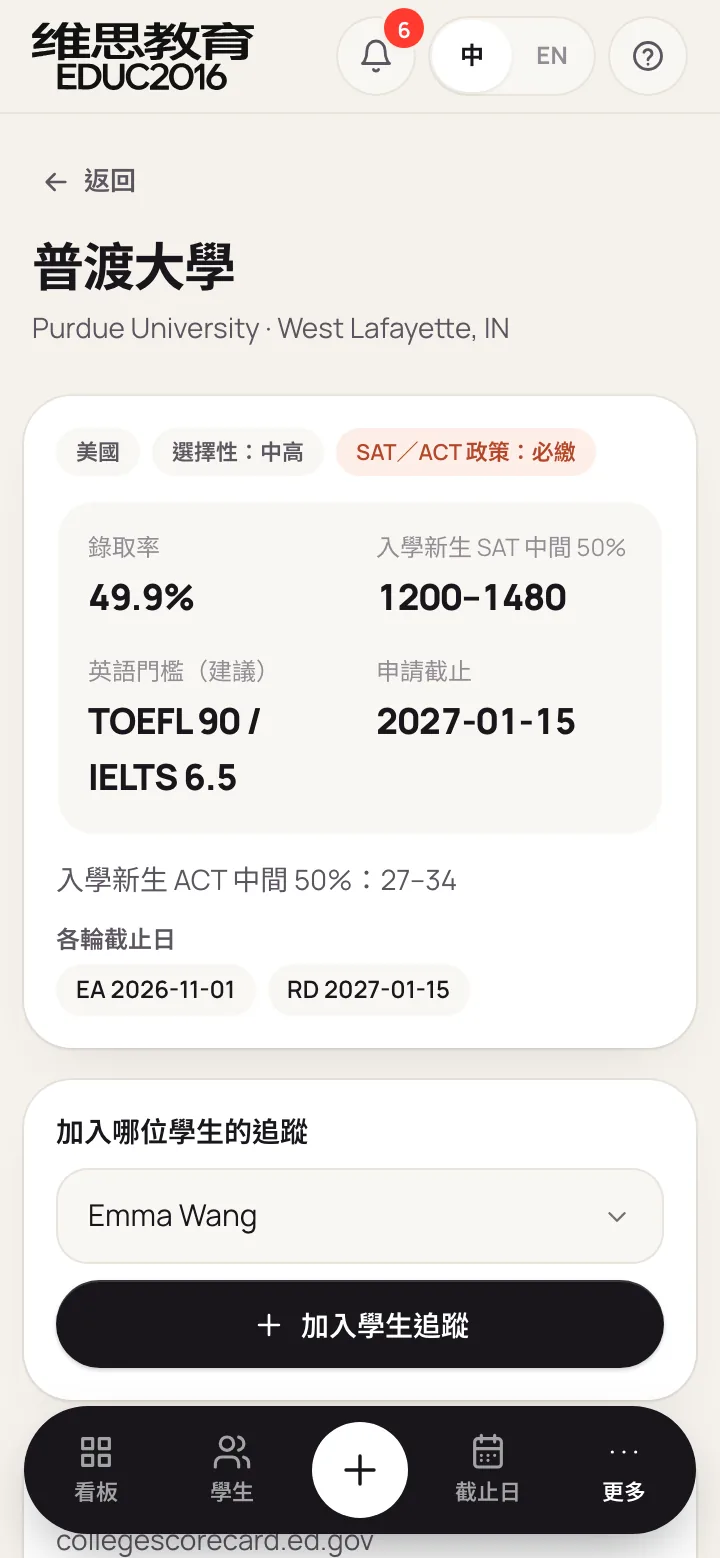
The university database covers 223 universities in the US, Canada and the UK: admit rate, SAT middle 50%, English minimum, test policy, deadlines and programs, each with its source. With nothing typed, schools are listed alphabetically; keep scrolling to load every one.
| Data | Source | Updated |
|---|---|---|
| US admit rates, SAT/ACT, programs | US Department of Education College Scorecard | Each new application cycle |
| US test policies | Each university's admissions pages | Source link kept for every entry |
| UK entry routes, Canadian averages | Each university's admissions pages | Source link kept for every entry |
Search is what consultants do most, so we redesigned how it works:
- Results as you type. No search button; results update with every letter.
- Abbreviations and short names. UCLA, UC Davis, NYU, MIT, UBC and UCL all work; type "uc" and the nine University of California campuses come first.
- Names before programs. The best matches on English name, Chinese name and abbreviation come first, then the rest alphabetically. Program names only count from three letters on, so "uc" doesn't pull in every Education degree.
- Partial Chinese names work too, such as 加州大學洛杉磯.
| Typed | Found |
|---|---|
| uc | The nine University of California campuses first |
| UCLA, UC Davis | That campus, first |
| NYU, MIT, UBC | New York University, MIT, University of British Columbia |
| 加州大學洛杉磯 | UCLA |
| computer | Schools with computing programs |
For schools beyond the built-in data, such as art schools or less common choices, owners and admins can upload their own from Excel or CSV: name, country, admit rate, SAT, test policy, English minimum, deadline and programs. Uploaded schools are visible only to that company, marked "Added by your team", and work like built-in ones for search, tracking and readiness; names that match a built-in school are skipped.
Each university has its own page with its standards and sources, and can be added to a student's readiness tracking from there.
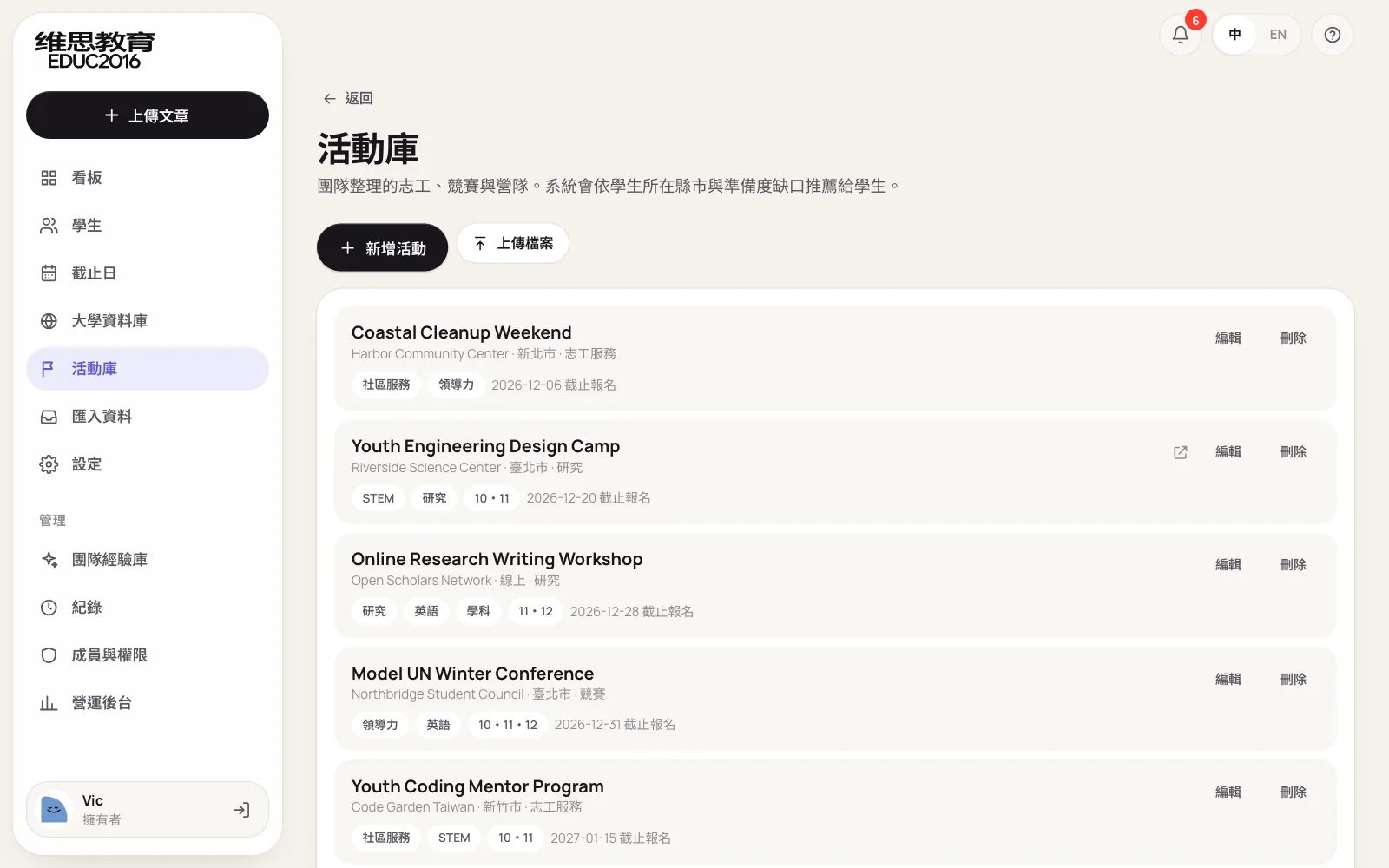
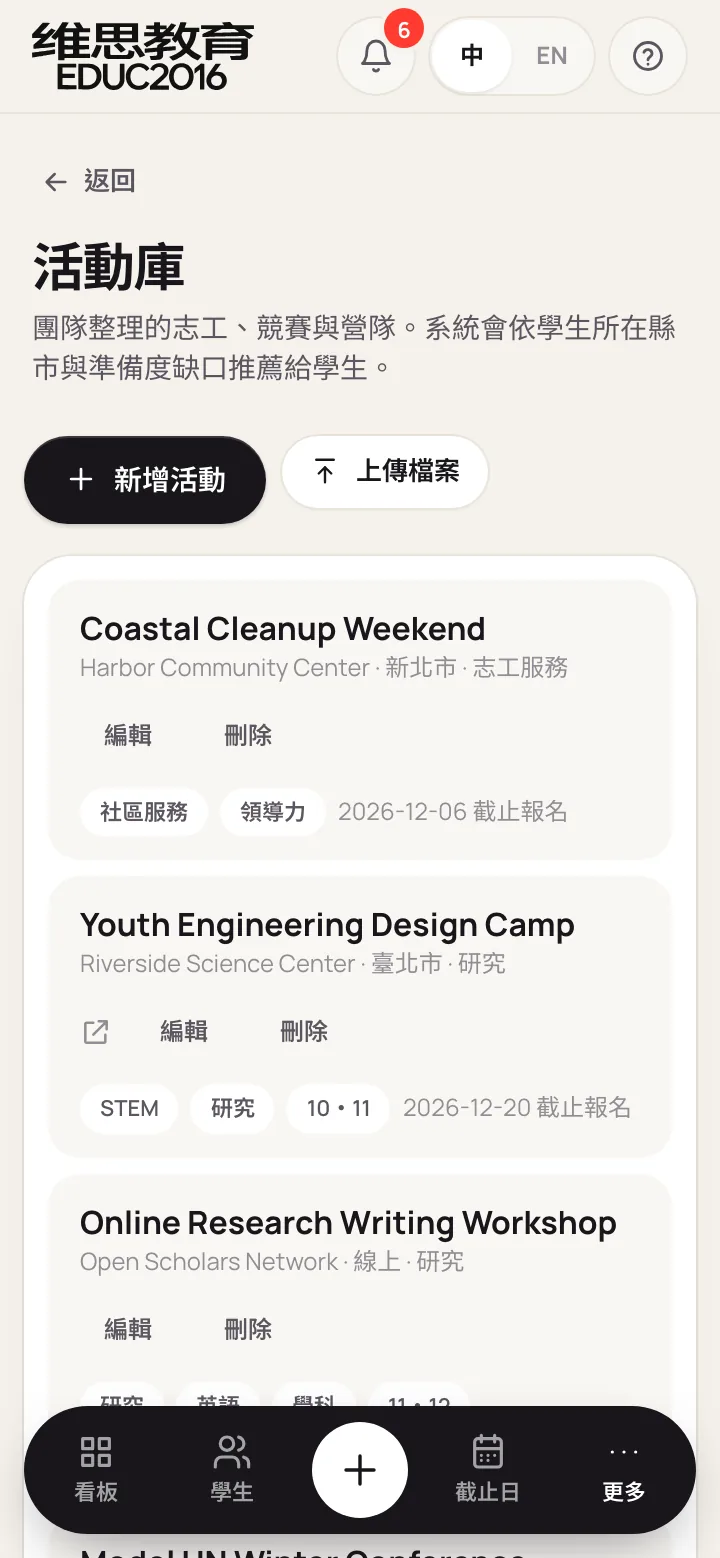
The activity library is built by the team: volunteering, competitions, camps and research opportunities, each with city, the areas it helps, suitable grades and sign-up deadline. The system suggests activities by the student's city and readiness gaps; a student short on leadership sees activities with leadership roles first. Suggestions use fixed rules and call no outside service, so they add no cost.
Theme 5. Spreadsheet import: no more typing one entry at a time
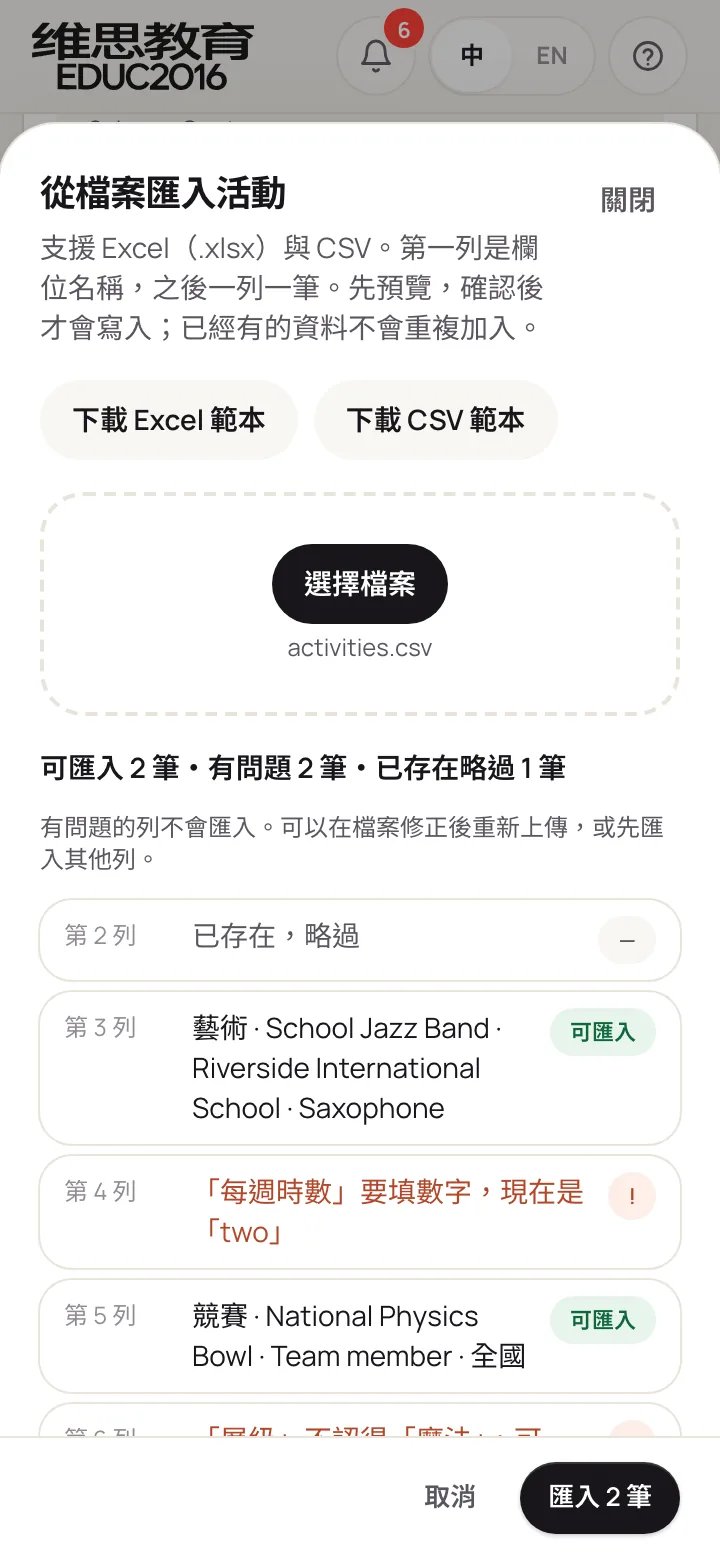
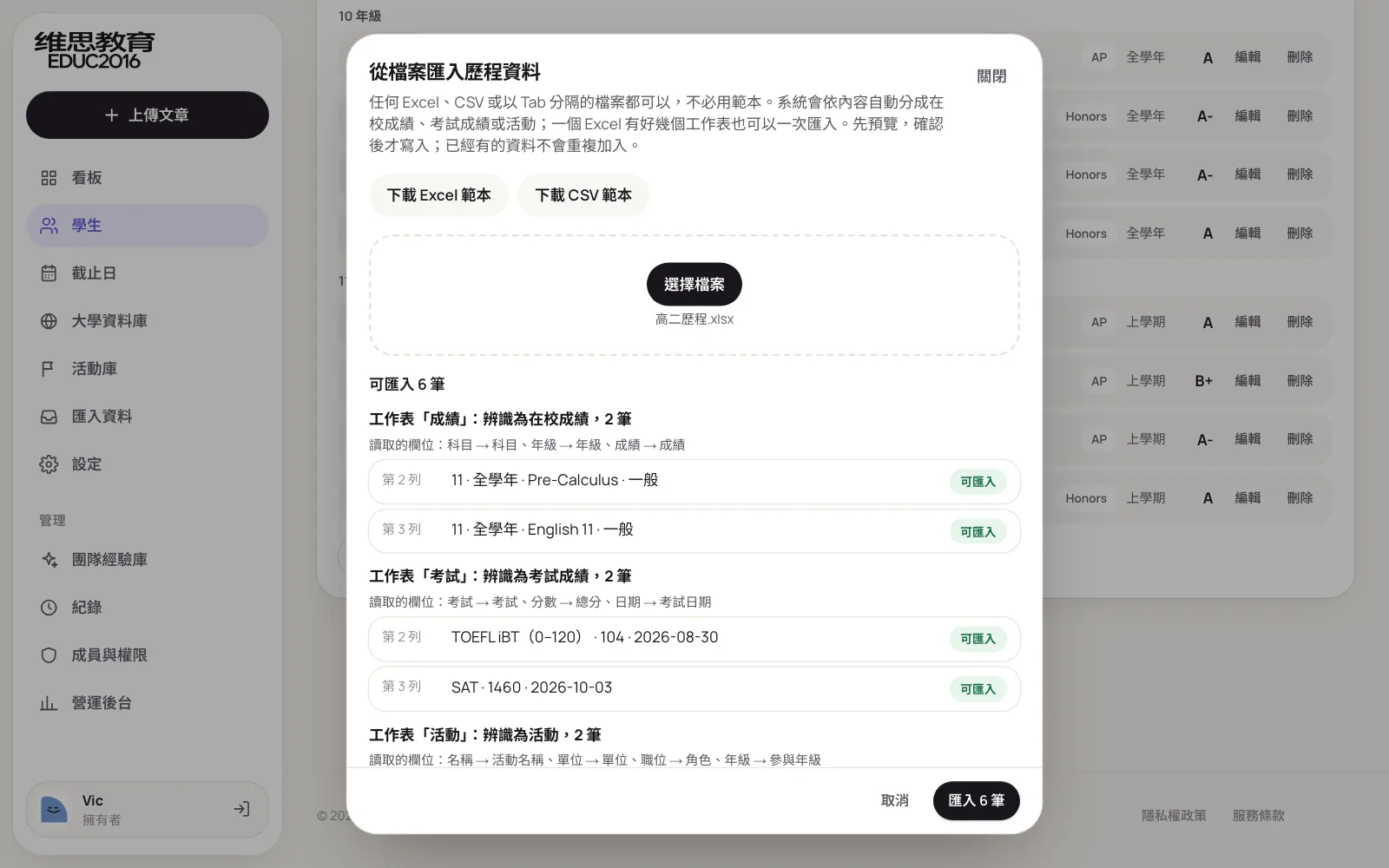
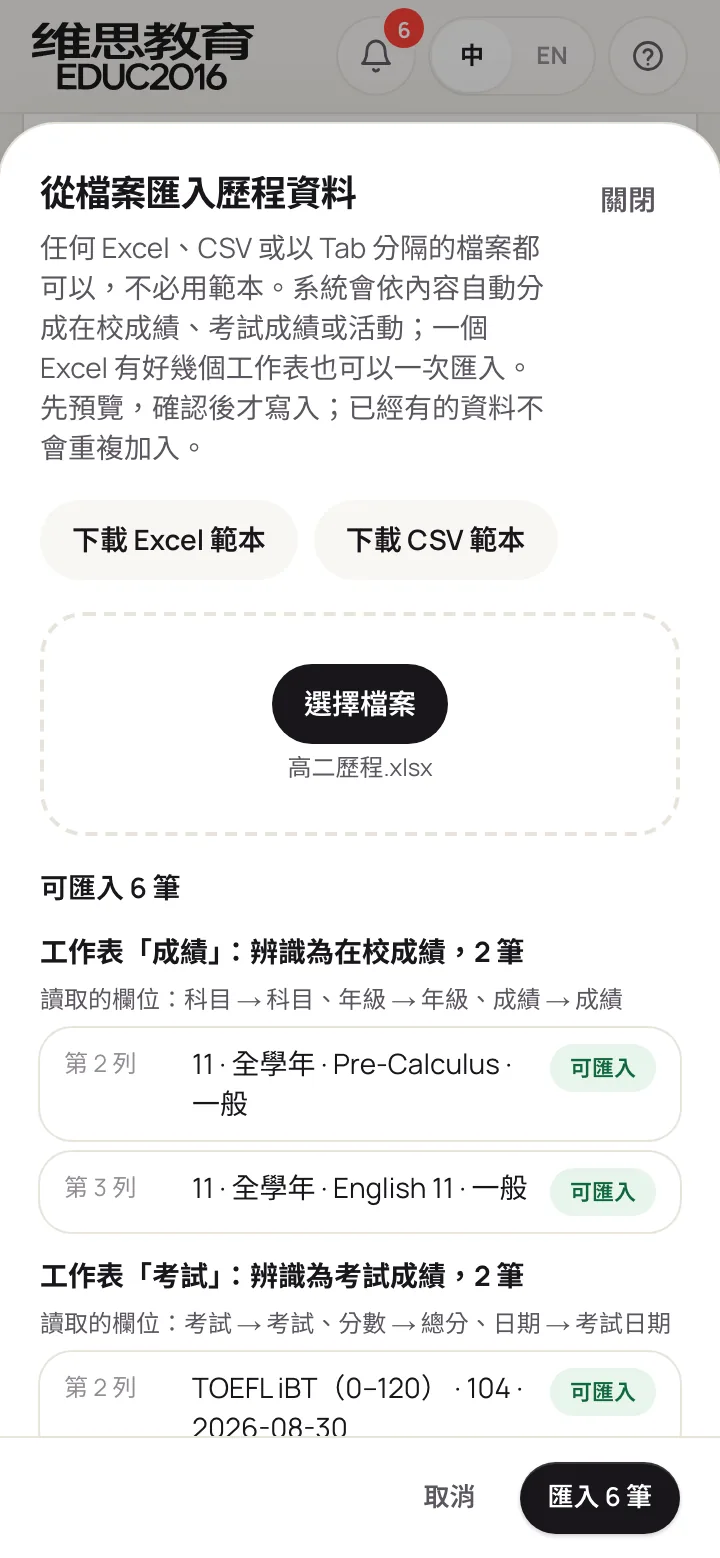
Grades, tests, activities, the application plan, the activity library and universities can all be uploaded as Excel, CSV or tab-separated files, with no need to reformat them to a template first. A transcript from a parent or a consultant's own activity list goes in as it is: each column is recognised by its name and contents, and a missing category is worked out from the row. After upload every row is previewed: rows ready to import show in green, and problem rows say which column, which value, and what is accepted. Nothing is saved until you confirm.
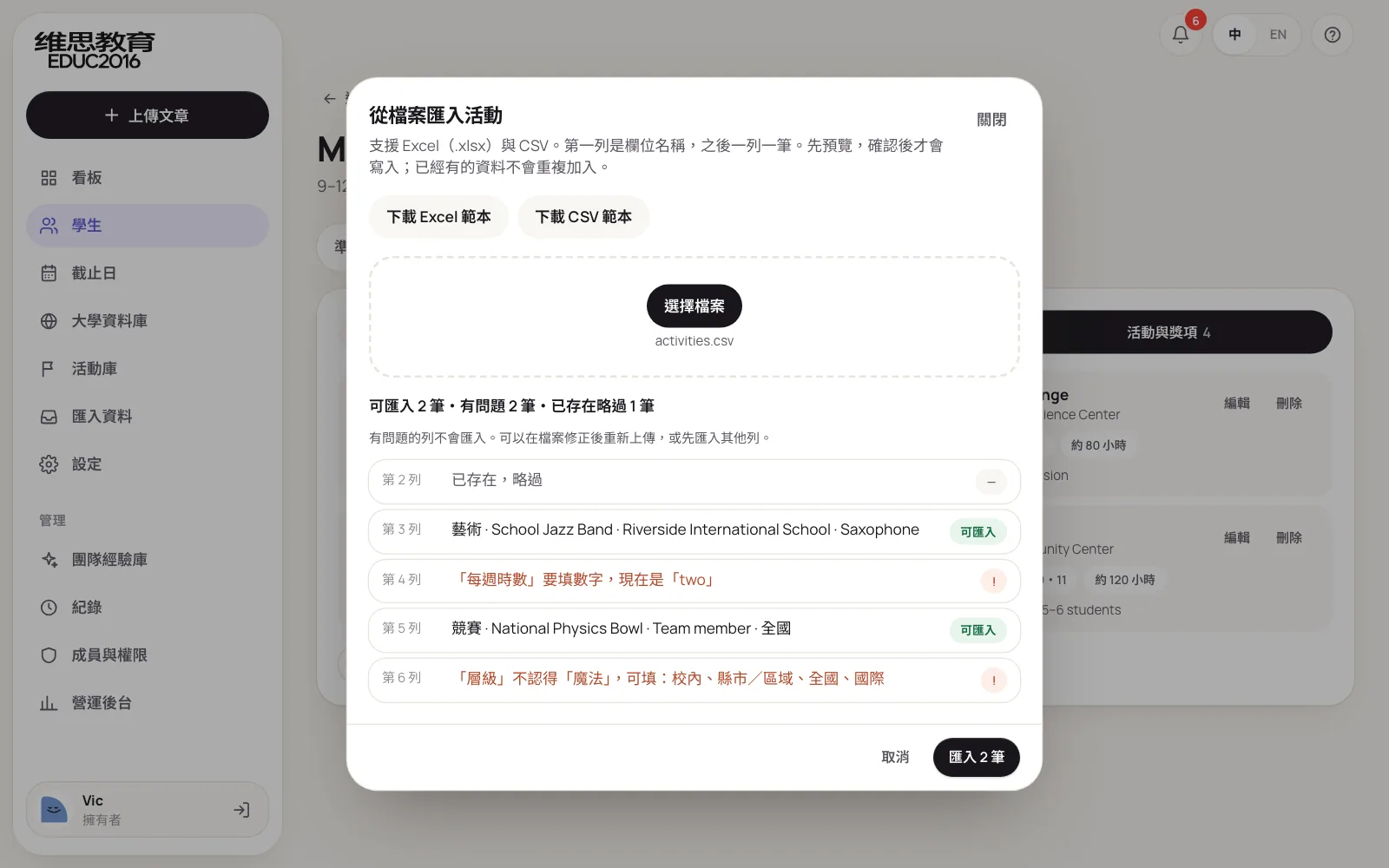
Uploads on the student record sort themselves: a workbook with Grades, Tests and Activities sheets has each sheet recognised and imported into the right place in one go.
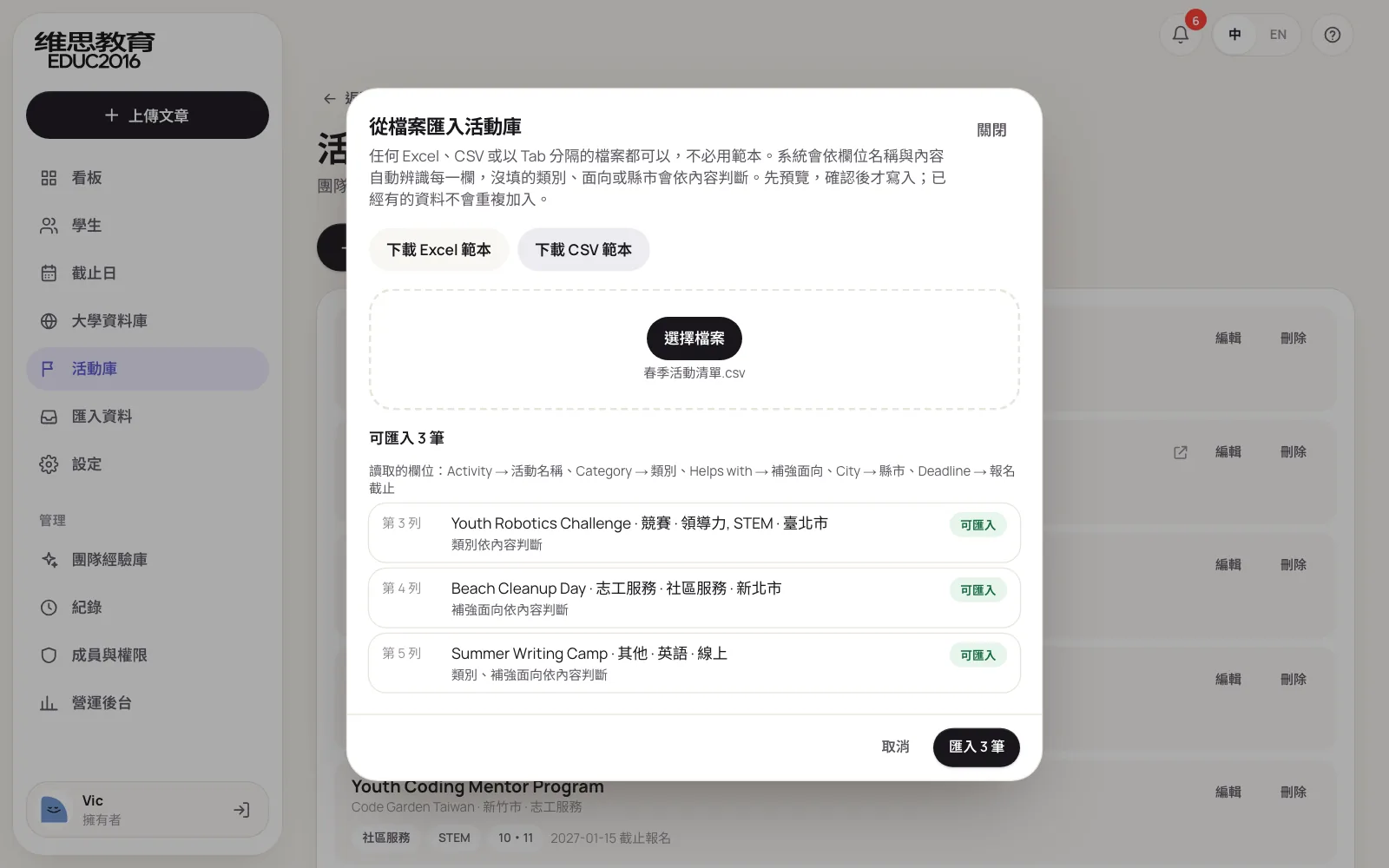
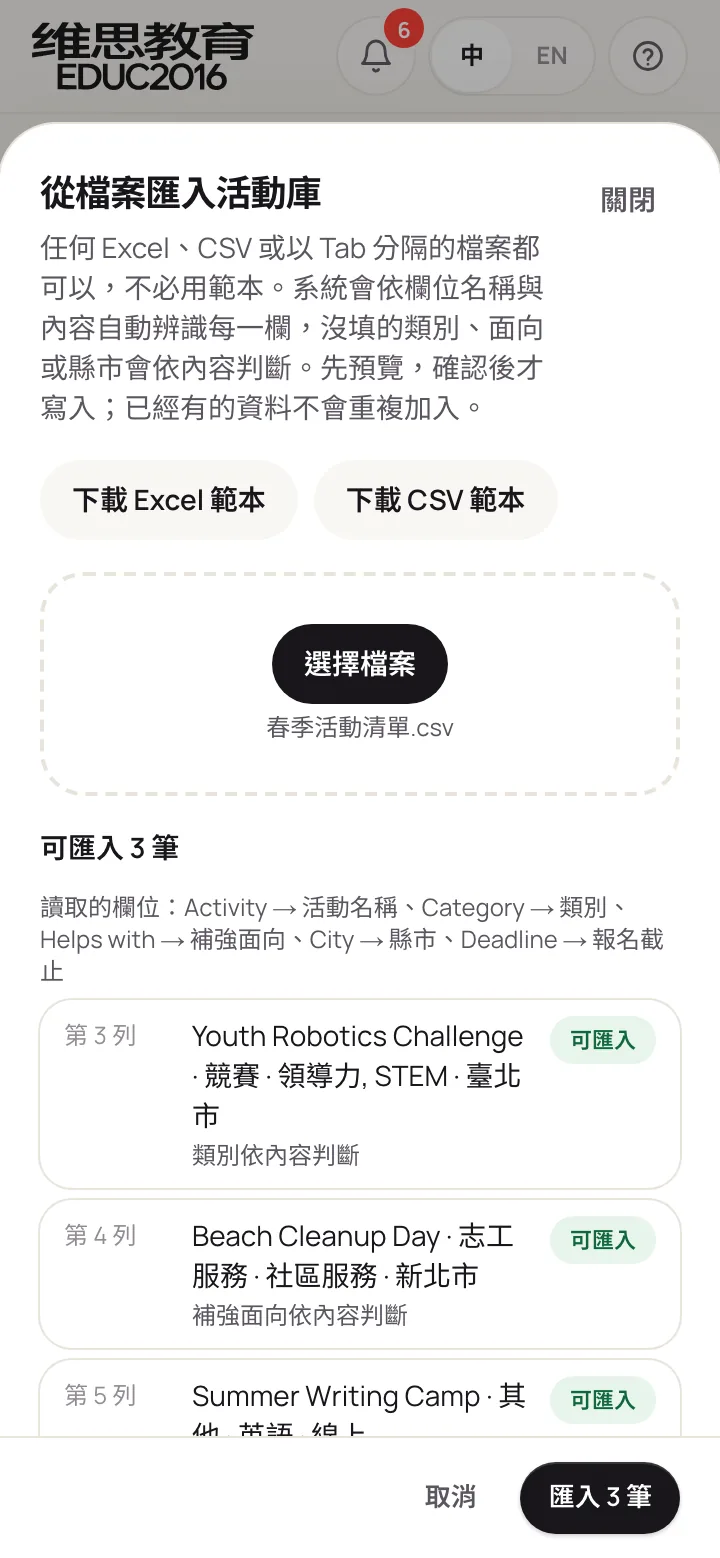
The activity library works the same way. A list that ignores the template, with columns called Activity, Host, Where and Deadline and categories like Contest or Volunteering that the system doesn't list, is still read correctly; category and focus areas are worked out from the activity's name and marked "worked out from the row" in the preview.
How files are read:
| In the file | What the system does |
|---|---|
| Columns named Event name, Host, Where, 截止日 | Mapped to activity, organizer, city and sign-up deadline |
| No column names, just data | Columns recognised by contents: dates, links, cities, grade levels, marks and scores |
| Dates like 2027/4/1, 15 Apr 2027, 2027年5月2日 | All read as the same date format |
| Grades written 10, G10 or 高二 | All read as a grade level |
| No category, activity called Youth Robotics Challenge | Read as a competition, focus STEM |
| A sheet called Tests holding TOEFL 104 | Read as test scores, test TOEFL |
| A Big5 CSV saved by Excel on Chinese Windows | Converted to correct Chinese |
What matters in the design:
- No template needed. Column names in English or Chinese, in any order, with a title row above if you like; the template is still there for anyone who prefers it.
- The same checks as adding by hand. Score ranges, date formats and required fields are just as strict, so a file is no back door.
- Repeats are skipped. Uploading the same file twice doesn't double the data.
- Fixed rules, no outside services. Results are predictable and cost nothing extra; every value the system works out is marked in the preview before anything is saved.
Theme 6. Student and parent portal: parents no longer need to ask
Students and parents each have their own account and a separate portal. Students update their own grades, tests and activities and tick off their own to-dos; parents can only view. Neither sees draft feedback, consultants' notes to each other or internal remarks.
Only owners and admins can open these accounts, and only after parental consent is recorded on the student's profile. Each invite link works once, and a removed account stops working immediately.
The next phase adds automated reminders, so consultants no longer send them one by one. Every day the system checks each student for missing items and for tasks that are due soon or overdue, and turns them into one list. Students get it by email; parents get it on LINE once they follow the agency's official account and link their child. The content follows fixed rules, the same item is never sent twice, and consultants can see who received what, and when.
Theme 7. Overview: who needs attention, at a glance
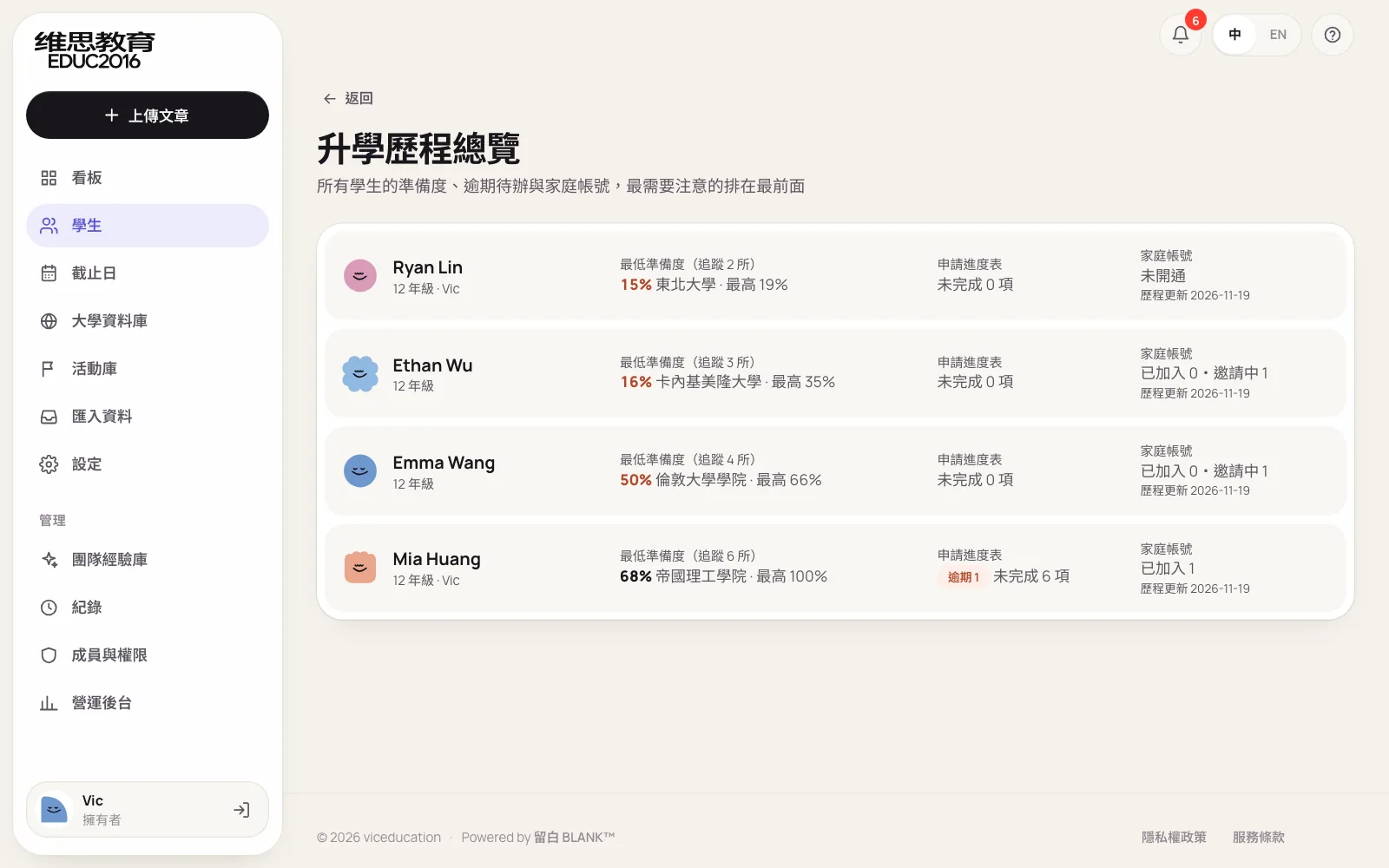
All students sorted by their lowest readiness, with the ones who need attention first, alongside overdue to-dos and family account status. A manager looks at this page before a meeting and knows which students to discuss first.
Admin and operations: internal monitoring and security
Most students are minors, and the system holds grades, contact details and essays. Security was designed in from day one rather than added later.
Only invited people get in
There is no public sign-up. Team members can only be invited by an owner or admin; student and parent accounts can only be opened by an owner or admin; new company accounts are limited to designated email addresses. What each role can do:
Members and roles
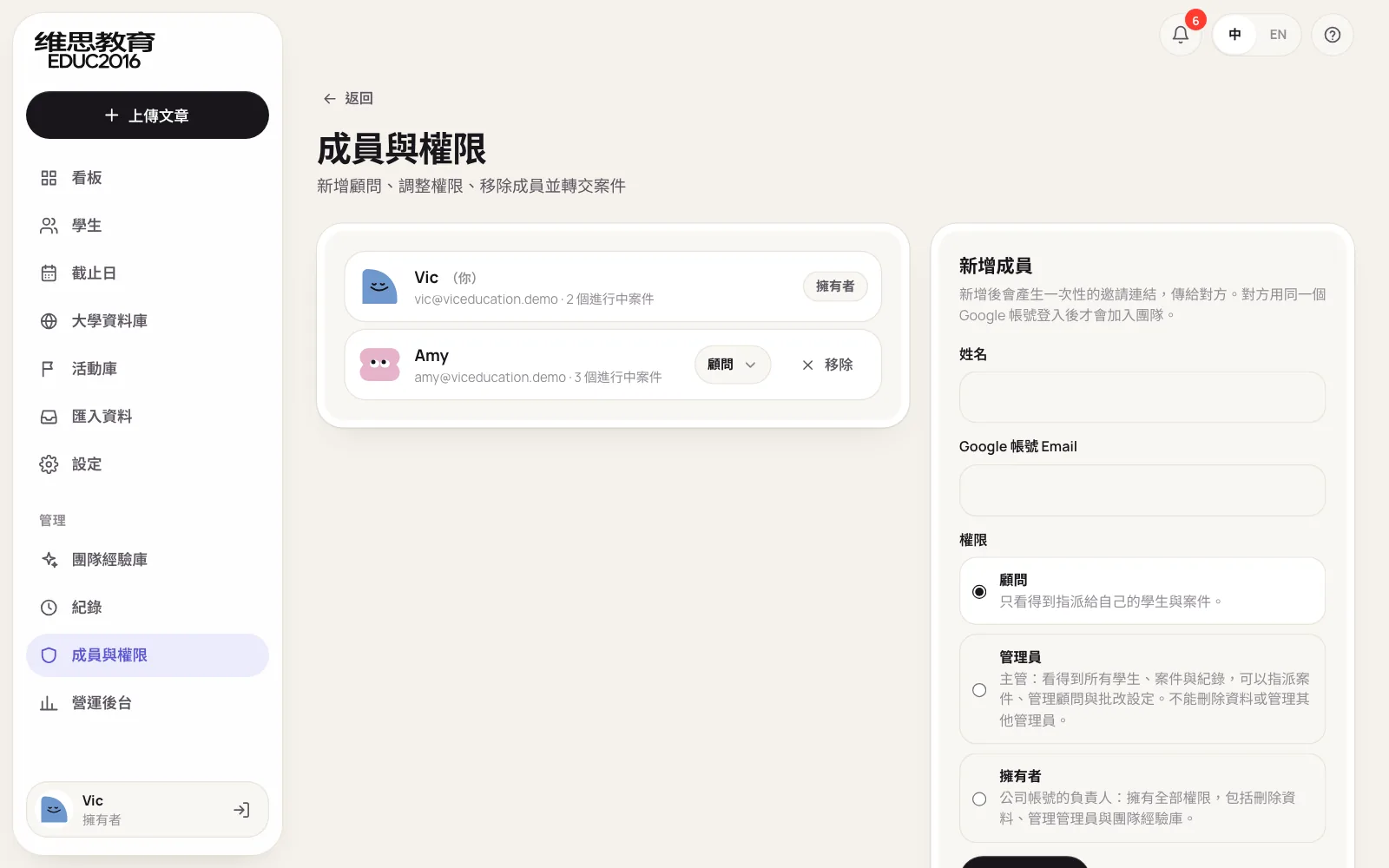
Members join through invite links. Managers can change roles, remove members and hand over their cases. Admins can only invite and manage consultants; changes to admins and owners are for owners alone.
Audit log
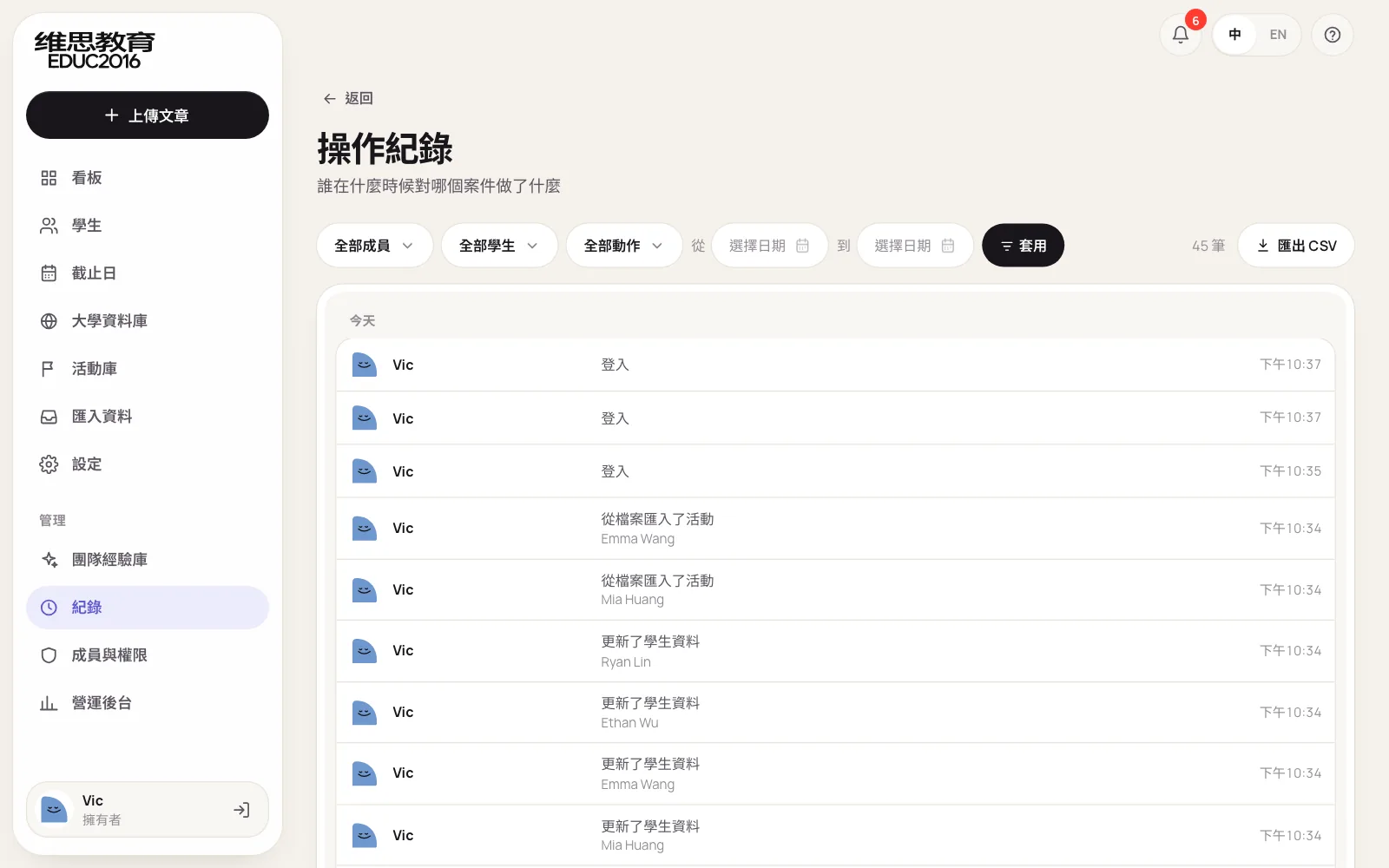
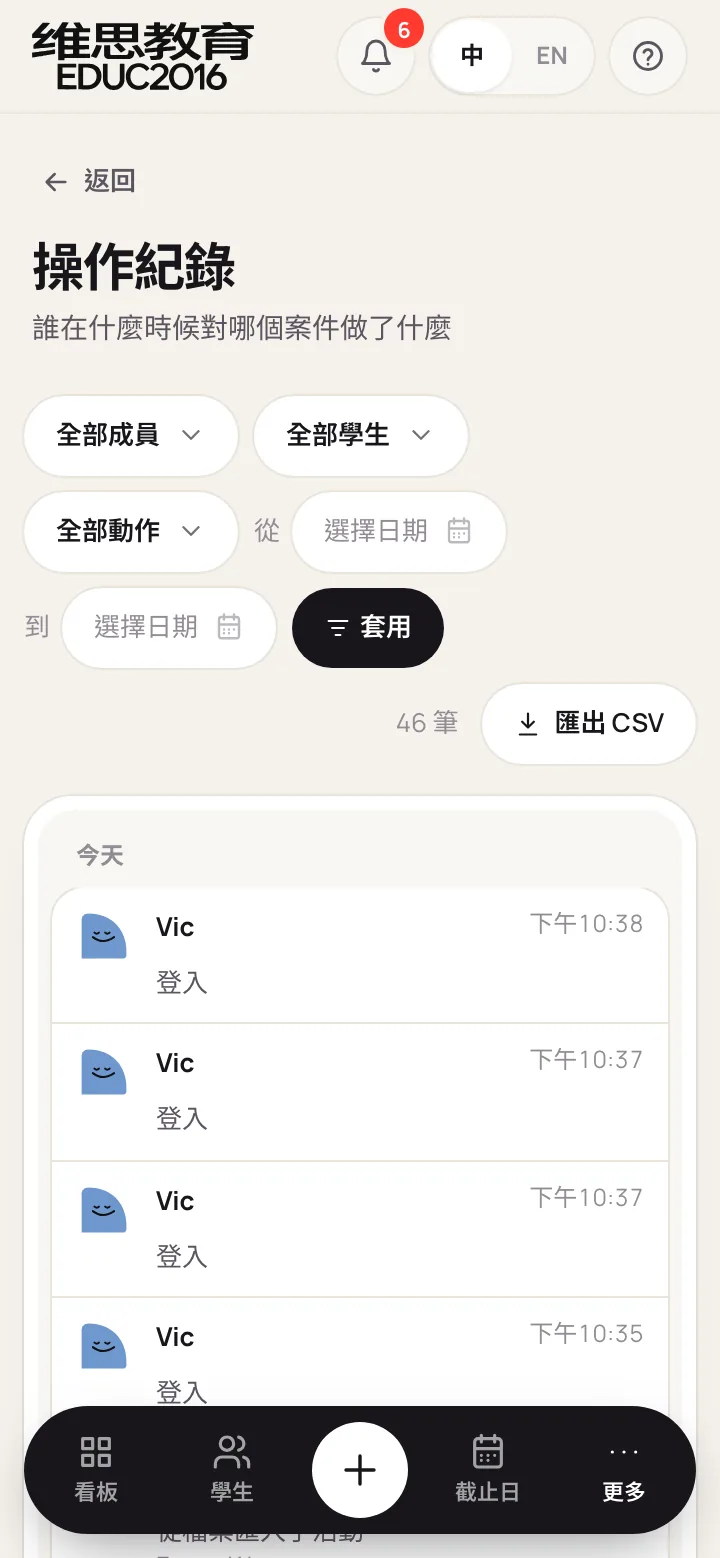
Every sign-in, upload, review, export, import, account opening and data change is logged, and can be filtered by member, student, action and date and exported as CSV. No one can edit or delete log entries, owners included.
Other security measures
- Each company's data is kept apart and every query is limited to it. Student and parent sign-in is fully separate from team sign-in and can never pass a team permission check.
- The Google connection only gets access to files the system itself creates, nothing else in Drive.
- All input is validated, uploads have size and row limits, and invites, uploads and imports are rate-limited against abuse.
- Unit tests and desktop and phone browser tests run before every release, and nothing ships if they fail. After release, front-end errors and slow pages are reported to the admin side.
What Blank Design did
| VIC Education needed | What Blank Design did |
|---|---|
| Feedback in one consistent team style | Read the consultants' reviewed essays and turned them into review rules; the system drafts by those rules and consultants approve each comment |
| No essay writing for students | Feedback is drafted for consultants only, edits only touch the student's sentences, and nothing unapproved goes out |
| Parents want to know if their child is ready | Transparent readiness rules against each school's published standards, stated plainly as not a chance of admission |
| Looking up standards takes hours | Published data for 223 US, Canadian and UK universities, each with its source, refreshed every year; search as you type, with abbreviations |
| Schools they apply to aren't in the list | Owners and admins upload their own, which get readiness just like built-in schools |
| Typing entries one by one is slow | Any Excel or CSV in its own format, columns and categories recognised automatically, previewed before saving |
| Only invited people may use it | Invite-only access, role permissions, consent records and single-use invite links |
| Problems must be traceable | An audit log no one can alter, with filters and export |
| Consultants, students and parents all use phones | Every screen laid out again for the phone, and every change checked at phone size |
| No extra running costs | Readiness, suggestions and import run on fixed rules and call no paid service |
Results
- Essays, admissions progress, the application plan, parent communication and internal auditing in one 28-page system
- Feedback drafted first and approved comment by comment, in one team style; nothing unapproved goes out
- Every student checked against their target universities' published standards, with readiness and concrete gaps
- Admission standards for 223 US, Canadian and UK universities in one place, each with its source; search as you type, and schools outside the list can be uploaded
- Grades, tests, activities, the plan, the activity library and universities importable from Excel or CSV
- A separate portal for students and parents, invite-only access, and every action logged
- Fully usable on desktop and phone, with a guided tour for new members
Advice for education and consulting businesses
Tutoring centers, admissions consultancies and consulting teams of every kind: your expertise is the most valuable thing you have, and time spent tidying up is the most wasted. Before building a system, ask:
- Is the same task repeated every week, with fixed steps? That work suits a system best.
- Is your team's method written down? A system can only fix a method in place if the method exists.
- Which decisions must stay with people? Draw that line first, and the system helps instead of getting in the way.
- Who needs to see what? List what managers, consultants, students and parents each need, and permissions can be right from day one.
To see how we plan and price internal systems, read about custom web design, or the article on how admissions consultancies can track student readiness.