Article
How can an admissions consultancy track student readiness? From grades and school lists to a parent portal, with VIC Education as an example
Readiness is not a chance of admission. It is a list you can explain: against a school's published standards, what the student has done, what is missing, and who does the next step by when. Let a system keep that list up to date, and conversations with parents move from feelings to concrete next steps.
The question parents ask admissions consultants most is: "Is my child ready?" At most consultancies the answer comes from experience: a look at the GPA, test scores and activities, compared with the school standards a consultant remembers. Experience matters, but it is hard to keep consistent and hard to explain to parents. If your consultancy looks after many students at once, the most effective approach is to hand "what is missing against published standards" to a set of transparent rules, and keep consultants' time for what rules can't judge.
This article uses the system we built for VIC Education to explain how readiness is worked out, how data gets in, what parents can see, and what such a system needs for permissions and auditing. Every screen shown comes from the system itself; students and activities are fictional demo data. For essay review, see the companion article on essay review systems for consultancies.
What is admissions readiness, and how is it different from a chance of admission?
Readiness compares a student's current grades, tests and activities with a university's published admission standards and shows how far apart they are. It answers "do the published criteria look met?", not "will they get in?".
| Compared | Admissions readiness | Admission prediction |
|---|---|---|
| Based on | Each school's published admit rate, score ranges, test policy and English minimum | Past applicants' outcomes |
| Method | Fixed rules, every point explainable | Statistical or machine-learning model |
| Answers | What is missing, what to fix first | Roughly what the odds are |
| Risk | Can't capture essays, recommendations or other qualitative factors | Large errors with small samples; easily taken as a guarantee |
At highly selective schools, a student who meets every criterion can still be turned down, so every readiness screen in VIC Education's system states that it is not a chance of admission. For consultants, the value of readiness is turning a vague impression into concrete gaps that can go into a plan.
What data does readiness need?
The US, the UK and Canada admit students differently, so they need different data. VIC Education's system has separate rules for each:
| Country | Compared against | Watch out for |
|---|---|---|
| US | GPA and course rigor, SAT/ACT middle 50%, English minimum, activities and awards | Check the school's test policy first: required, optional or test-blind decides whether scores count |
| UK | Each university's published AP, SAT or GPA entry routes | Routes differ by university and are checked one by one |
| Canada | Grade 11 and 12 average | Many schools publish only ranges or vary by program; a guideline is used where no figure exists |
Two details that are easy to miss:
- Don't convert English scores into each other. TOEFL, IELTS and Duolingo each have their own minimums, and conversion tables are only approximate. The system compares each test on its own scale and also checks IELTS band minimums.
- Don't produce a flattering number from thin data. A 90% based on two courses means nothing. When data is thin, the system caps the percentage at 60% and notes that the record is incomplete.
How does VIC Education's system work out readiness?
There are four steps: records come in, they are scored against each school's standards, the gaps are found, and the work goes into the application plan.
Step 1: keep grade 9 to 12 records in one place
Every student has one record. Grades can be letters, percentages or on a 4.0 scale; the system works out unweighted and weighted GPA, the average and the number of advanced courses. Tests cover SAT, ACT, TOEFL, IELTS, Duolingo, AP and IB. Activities record category, role, level, grades and hours, and leadership roles are recognised.
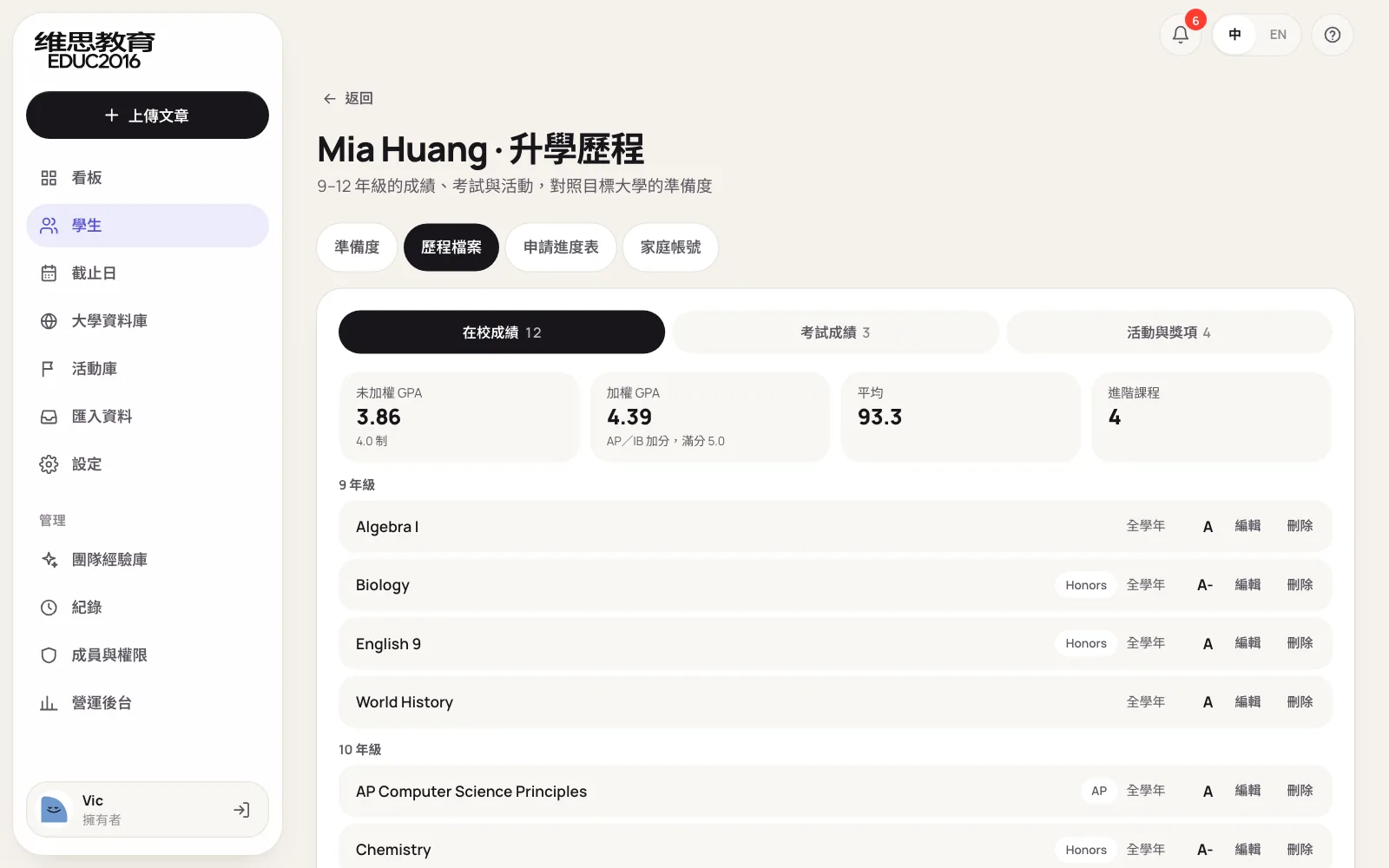
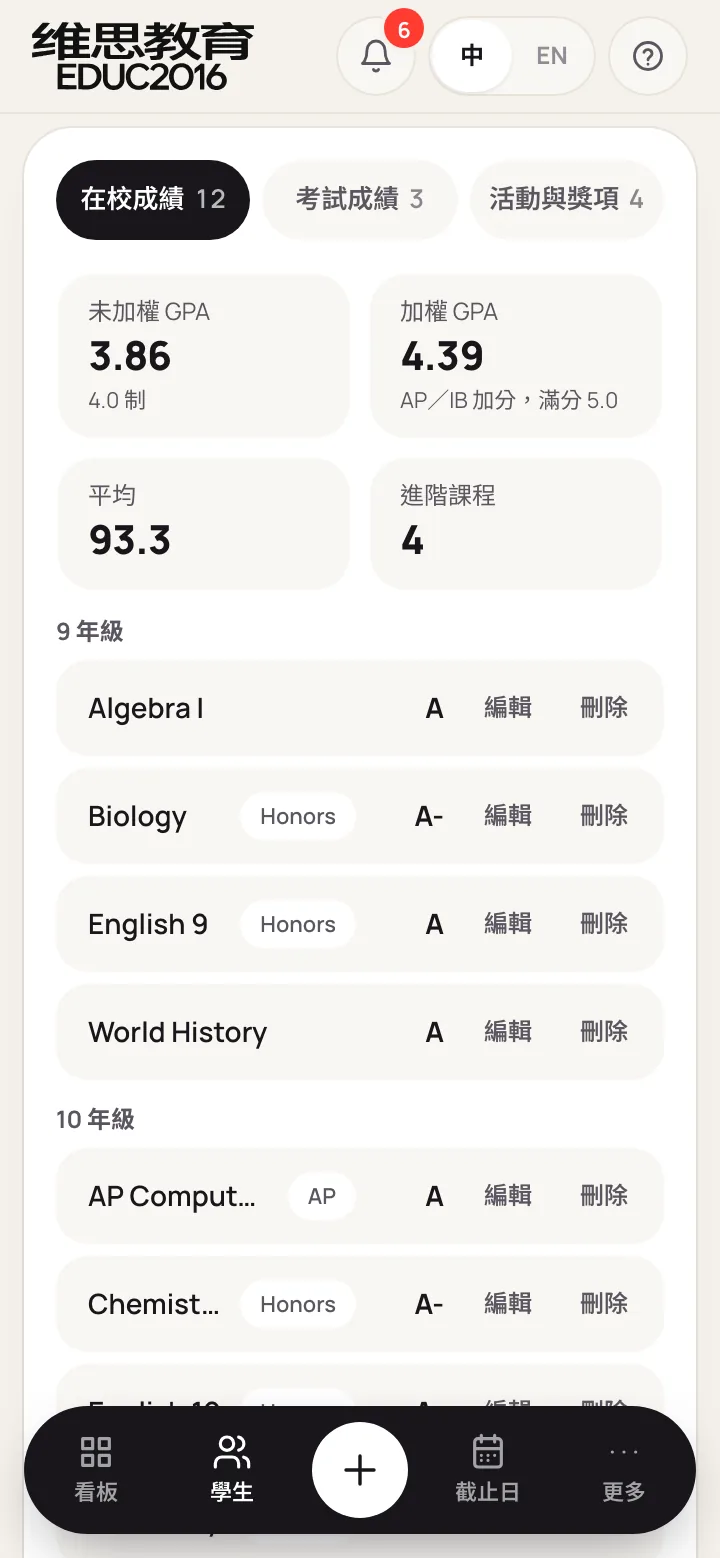
Step 2: compare with each target university's published standards
Once a consultant picks the universities a student tracks, the system scores the record against each one and gives a percentage from 0 to 100 with one of three bands: on target, close, or still building. Expectations also follow the student's current grade, so a tenth grader isn't expected to have twelfth-grade results.
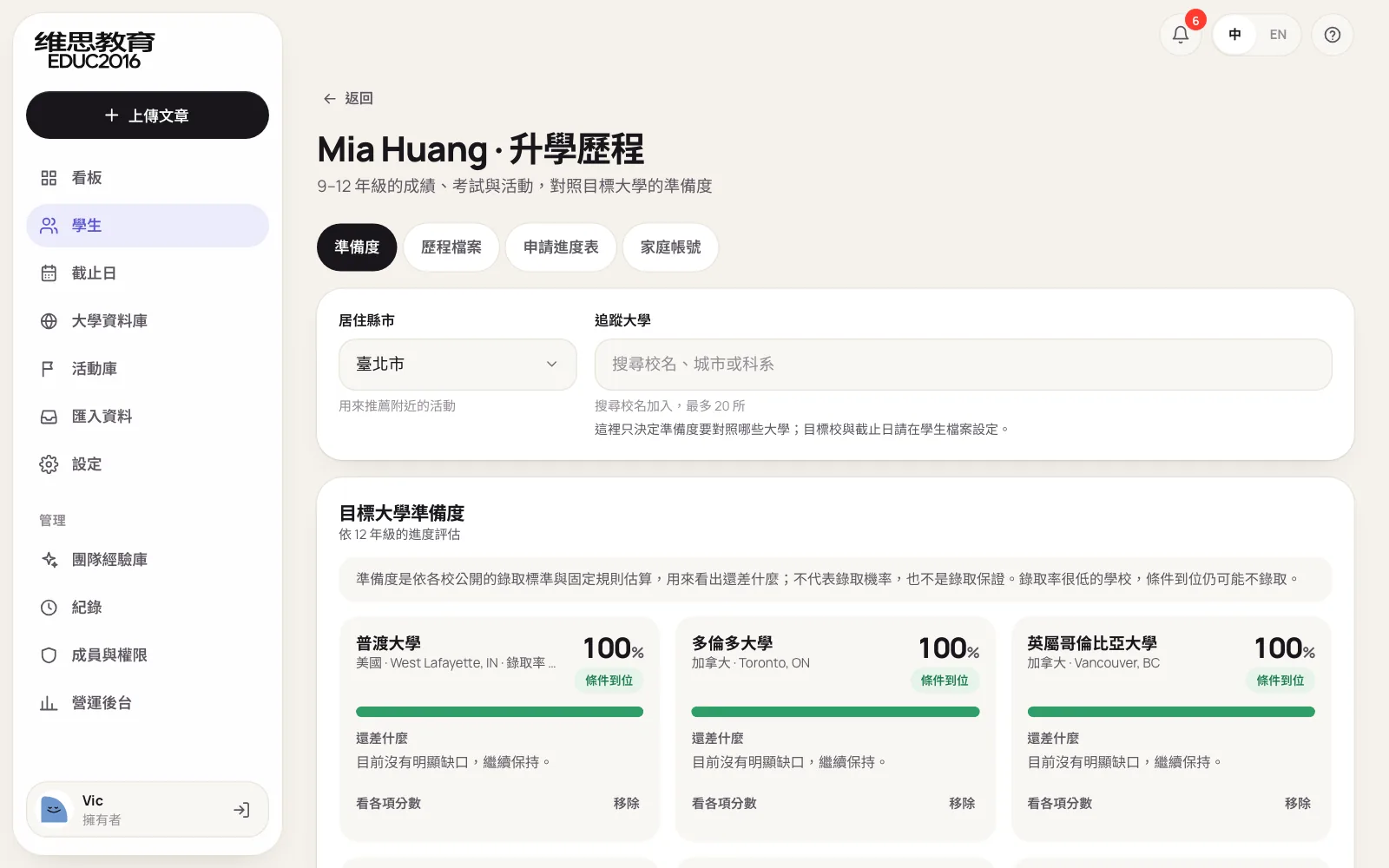
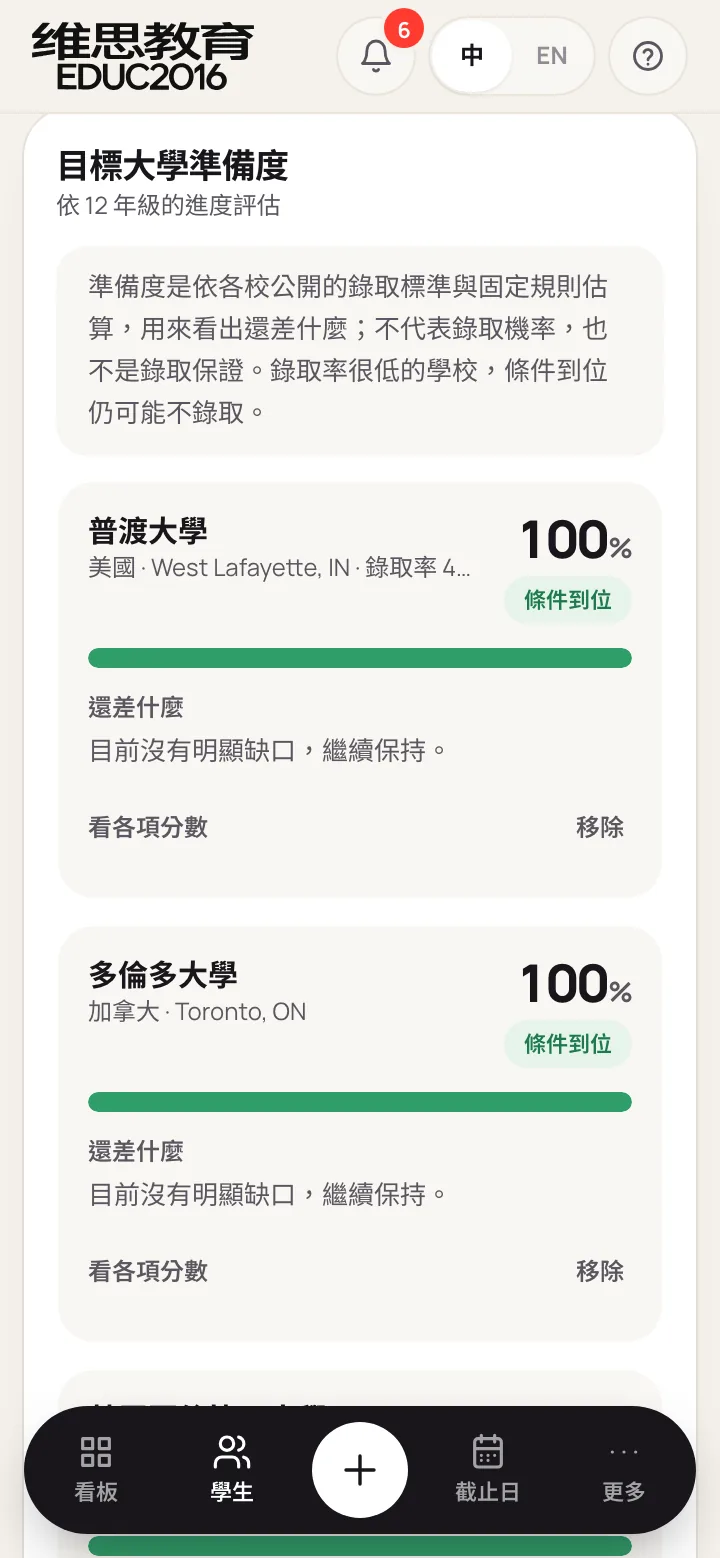
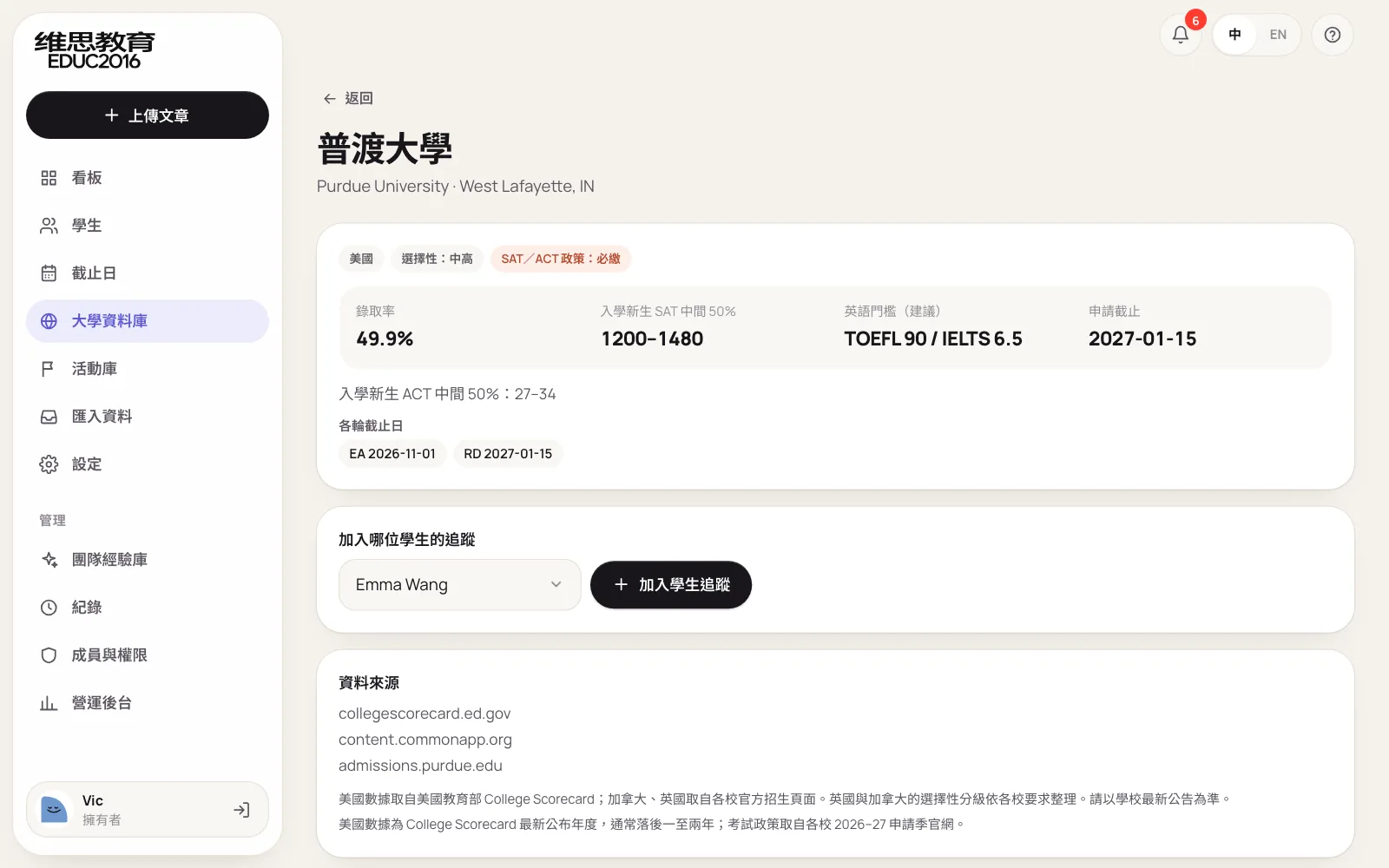
School standards come from the university database. VIC Education's covers 223 universities in the US, Canada and the UK. US admit rates, SAT ranges and programs come from the US Department of Education's College Scorecard; test policies and UK and Canadian requirements come from each university's admissions pages, and every entry keeps its source.
Finding schools: search logic matters more than data volume
However large the database, it's no use if schools are hard to find. Consultants type abbreviations and short names, so search has to follow that habit:
| Consultant types | Plain text matching finds | VIC Education's system finds |
|---|---|---|
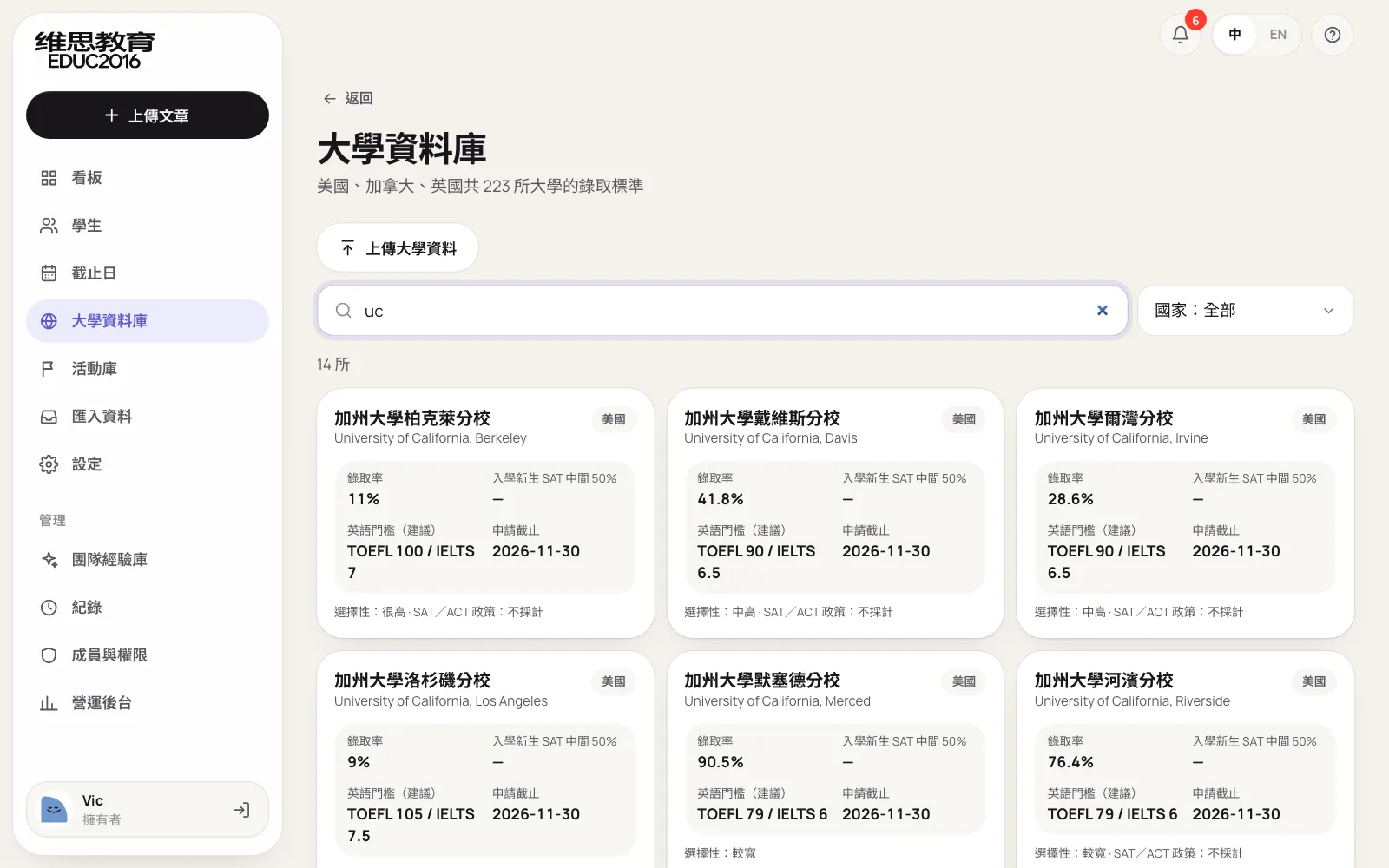
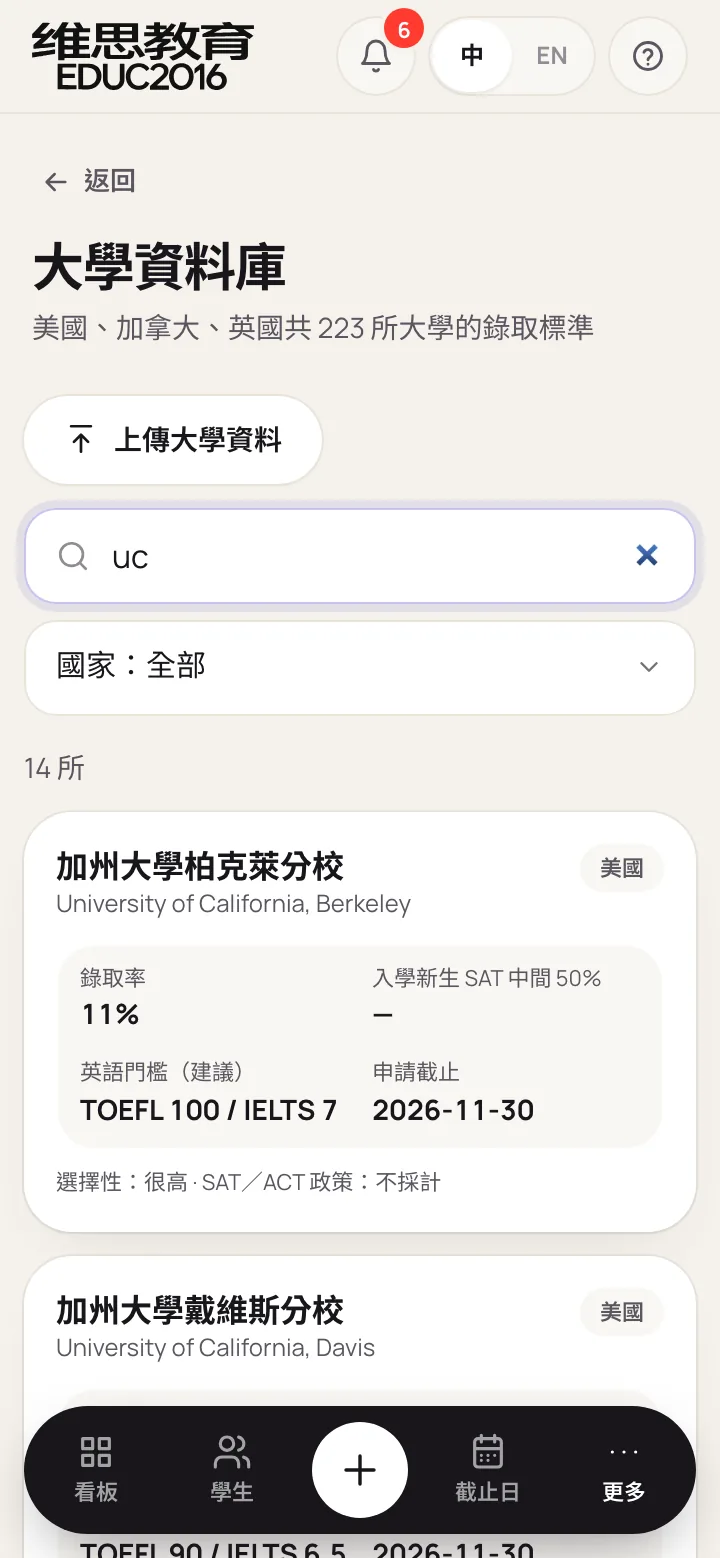
| uc | Hundreds of programs containing "uc", such as Education | The nine University of California campuses first |
| UCLA | Nothing, since the name doesn't contain those letters | UCLA |
| NYU, UBC | Nothing | New York University, University of British Columbia |
| 加州大學洛杉磯 | Only the full Chinese name works | Part of the name is enough |
Results appear as you type, with no search button. The best matches on name and abbreviation come first, the rest alphabetically. Program names only count from three letters on, so short queries don't pull in unrelated schools.
Schools outside the list: the team adds them
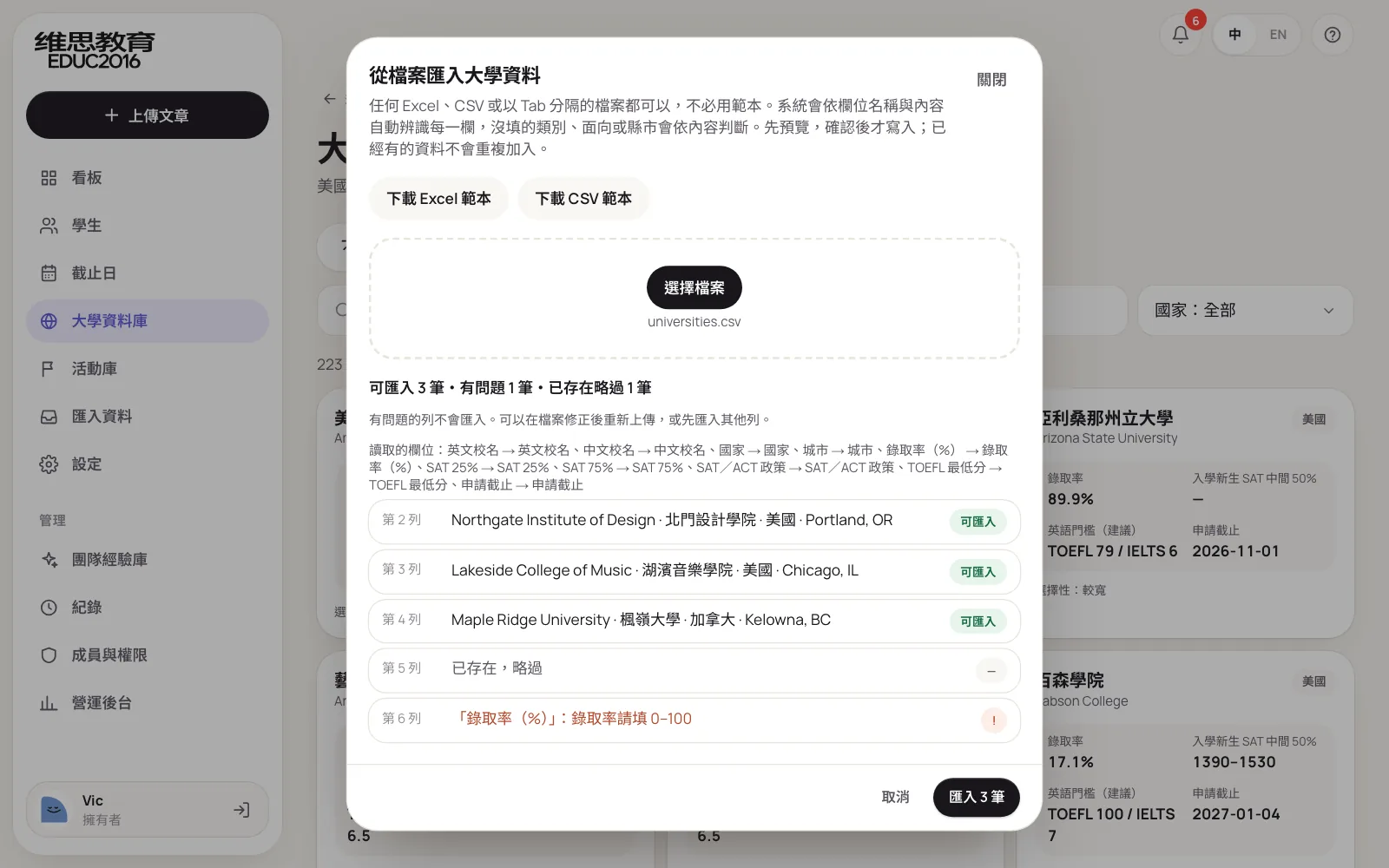
Every consultancy has its own common choices, such as art schools or less common universities. Owners and admins can upload their own from Excel or CSV: name, country, admit rate, SAT, test policy, English minimum, deadline and programs. Uploaded schools are visible only to that company and work like built-in ones for search, tracking and readiness; names matching a built-in school are skipped.
Step 3: turn gaps into next steps
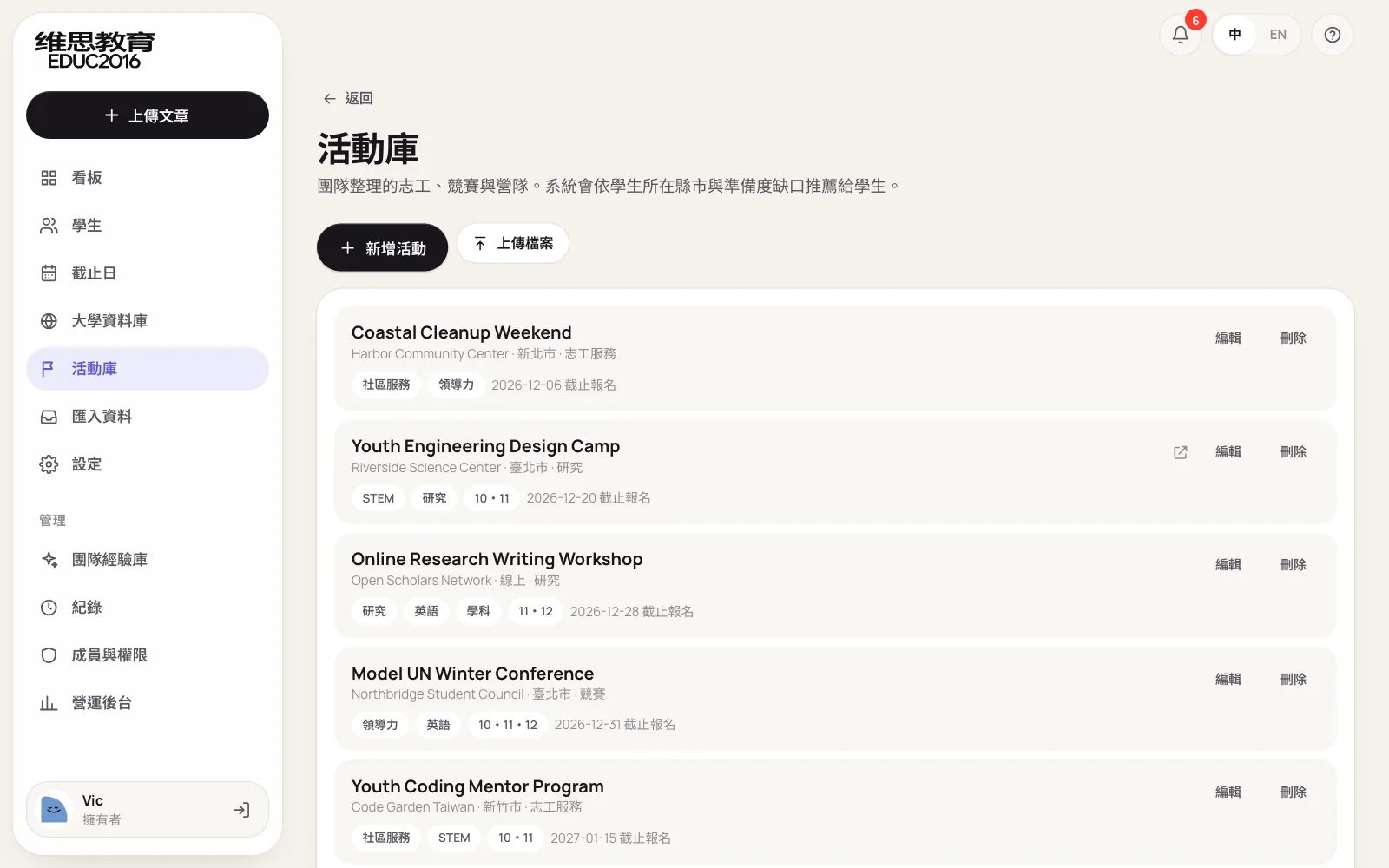
The most useful part of readiness isn't the percentage but "what is missing". The system lists the gaps for each school and gathers the ones shared by every target school, such as "IELTS writing below 6.5". Gaps also connect to the activity library: volunteering, competitions, camps and research opportunities the team has collected, suggested by the student's city and gaps.
Step 4: put it in the plan, with an owner and a date
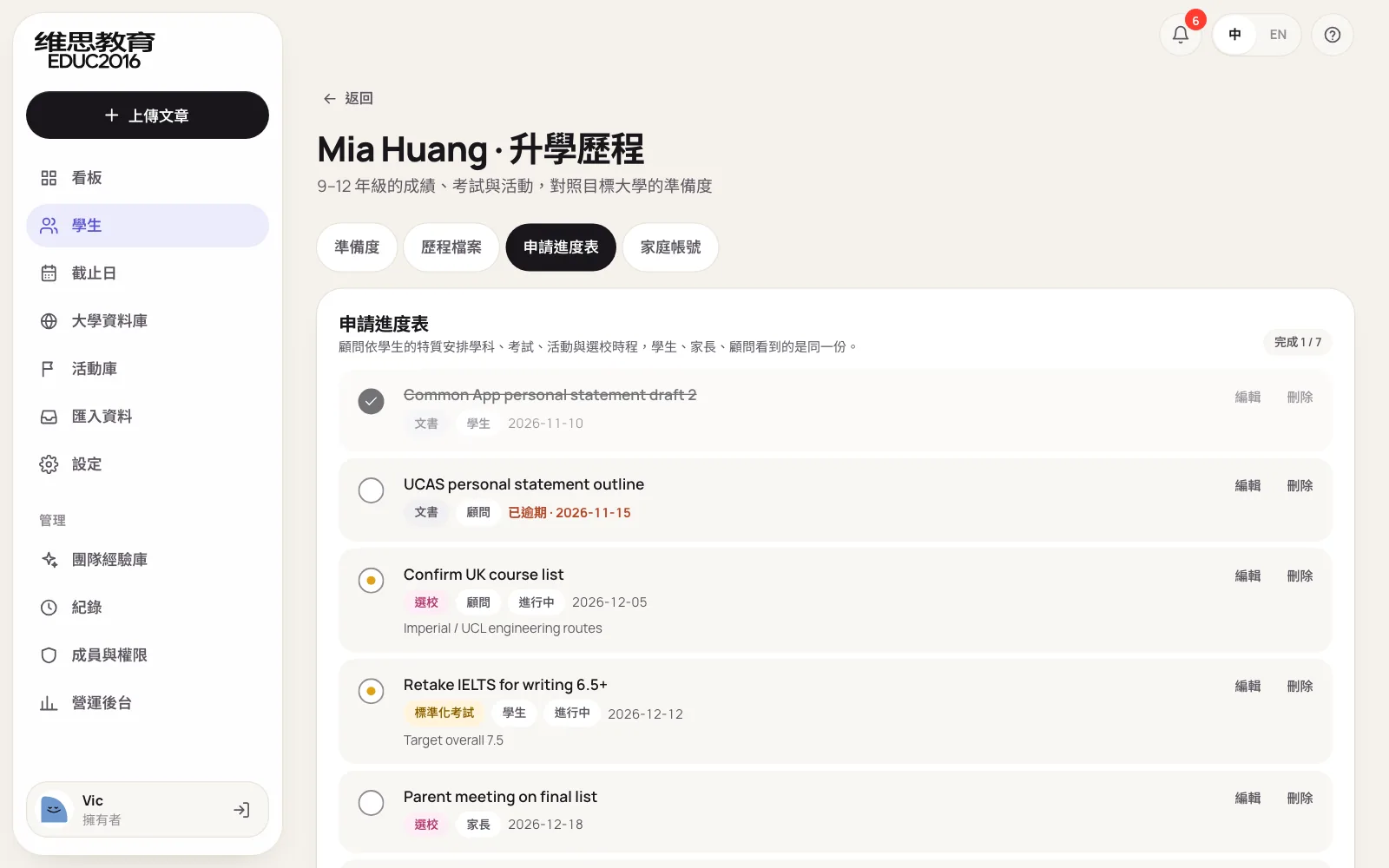
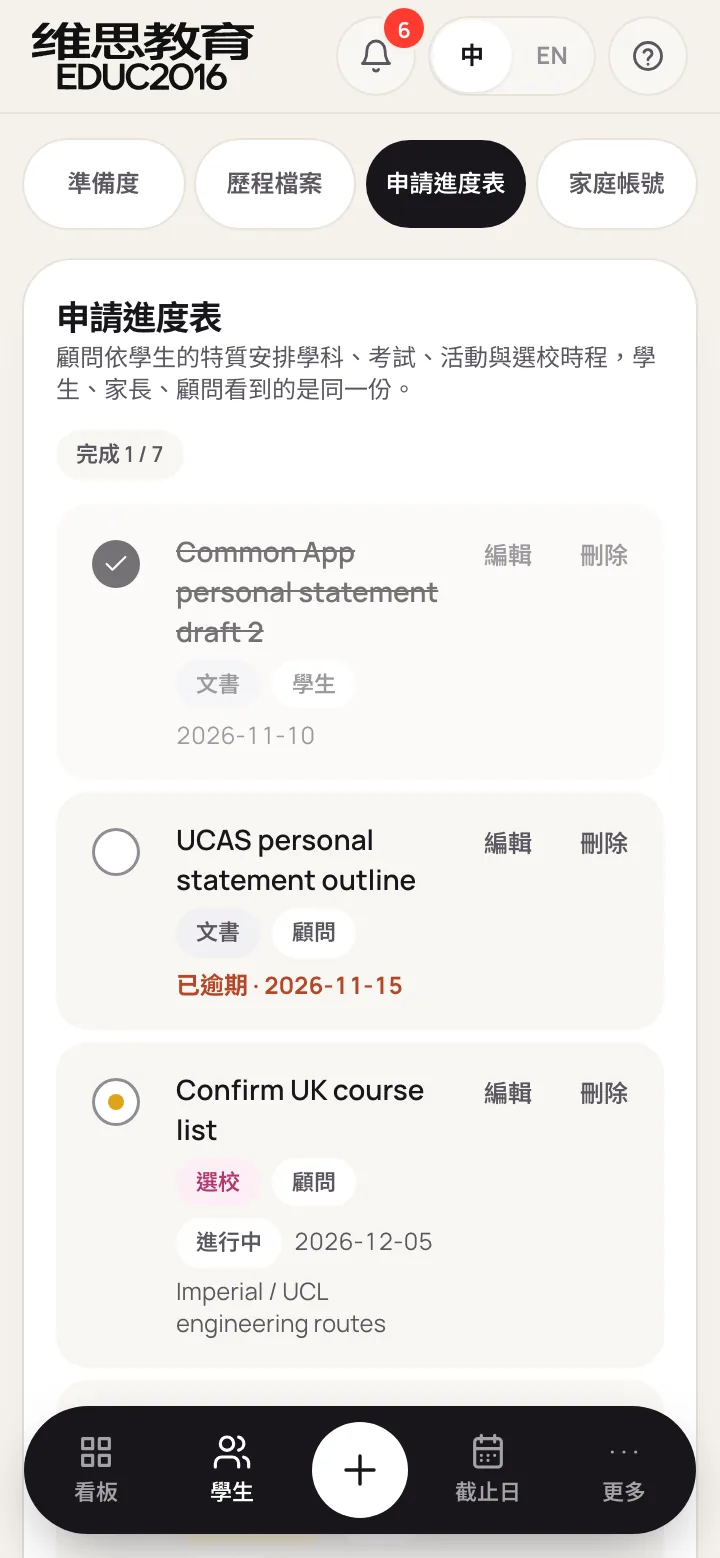
Finally, consultants put the gaps into the application plan in five tracks: academics, testing, activities, school list and essays. Every item has an owner and a due date. Students tick off their own items in the portal, and consultants and parents see progress at the same time.
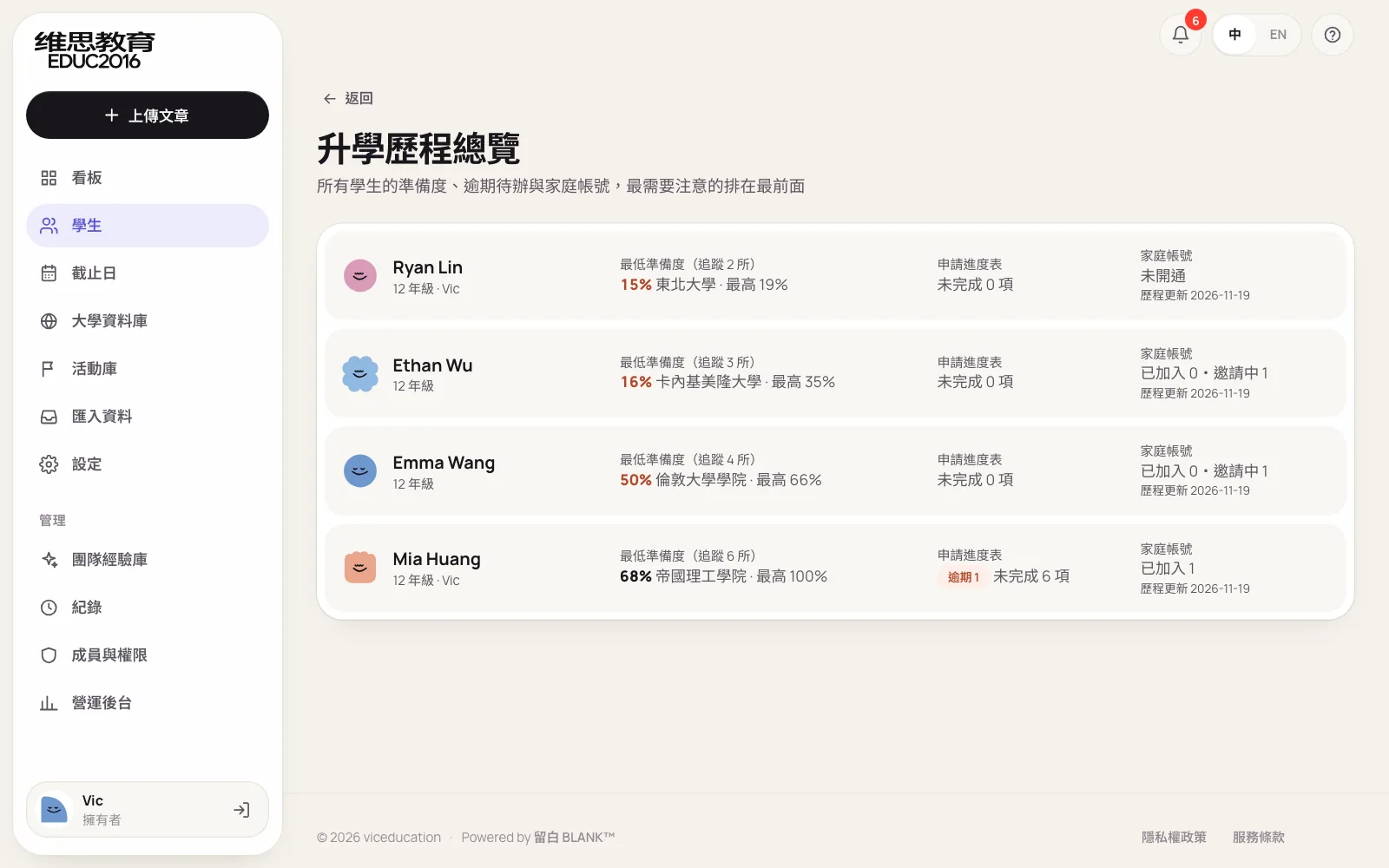
Managers use the progress overview to see every student at once, sorted by lowest readiness so the students who need attention come first.
Typing records one by one is too slow. What then?
However good the system, it is useless if data doesn't get in. Four years of grades, tests and activities for one student can take half an hour by hand, so in VIC Education's system every list accepts Excel, CSV or tab-separated files, including grades, tests, activities, the plan, the activity library and universities. The point is no reformatting to a template first: a transcript from a parent or a consultant's own activity list goes in as it is.
- Columns recognised automatically. Names in English or Chinese (Event name, Host, 截止日); with no names at all, columns are told apart by contents: dates, links, cities, grade levels or scores.
- Sorted automatically. On the student record, each sheet is sorted into grades, test scores or activities, so a three-sheet workbook imports in one go; an activity with no category gets one from its name, such as Robotics Challenge as a competition and Beach Cleanup as volunteering.
- Preview first, save on confirm. Each row is marked ready, already on file, or with a problem, and values the system worked out are marked too; only good rows are imported and repeats are skipped.
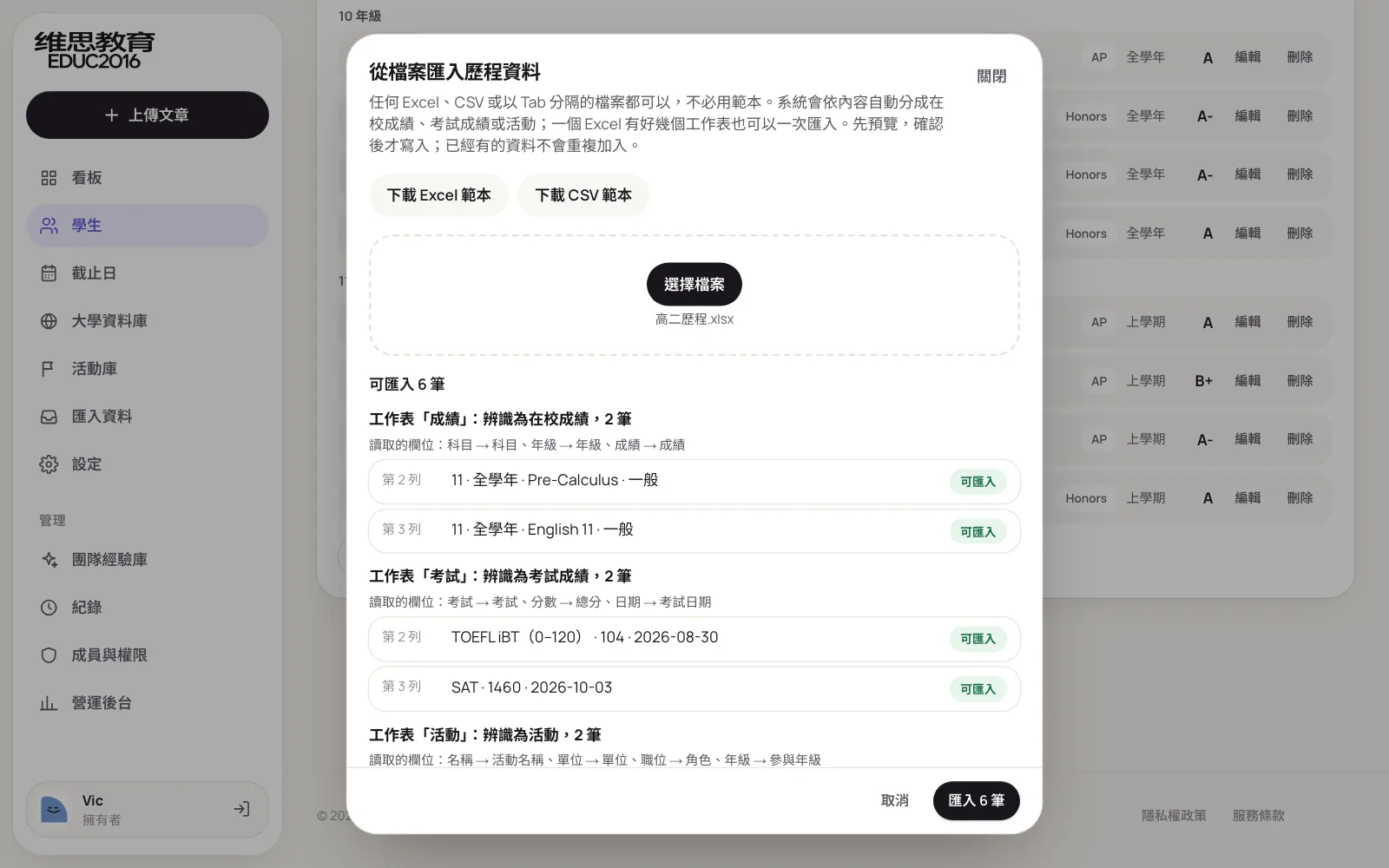
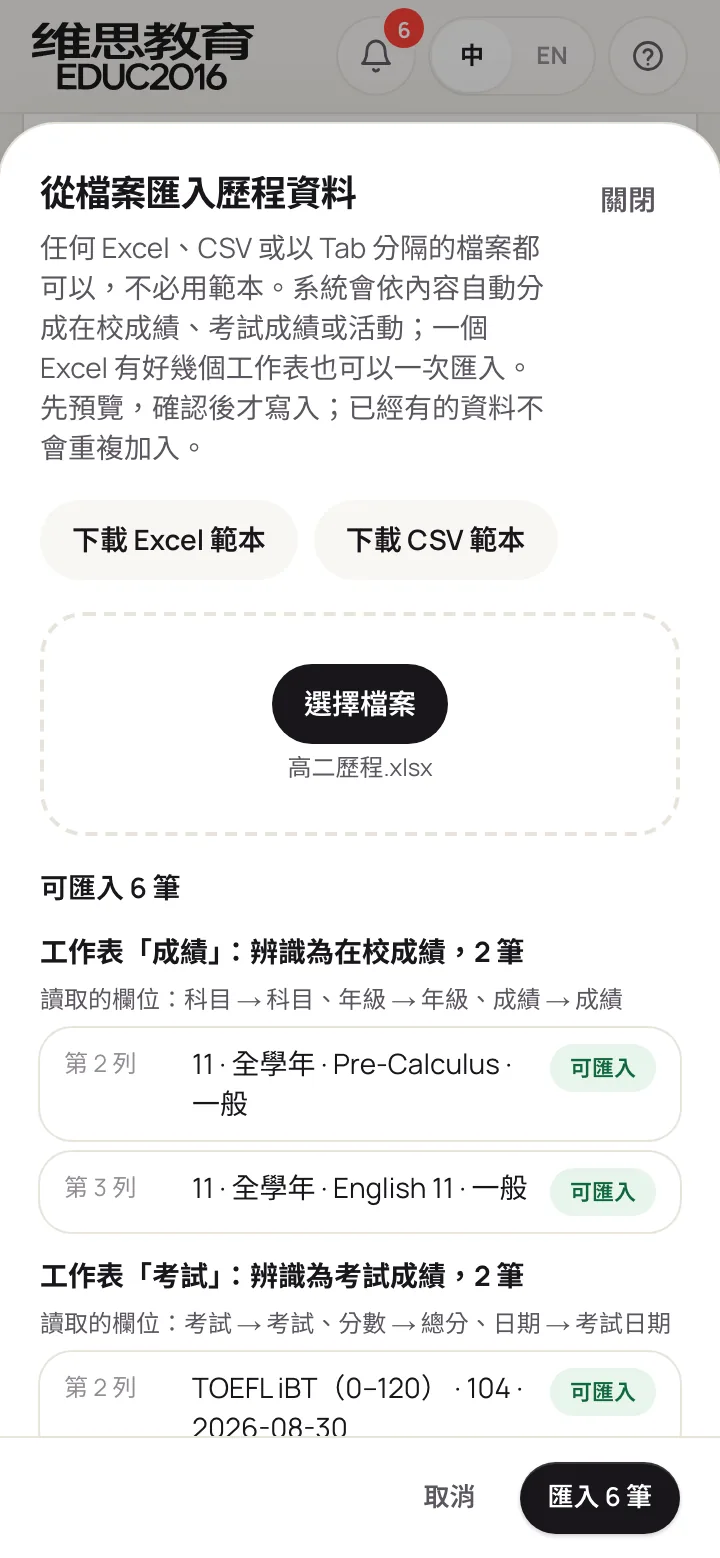
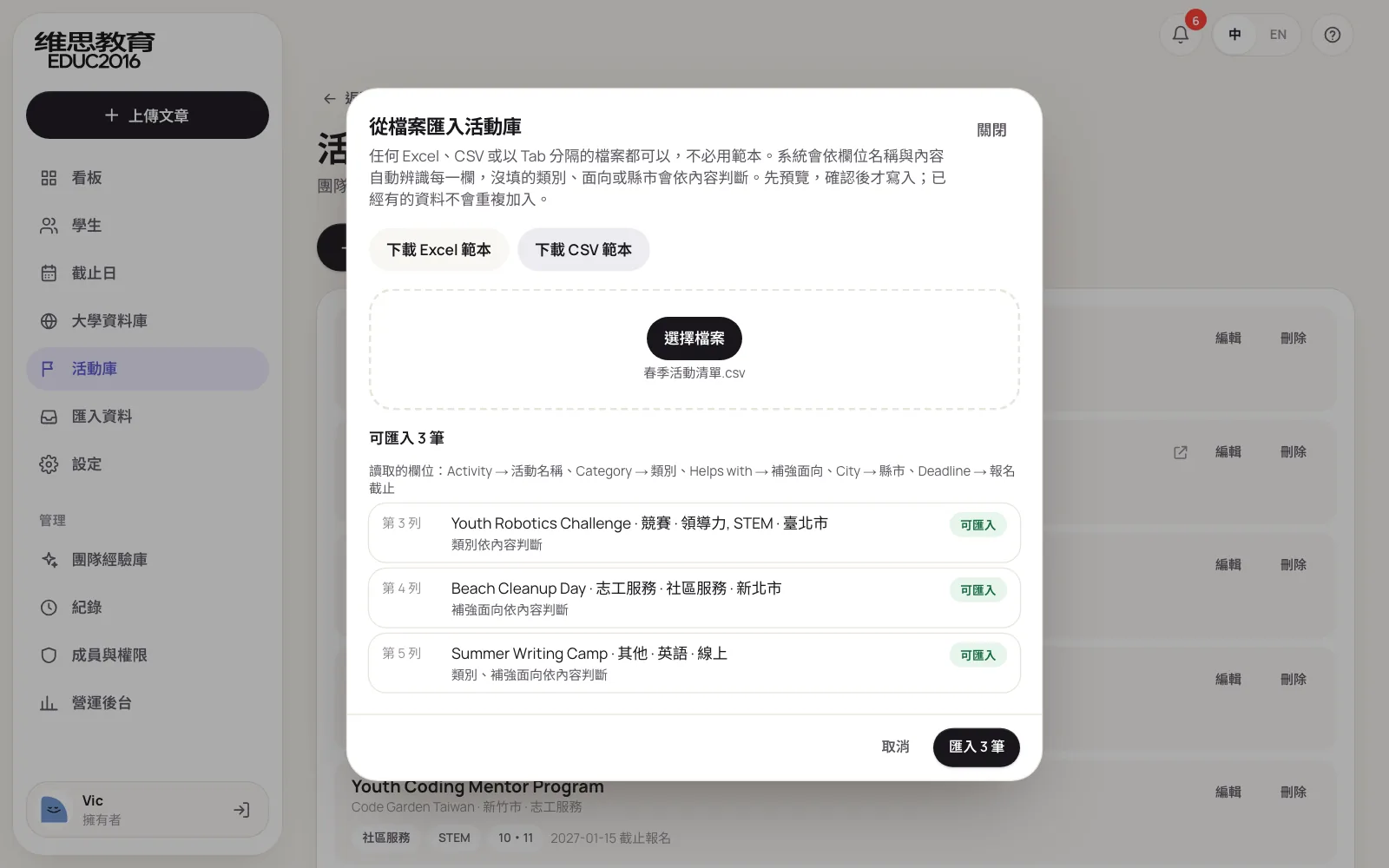
Anyone who prefers a set format can still download a template, with drop-down lists and a guide sheet. Problem rows say which column, which value, and what is accepted.
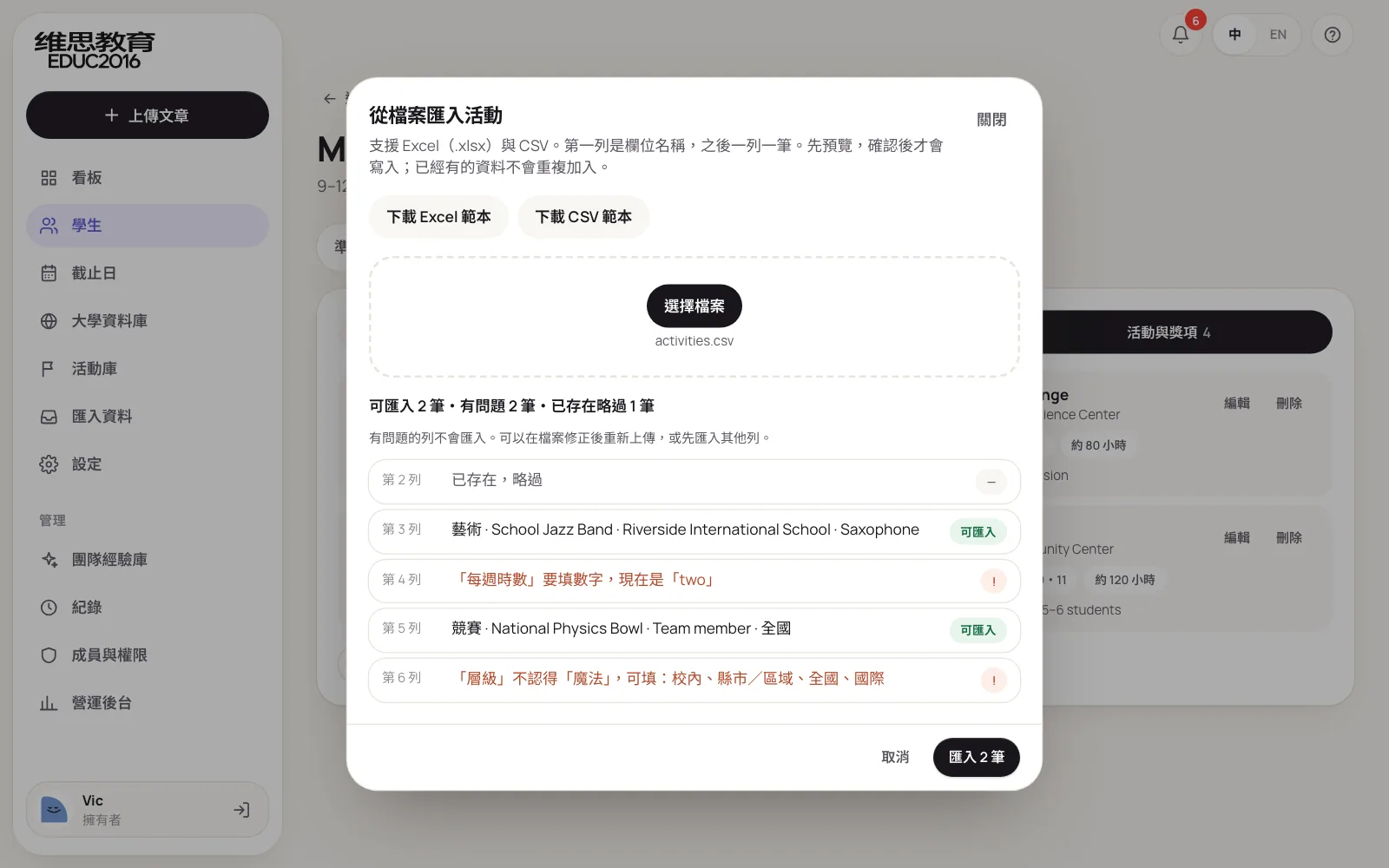
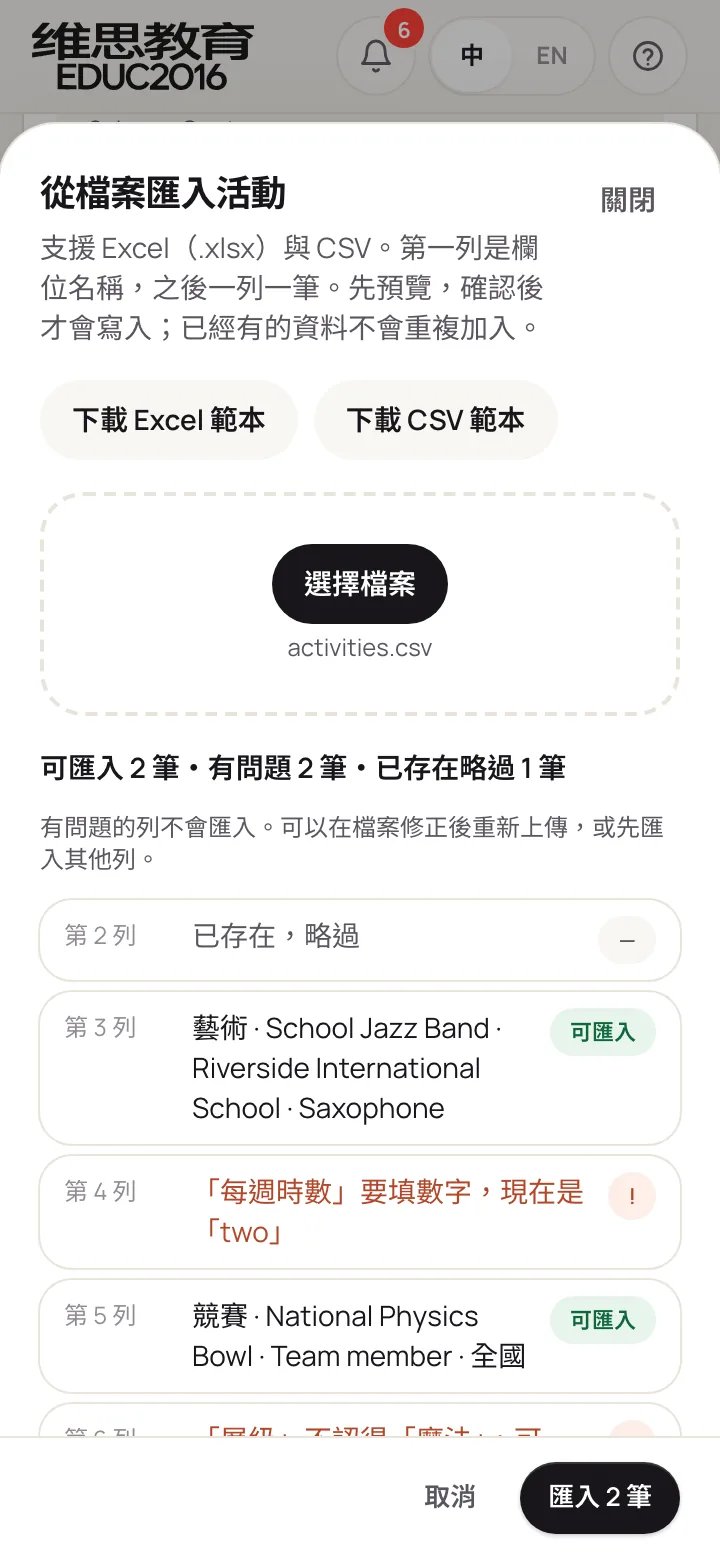
Recognition and checks are fixed rules, the same checks as adding an entry by hand, with no outside service involved, so the results are predictable and there is no extra running cost.
What can parents see? Can students update their own record?
Yes, with clear limits. In VIC Education's system students and parents each have their own account:
- Students update their own grades, tests and activities and tick off their own to-dos.
- Parents can view their child's readiness, record and plan, but not change them.
- Neither sees draft feedback, consultants' notes to each other or internal remarks.
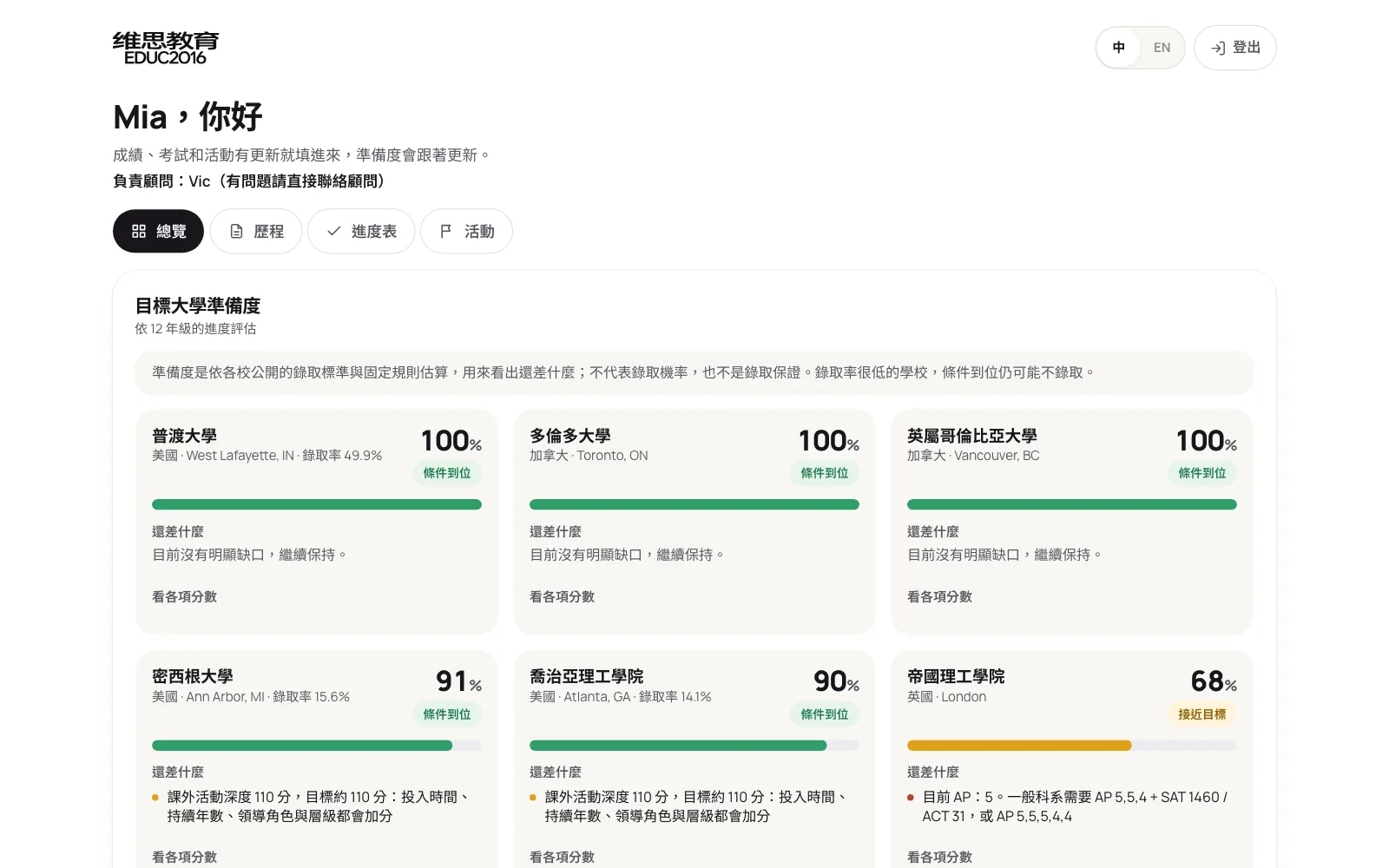
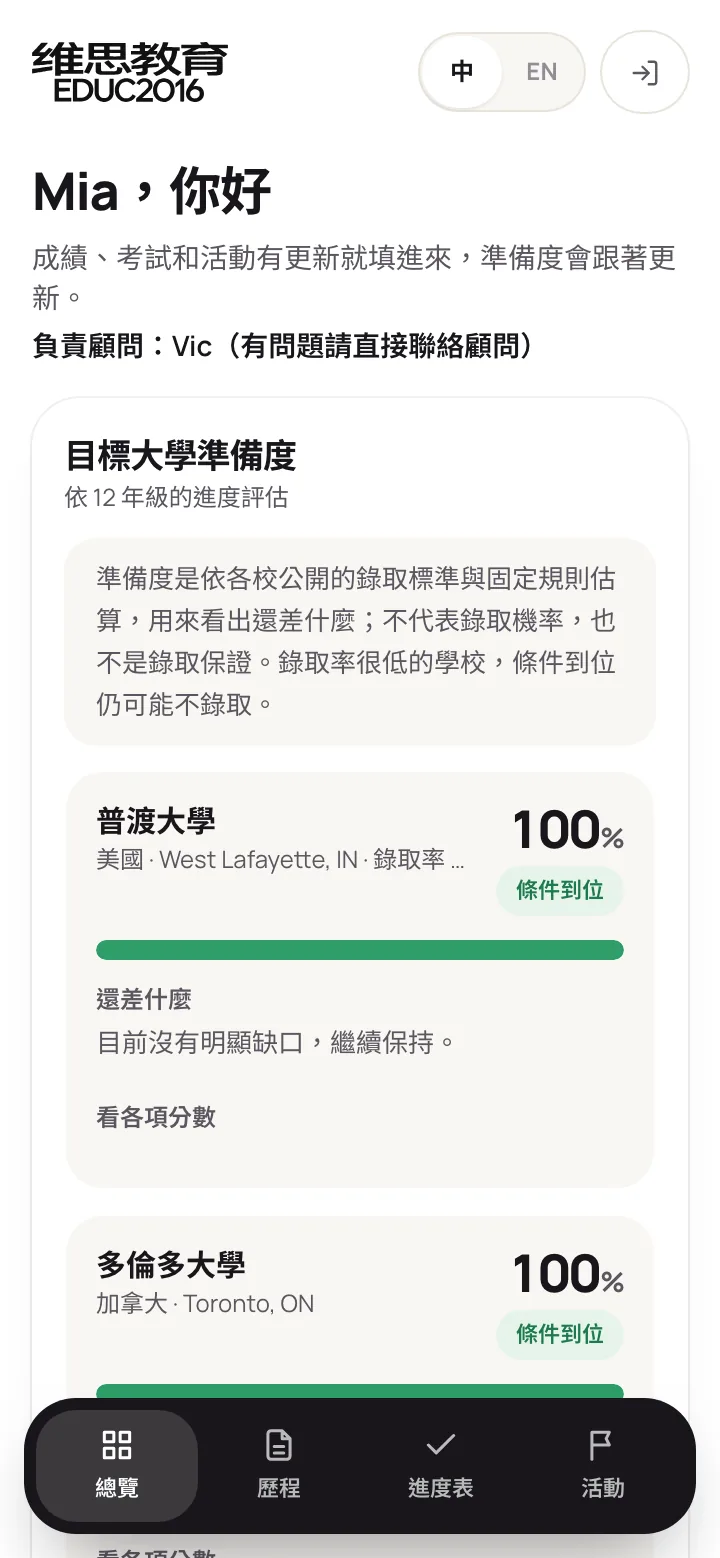
Letting students update their own record has two benefits: data stays current, and consultants no longer type in grades for them. Parents can check progress whenever they like, so "how are things going?" messages drop off on their own.
Next: the system tells families what's missing
The portal means parents can look whenever they want, but they won't always think to log in. The next phase of VIC Education's system adds automated reminders. Every day it checks each student for missing items and for tasks that are due soon or overdue, and turns them into one list sent to the student by email. Parents who follow the agency's official LINE account and link their child get the same reminder on LINE.
Two rules apply. Reminders follow fixed rules and the same item is never sent twice. Every message is logged with who received it and when, so "we never got it" can be checked.
Most students are minors. How should permissions and auditing work?
Once students and parents are in the system, permissions need to be right from day one. VIC Education's system follows three principles.
First, only invited people get in. There is no public sign-up. Team members and student and parent accounts can only be opened by an owner or admin; a family account needs recorded parental consent first, and each invite link works once.
Second, every action is logged. Sign-ins, uploads, reviews, exports, imports, account openings and data changes all go into the audit log, which can be filtered by member, student, action and date and exported. No one can edit or delete entries.
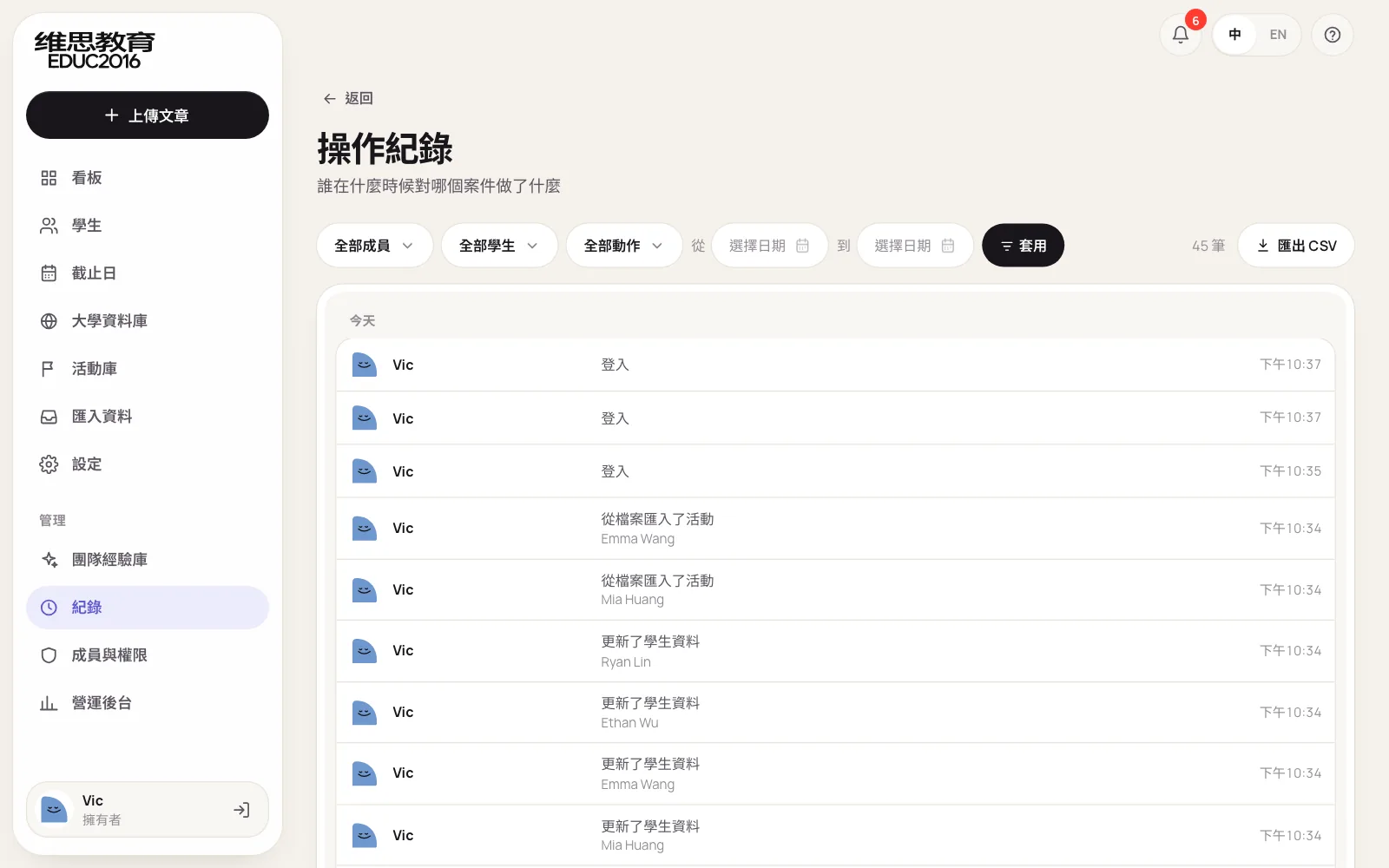
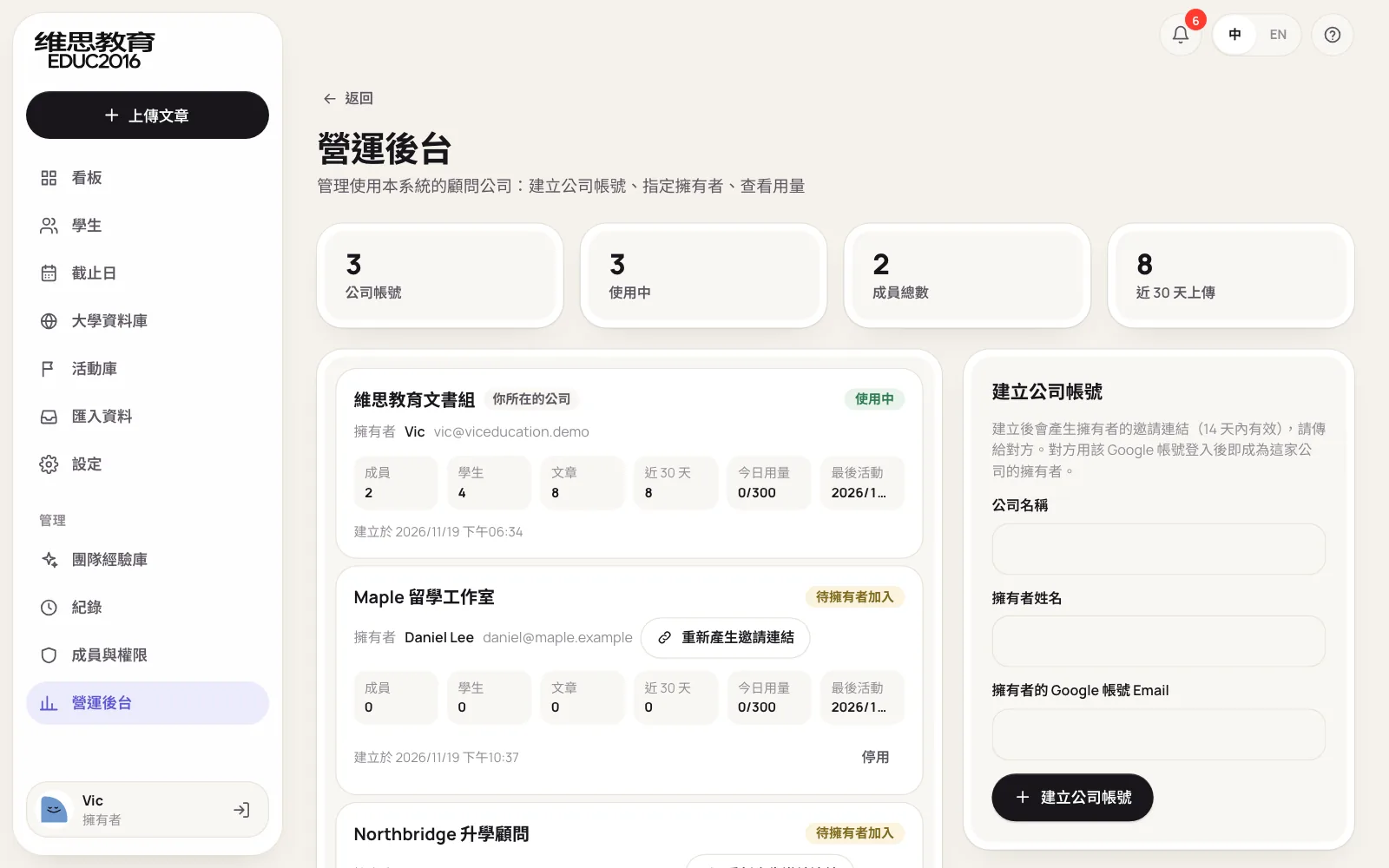
Third, even the platform can't see student data. The same system can serve several consultancies; the operator console sees each company's member counts and usage, never student names or essays.
Spreadsheet or system: what is the difference?
Many consultancies start with a spreadsheet that compares students against school lists. It's a good start, but with more students these problems appear:
| Item | Spreadsheet | VIC Education's system |
|---|---|---|
| School standards | Each consultant looks up and updates their own | 223 universities in one place, each with its source, refreshed yearly; schools outside the list can be uploaded |
| Finding a school | Ctrl+F in a spreadsheet | Results as you type, with abbreviations like UCLA and NYU |
| Scoring | Each consultant's own habits | One set of rules, every point explainable |
| Test policies | Optional and test-blind are easy to miss | Each school's policy decides whether scores count |
| Keeping data current | Consultants retype it, often out of date | Students update their own; any Excel imports in bulk, sorted automatically |
| Next steps | A separate to-do list | Gaps go straight into the plan with an owner and date |
| Parents | Screenshots sent on LINE | Read-only parent accounts, always available |
| Permissions and records | Shared files, no trace of changes | Role permissions and an audit log no one can alter |
When don't you need a system like this?
- Few students, each with one consultant throughout. A spreadsheet and regular meetings are enough.
- Applying mainly to schools or programs without published standards. Portfolio-led art programs, for example, where published data says little.
- No settled method for school lists and planning yet. A system fixes a method in place; the method has to exist first.
FAQ
Does 100% readiness guarantee admission?
No. Readiness only shows whether the published criteria look met. Essays, recommendations, interviews and the size of that year's applicant pool all affect the result, and the more selective the school, the more likely a qualified student is still turned down.
How often are school standards updated?
US data is refreshed once each new cycle's figures are published. Test policies and UK and Canadian requirements come from each university's admissions pages, and every entry records its source so consultants can check it themselves.
What if schools we often apply to aren't in the database?
Owners or admins upload them with the template: the name, country and whatever standards are known; other columns can stay empty. Once uploaded, they can be searched, tracked and given readiness.
Can we have readiness without essay review?
Yes. The student record, readiness, plan and parent portal work on their own, and essay review can be added later. We suggest starting with whatever parents ask about most.
Will parent accounts show parents too much?
Parents can only view, and never see draft feedback or internal notes. What parents see can be adjusted to fit how your consultancy communicates.
What to prepare before getting in touch
- How you judge whether a student is ready today. Which data, which schools, and who decides.
- The schools your students apply to most. This decides which university data to prepare first.
- The format of your current student data. A grades spreadsheet, for example, lets us design import templates around it.
- The questions parents ask most. This decides what the parent portal should show.
The system's structure, full screens and launch are covered in VIC Education's case study. With these ready, you can also book a free consultation and we'll suggest an approach that fits your workflow.