Article
Still managing essay reviews with spreadsheets and LINE? A system built for a study-abroad consultancy
What takes a consultancy's time isn't the reviewing itself but everything around it: finding the right version, checking deadlines, writing updates for parents. Hand that to a system built around the firm's own process, and consultants get their time back for the essays.
At most study-abroad consultancies, the essay process is stitched together from Word, Google Docs, spreadsheets, and LINE. Consultants write comments in the document, keep each school's deadline in their head, and then type a separate message to update the parents. The CRMs on the market are good at leads and sales pipelines, but few of them track which draft an essay is on, who approved which comment, or how many days are left before the internal deadline. If your firm handles a large number of essays every season, the most effective approach is a system that works the way you already review, rather than asking consultants to adapt to a generic tool.
This article uses the essay review system we built for VIC Education to show where the tools consultancies commonly use fall short, and how the system grew from its first version to what it is today. Every screen shown comes from the system itself, and the students and essays are fictional demo data.
What do study-abroad consultancies use to manage essays today?
We reviewed study-abroad consultant job postings on Taiwanese job sites, service descriptions on consultancy websites, and feature pages of overseas counseling platforms. The tools fall into roughly four groups. There are no public usage statistics for Taiwan, so this is a summary of public information, not a market survey.
- Spreadsheets, a shared drive, and LINE. One master sheet lists students, schools, deadlines, and status. Each student has a cloud folder, essays are edited in Google Docs suggestion mode, and parents and students talk in LINE groups. The tools named in the consultant job postings we reviewed are mostly Word, Excel, Outlook, and PDF.
- Generic sales CRMs. They manage lead sources, sales pipelines, and follow-up reminders. Their data model is "client → deal," not "student → school → essay prompt → draft," so the essays stay in Google Docs and the CRM only holds a link.
- Study-abroad agency CRMs. They manage enquiries, application stages, document checklists, partner schools, and commissions, and suit high-volume firms that work mainly as school agents. An essay is usually just one attachment on the document checklist.
- US college counseling platforms. They have college databases, school-specific prompts, application tracking, and student and parent portals, and some track drafts. But revision is mostly a loop of "student submits, consultant sends back," with no formal sign-off by a senior consultant, and parent communication goes through email, not LINE.
Where does the usual approach fall short?
Google Docs comments and suggestion mode work well. The trouble is all the organizing that happens outside the document. Here's how the usual approaches compare with VIC Education's system across the essay process:
The first four columns summarize each category's published feature descriptions, and individual products may differ. Google Drive does have document approvals, but only on some paid plans (Google Workspace Help, manage approvals), and they approve a whole document, not individual comments.
Case study VIC Education: essay review, deadlines, and parent updates in one system
How was VIC Education's system built, round by round?
The system wasn't planned in one go. In each round, consultants used it, raised what got in their way, and we changed it. The sections below follow the order in which the features grew, and each one solves a specific bottleneck.
The first step wasn't code. It was reading essays the consultants had already reviewed
Before writing anything, we read 27 documents the consultants had actually reviewed, covering UC short essays, the Common App personal essay, school supplements, and activity lists, and worked out how the team reviews: edits made directly on the student's sentences, inline comments that ask questions to draw out details, and a closing summary in a fixed format.
That step set the most important rule for the whole system: it drafts feedback, it never writes for the student. Missing details are requested through questions and <…> placeholders for the student to fill in, edits only touch the student's own sentences, and every item needs a consultant's approval. This isn't just the firm's promise to parents. Application platforms have clear rules too: the Common App treats submitting substantive content produced by someone else or by AI as your own work as application fraud (Common App fraud policy), Brown University requires essays to be the applicant's own work and allows tools only for spelling and grammar checks (Brown University Admission), and UCAS in the UK asks applicants to declare that their personal statement wasn't written by someone else or by software (UCAS).
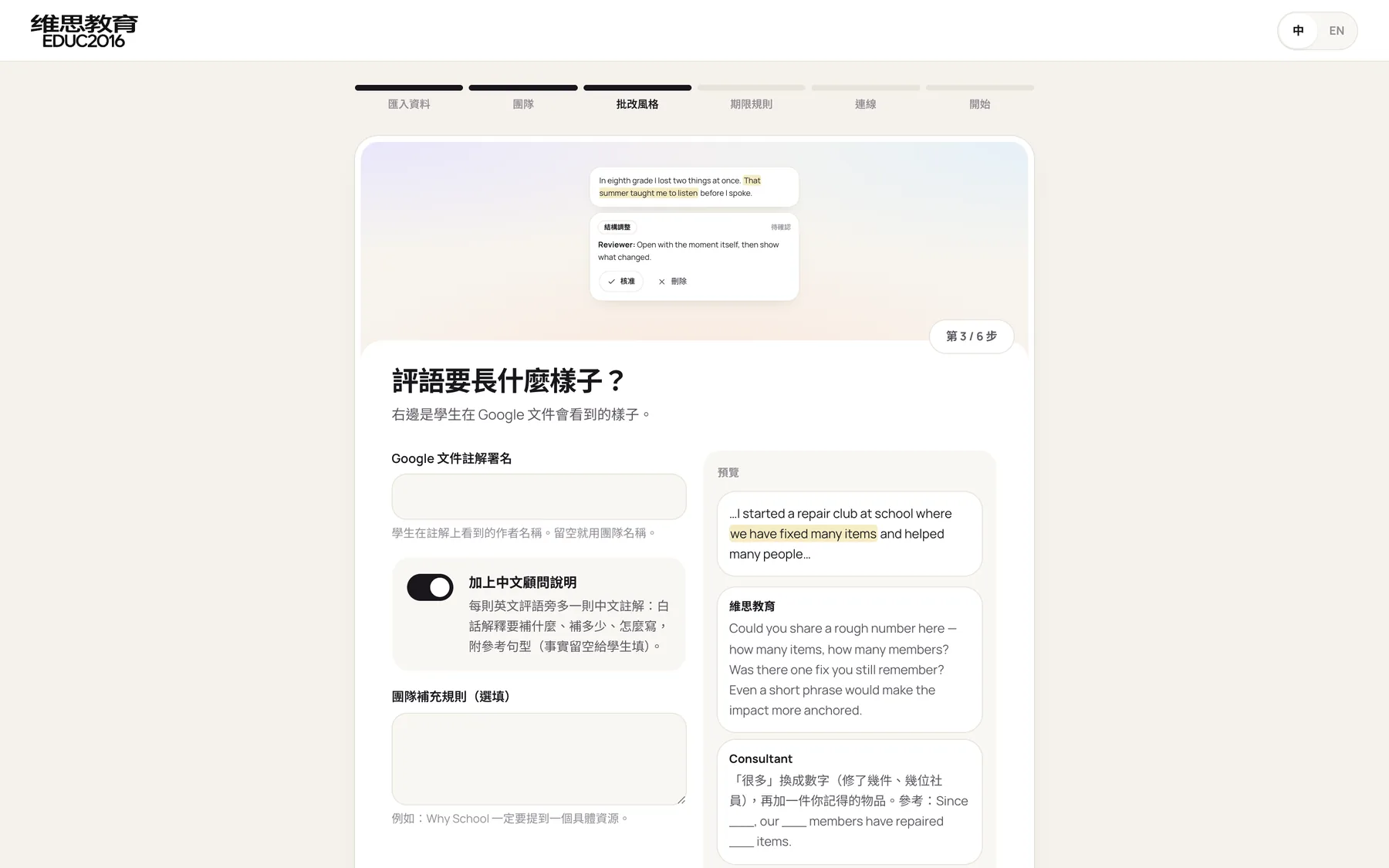
The review style step in onboarding is how that method is handed to the system: the comment signature, whether to add notes for consultants in Chinese, and the team's own extra rules, such as "Why School essays must name one specific resource." On the right, a live preview shows what the student will see in Google Docs.
Version one: from uploading an essay to a Google Doc
The first version tackled the most time-consuming path: reading the draft, writing comments, pasting them into Google Docs, and updating the parents.
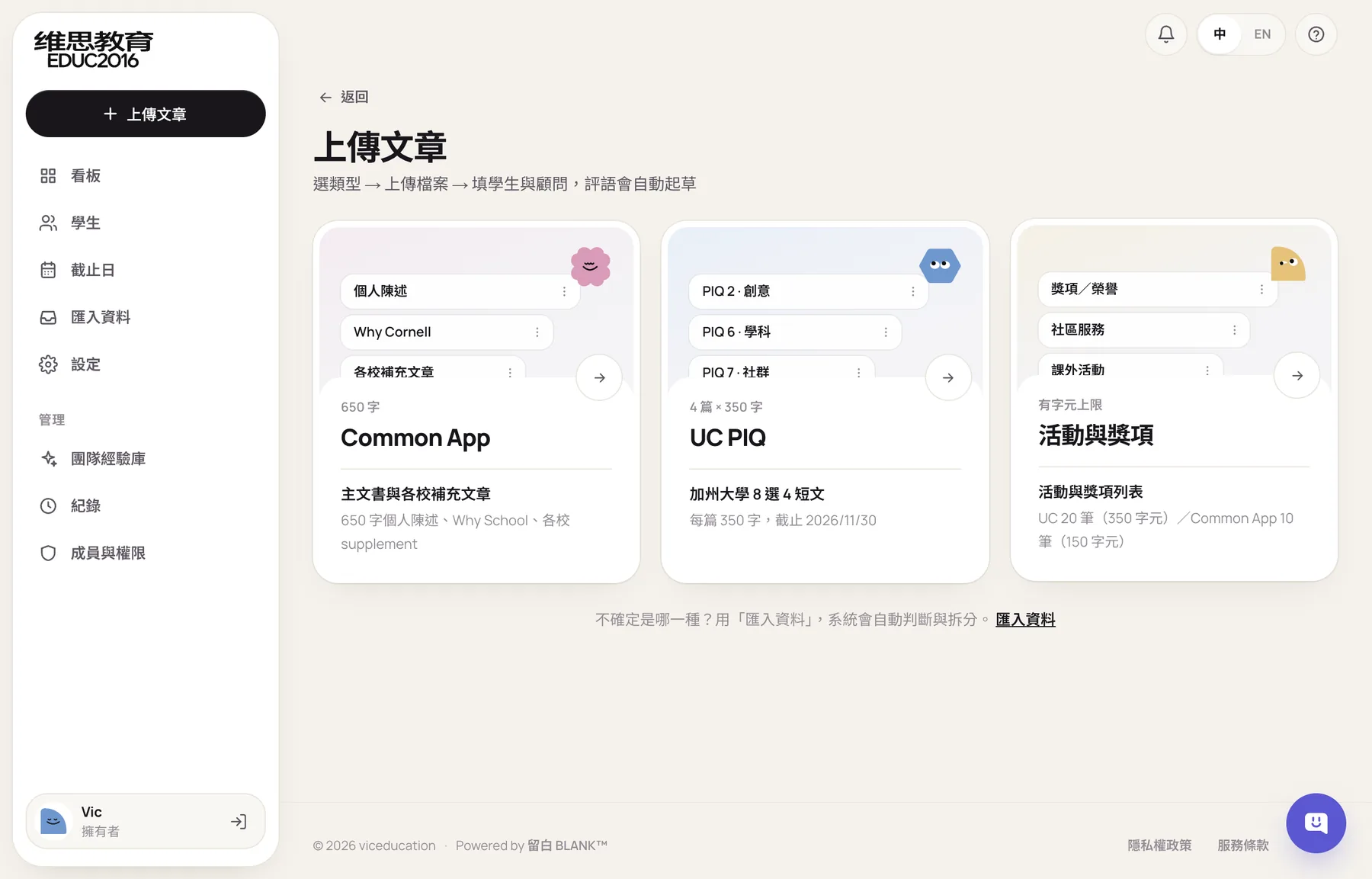
An upload starts by choosing one of three types: Common App, UC PIQ, or Activities and Awards. Each type brings its own prompts, word limits, and deadlines, and uploading the same prompt again for the same student moves the draft number from V1 to V2 automatically.
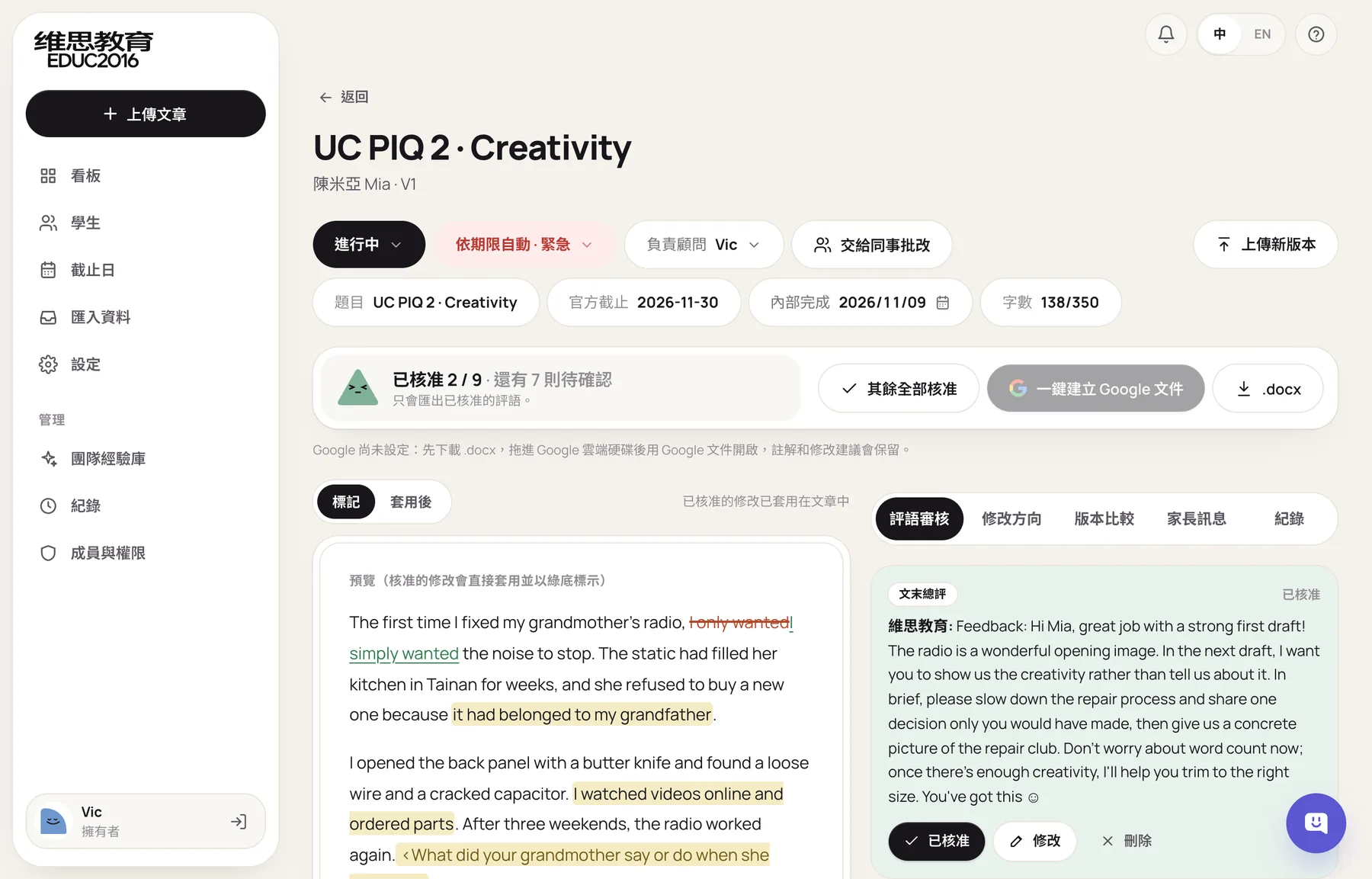
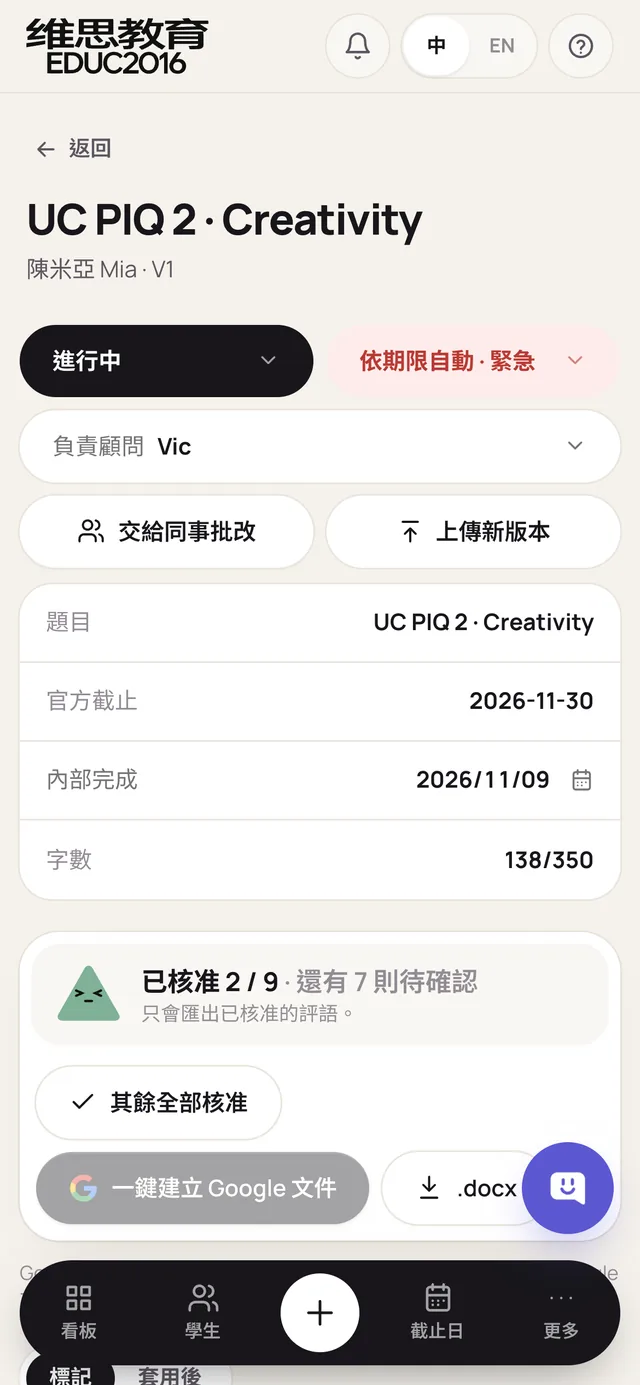
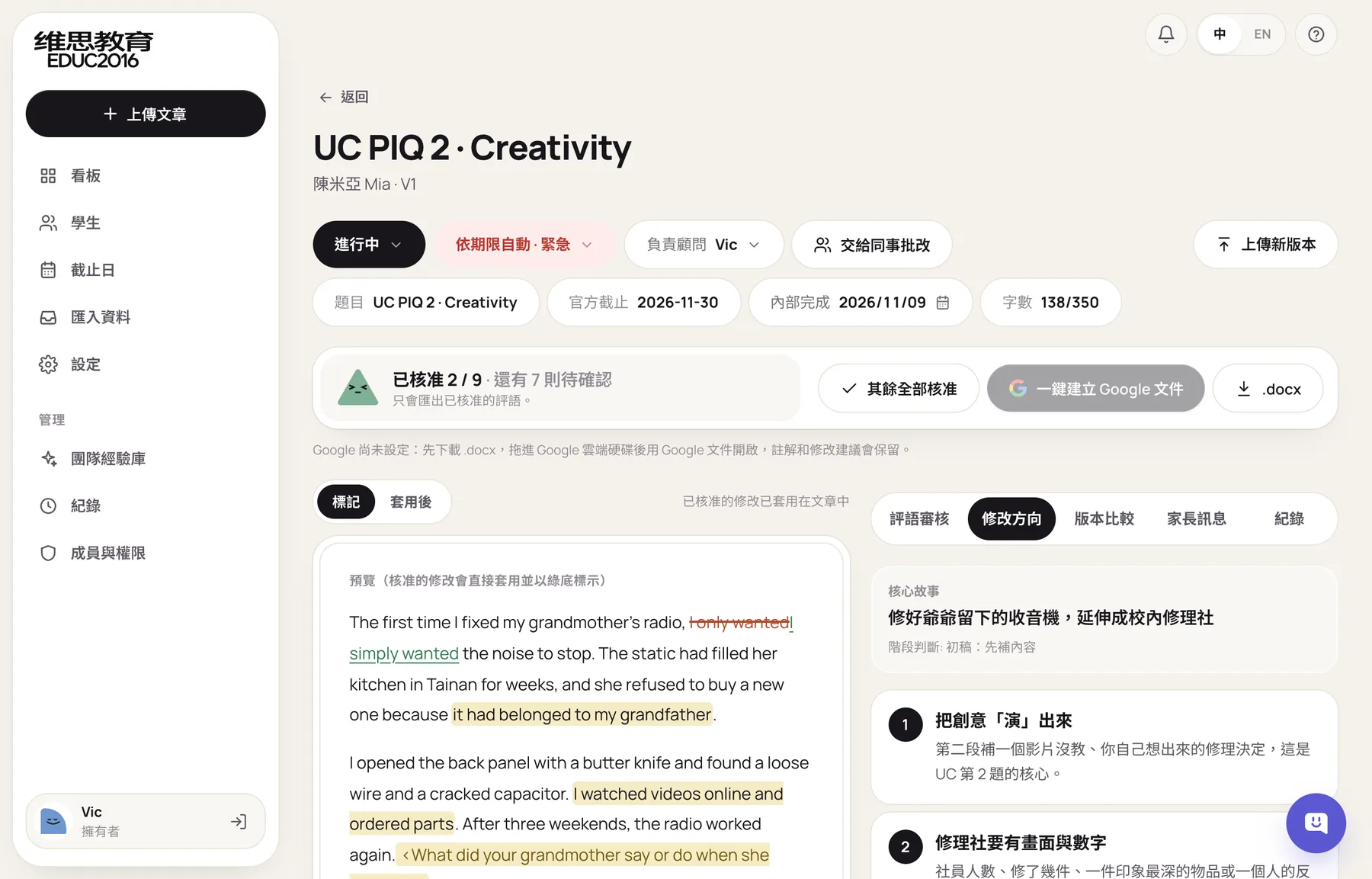
Once the system has drafted feedback in the team's style, the consultant decides on each item in the review screen: approve, edit and approve, or delete. Approving an edit applies it to the essay on the left straight away, highlighted in light green, and the view can switch between "Marked" and "Applied." Only approved feedback is exported. Clicking "Create Google Doc" creates a document in Google Drive with real comments and suggested edits, named the way the team names files, such as Mia_UC_P2V5_Revised.
Beyond the item-by-item feedback, the system also sets out the essay's core story, three to six revision directions, and six scores: specificity, prompt fit, reflection, structure, voice, and impact. New consultants start from something structured instead of a blank page.
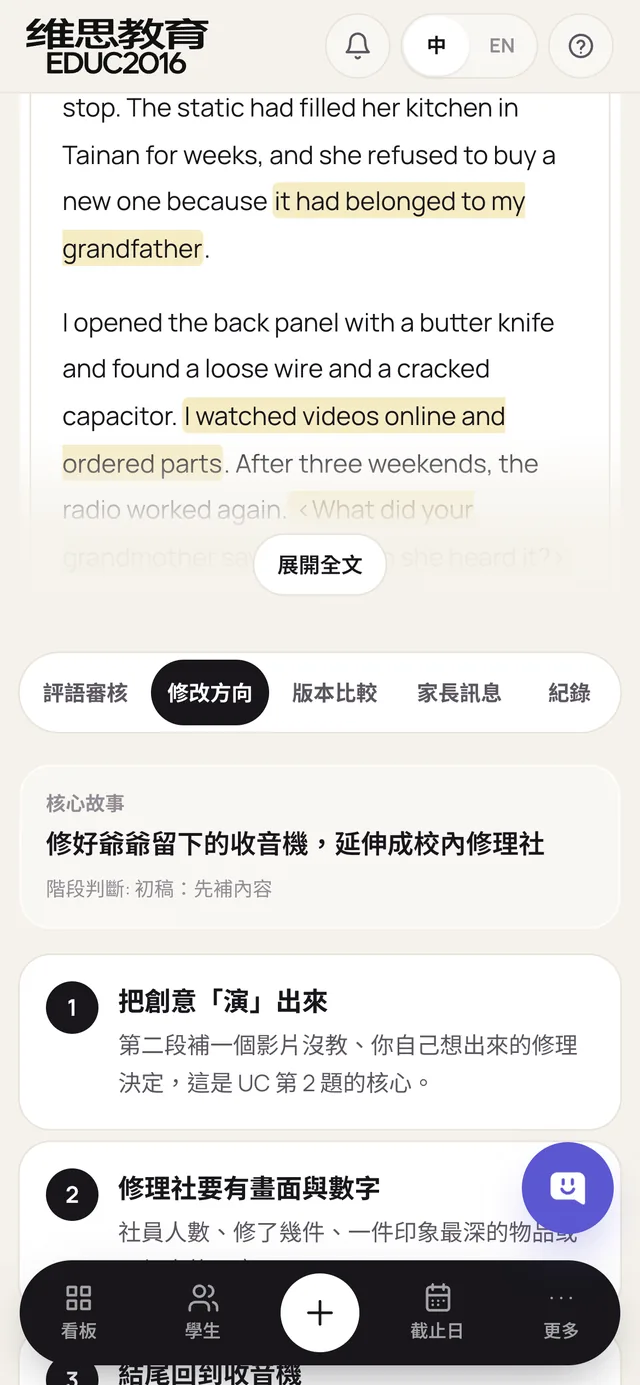
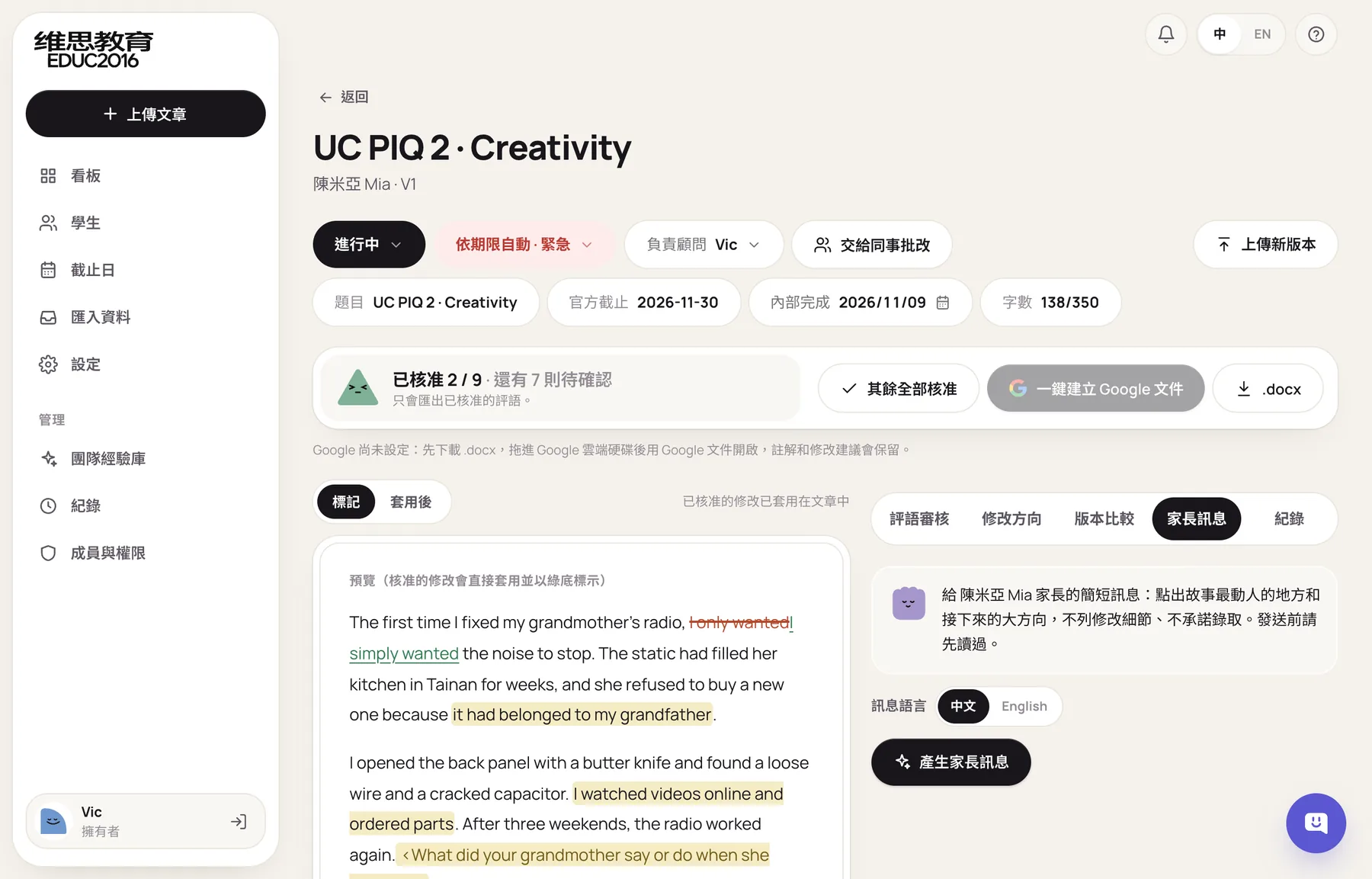
The parent message was rewritten twice. The first version read like a professional report and was too long for parents. The second stuck to the big picture but sounded too formal. The final version reads like a LINE message from the consultant: what changed this round and why, with no promises about admission, and the consultant can edit it before copying and sending.
Materials arrive in every format, so the system has to read them all
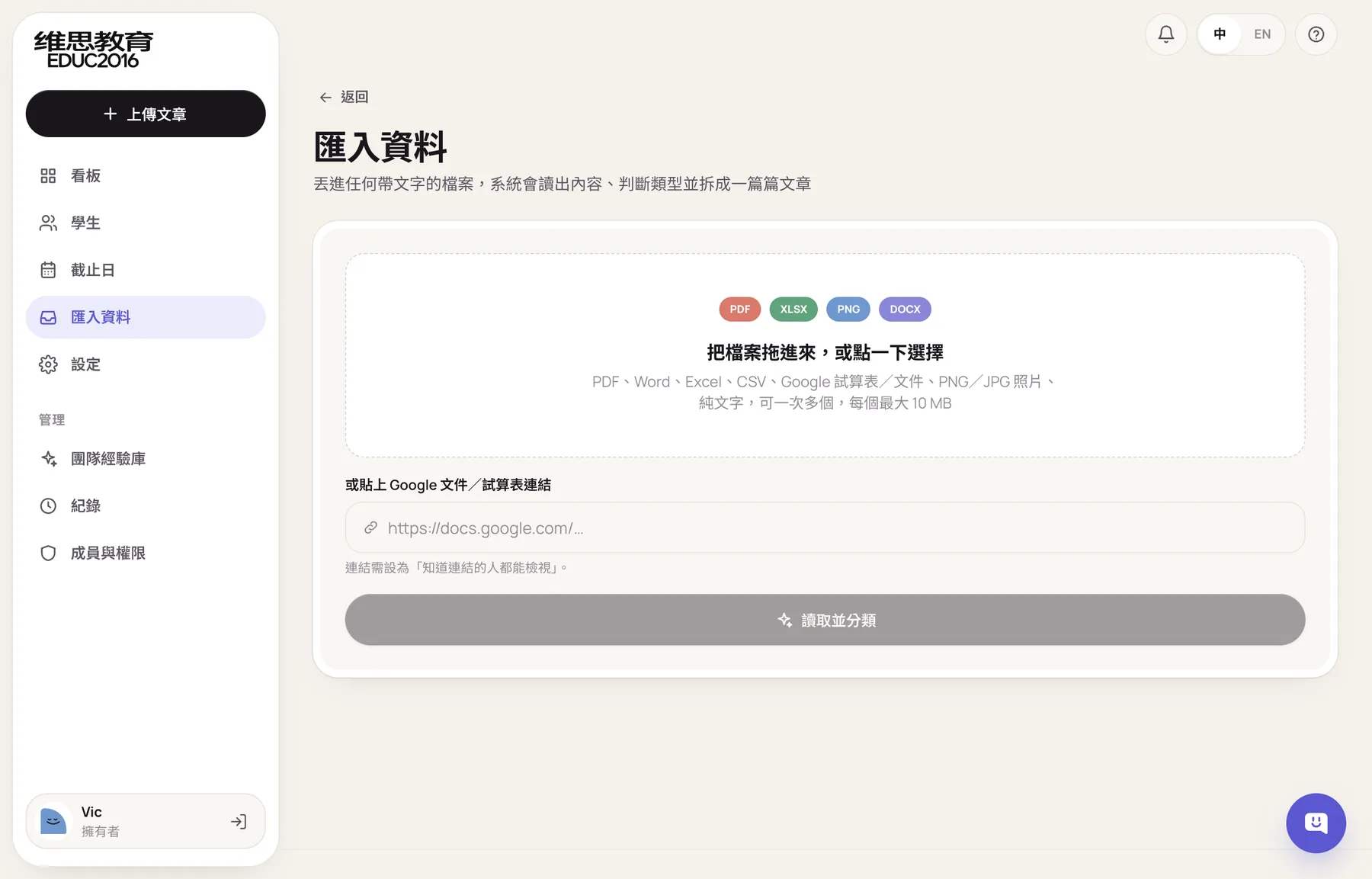
The first problem after trying it out was the mix of materials: PDFs, Excel files, Google Sheets, phone photos, often all in one file. So "Import" became the first step of onboarding. It takes up to 10 files or links at once, reads them, and sorts the contents into essays, activity lists, and student details.
From one person's tool to a system for the whole team
Once the whole team was going to use it, the requirements changed: managers need to assign work, every action needs a record, and consultants should only see their own cases.
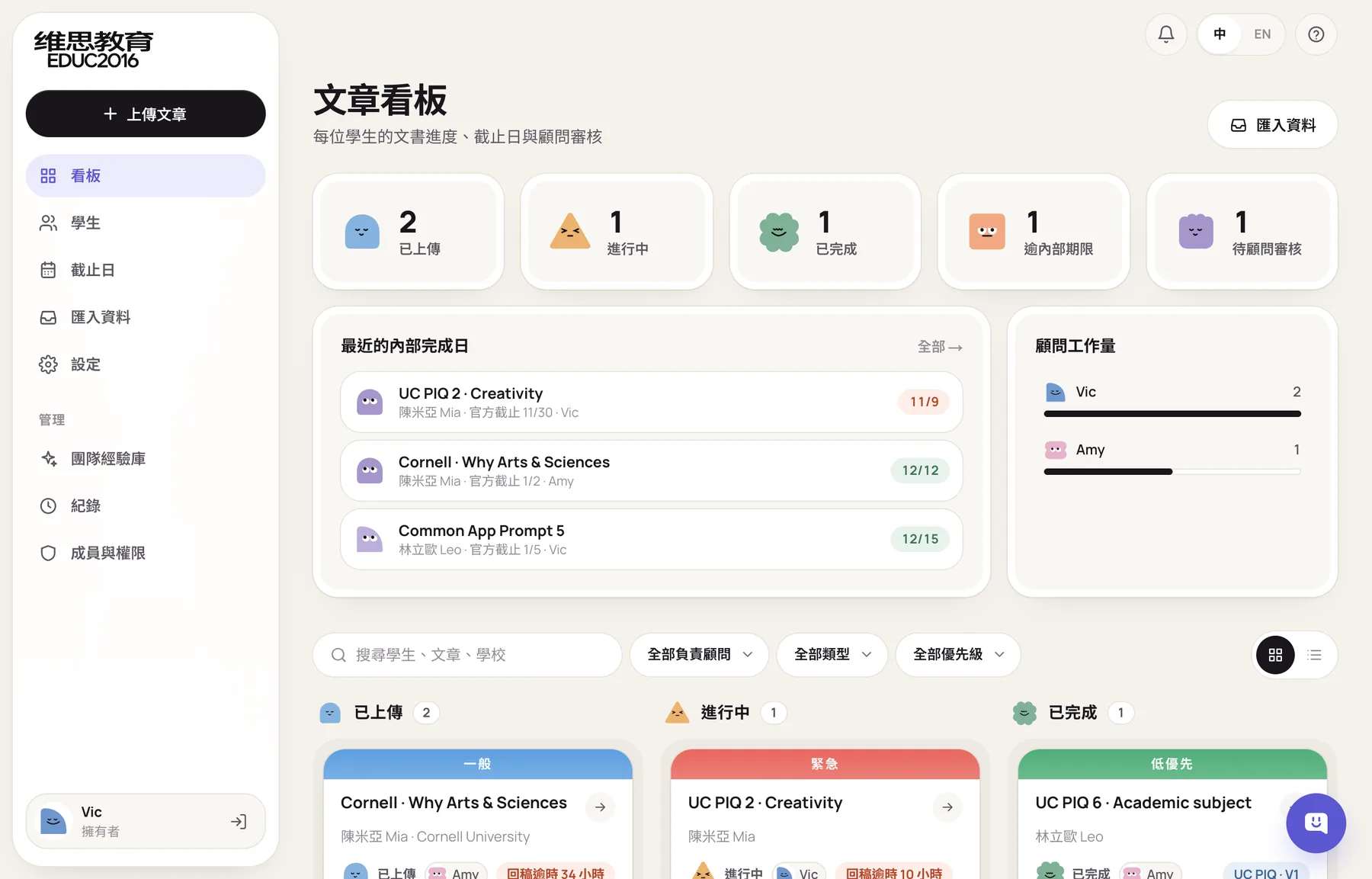
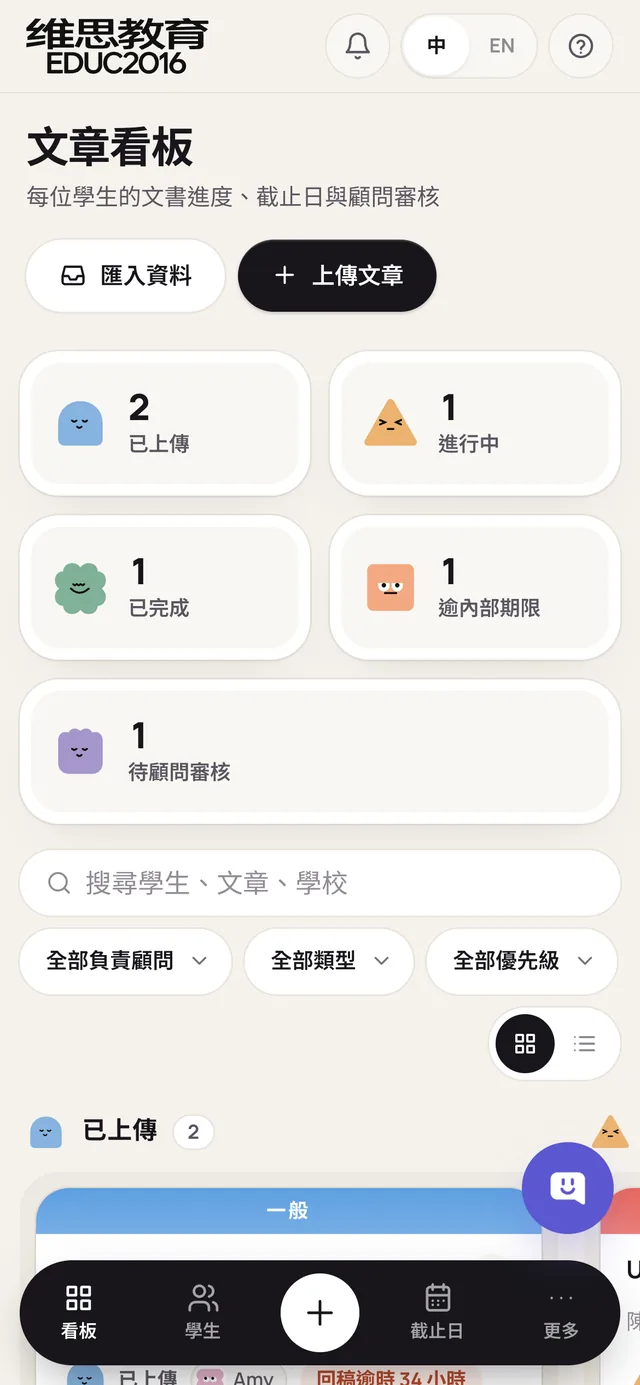
The essay board became the first screen after signing in. At the top are counts for uploaded, in progress, done, past the internal due date, and awaiting review, and clicking one filters the cards. In the middle are the nearest internal due dates and each consultant's workload. At the bottom is a three-column board where dragging a card to the next column updates the counts above immediately.
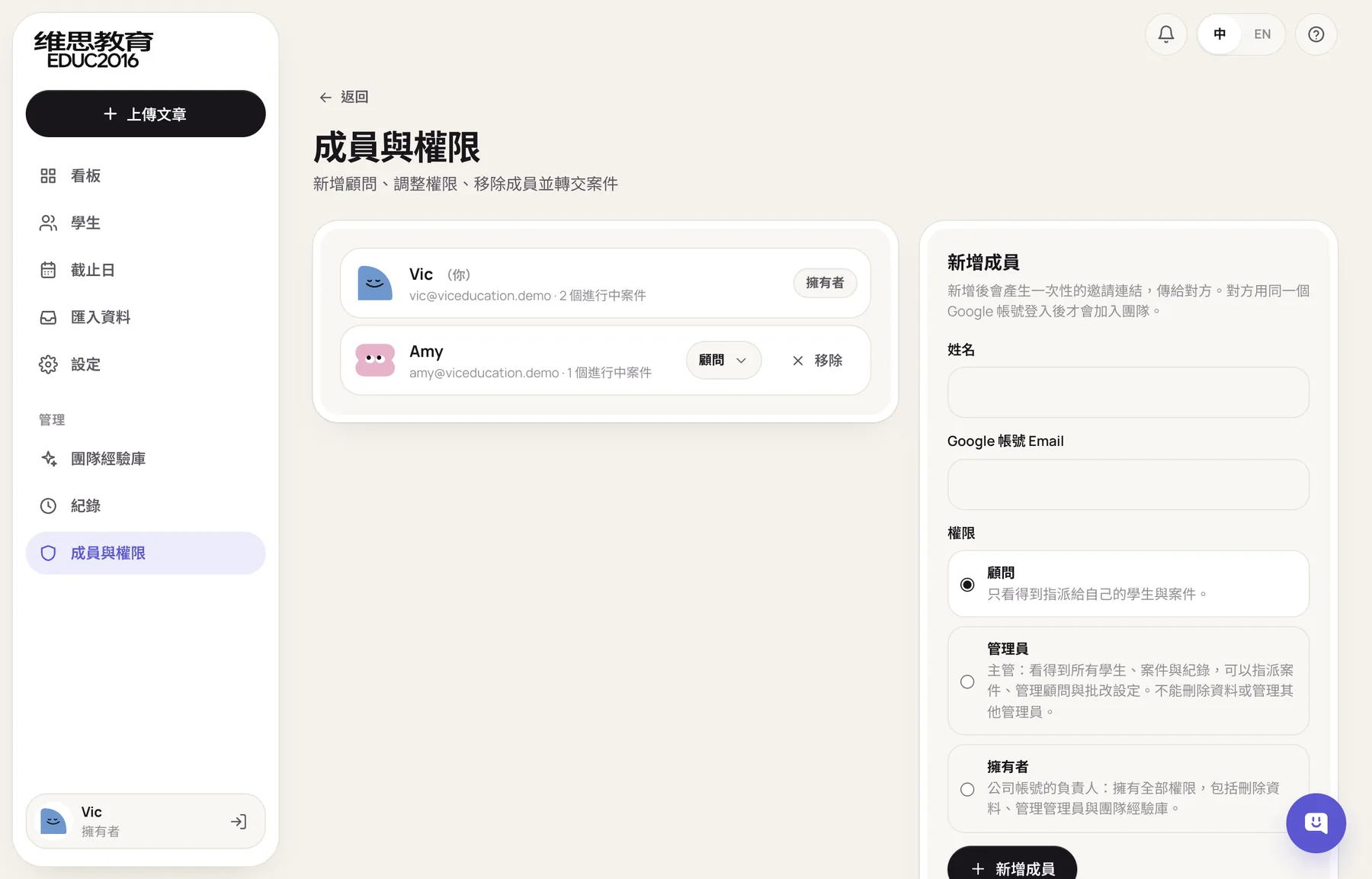
There are three roles, owner, admin, and consultant, and what each can do is defined in one permission table. Owners can invite members and change roles.
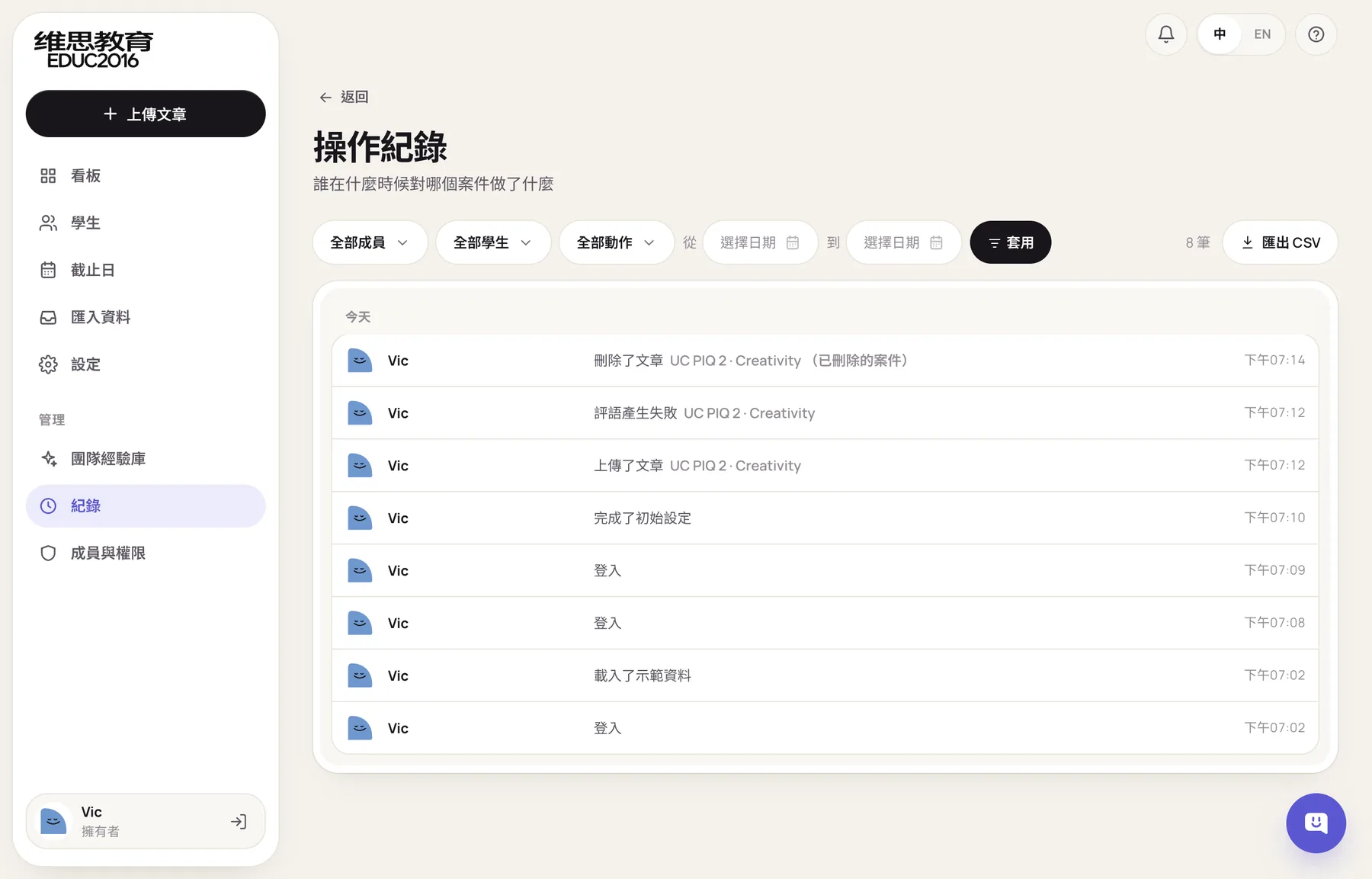
Who uploaded, who approved, and who changed a status are all kept in the activity log, which can be filtered by person and category and exported as CSV. No one can edit the log, and it was later limited to owners and admins.
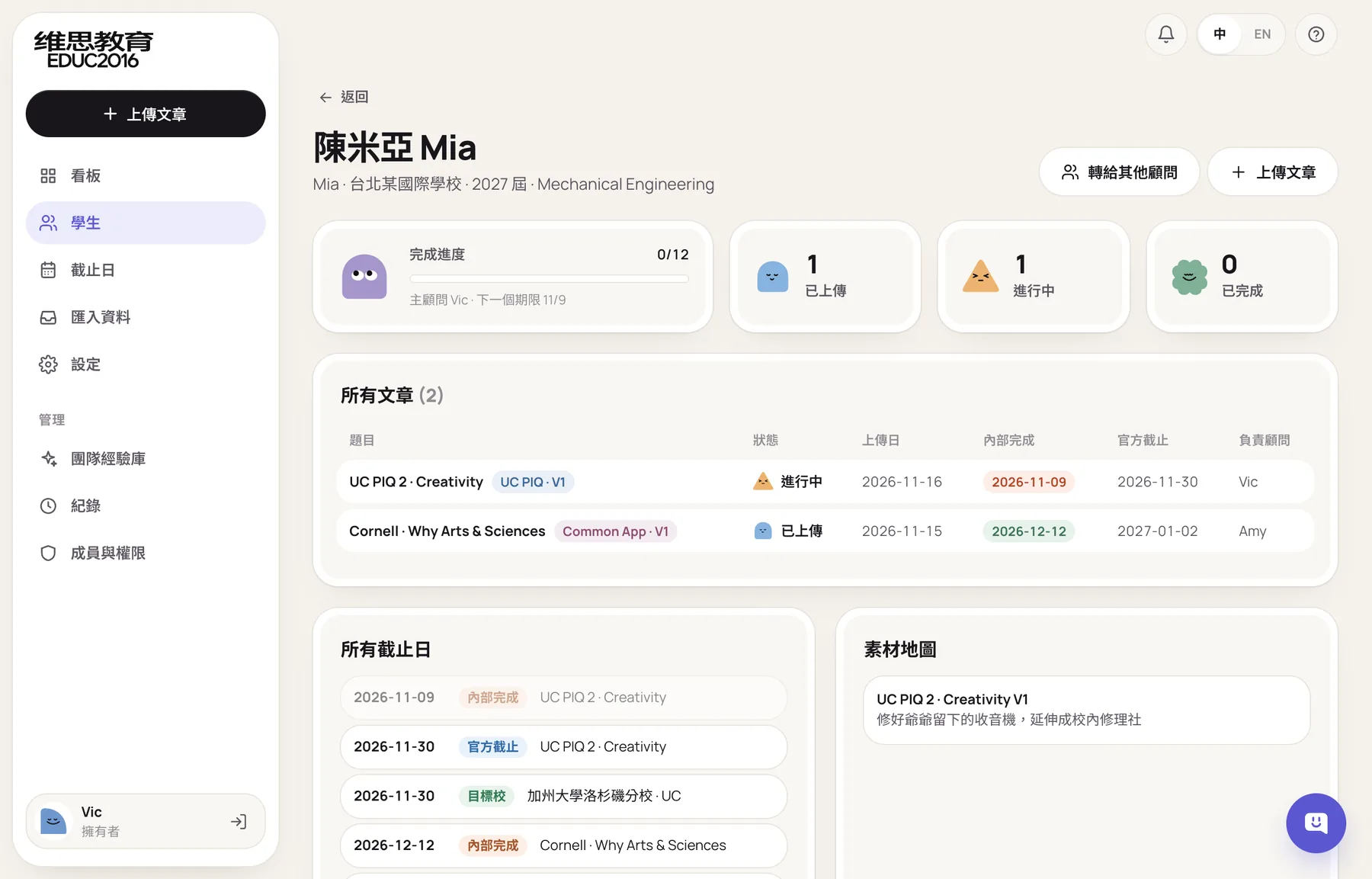
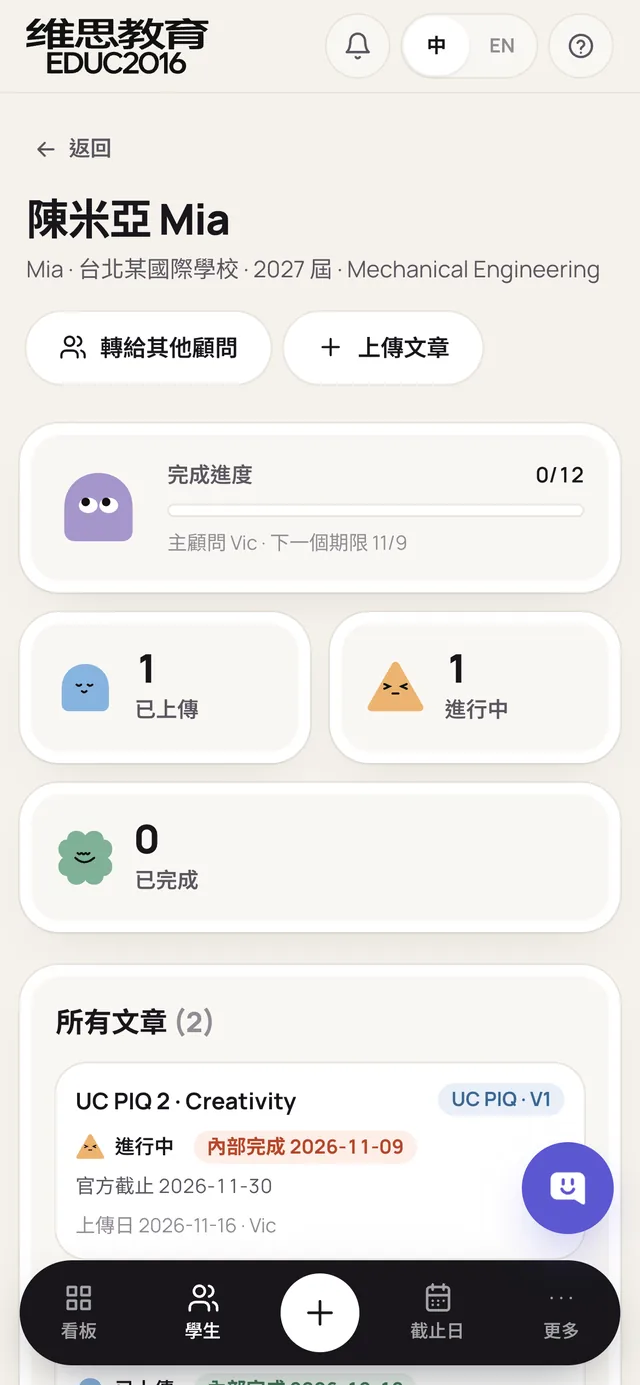
The student profile holds basic details, parent contacts, target schools and rounds, the number of essays in the contract, and the parental consent record that Taiwan's Personal Data Protection Act requires for minors. The material map below lists each essay's core story, so the same experience doesn't show up in essays for different schools.
A system that learns each school the more it's used
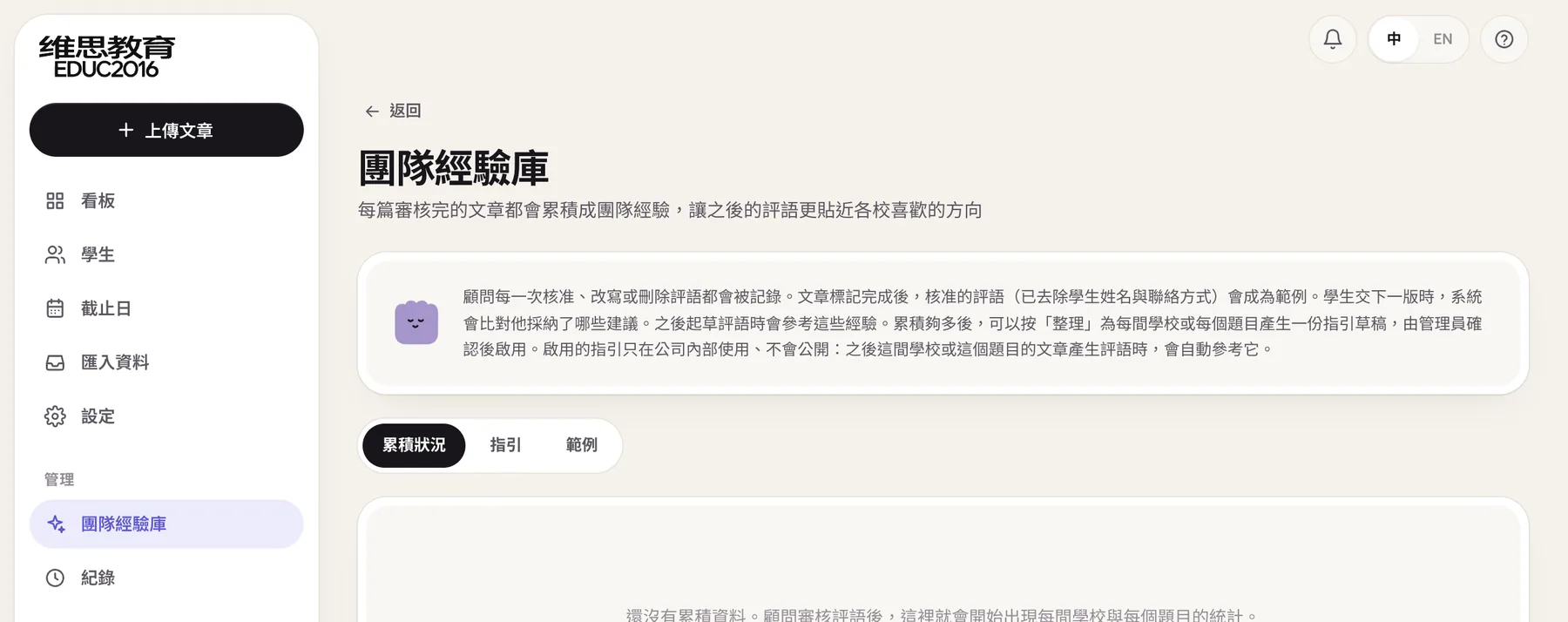
Every approval, rewrite, and deletion a consultant makes is recorded. When an essay is finished, its approved feedback is stripped of personal details and saved as an example, and the next draft for the same school and prompt draws on it. A manager can turn one school's examples into a draft review guide, which only takes effect after it's edited by hand. This team playbook is visible to owners only.
In the same round, the school list grew from 49 schools. It now covers 190, searchable in Chinese, English, or by abbreviation.
Deadlines no longer rely on memory
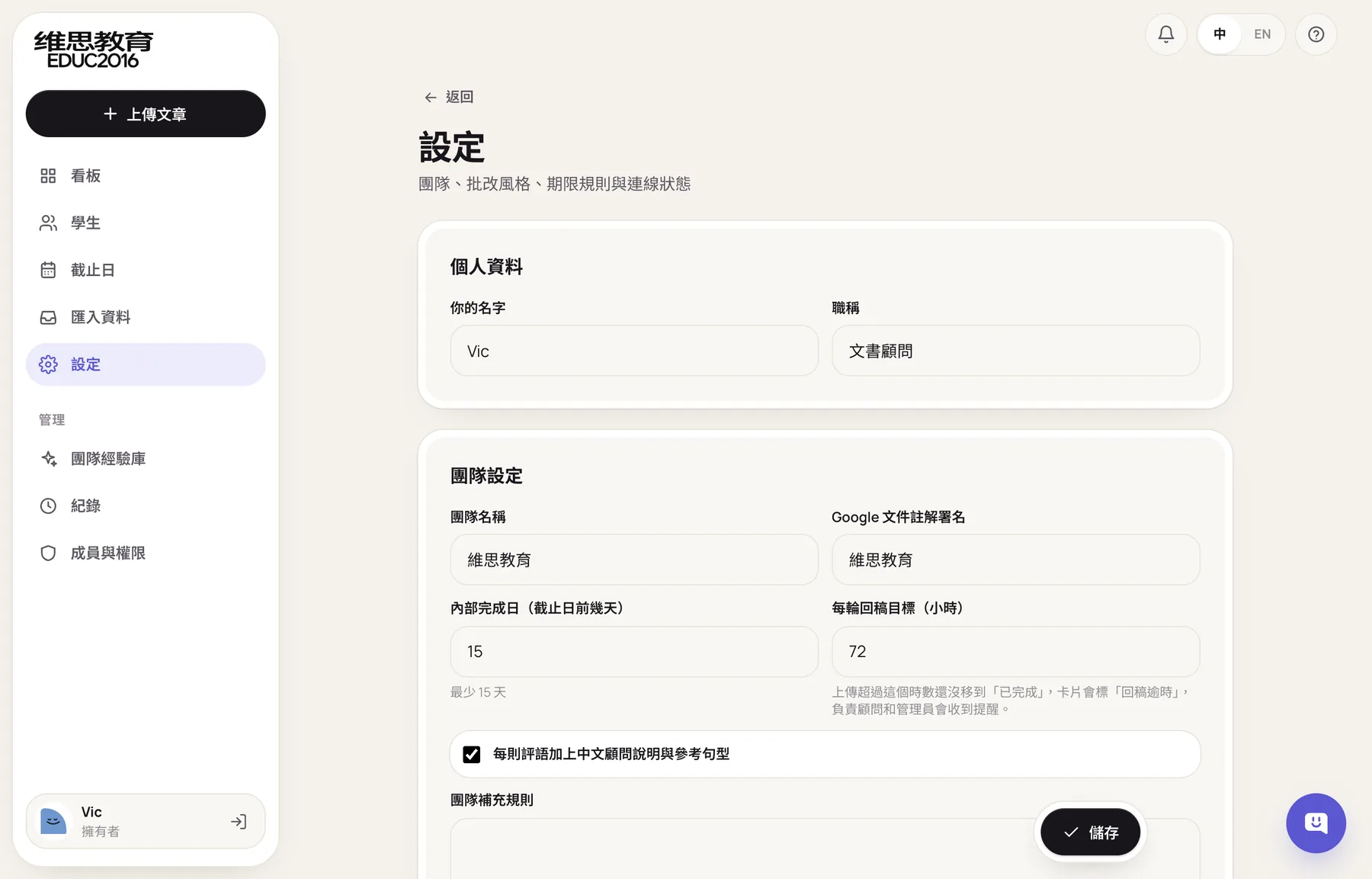
The official deadline is filled in at upload, and the internal due date is set earlier from it. The first version used at least 21 days. After trying it, the consultants found that too cautious, so it became at least 15 days, and each team can set it longer.
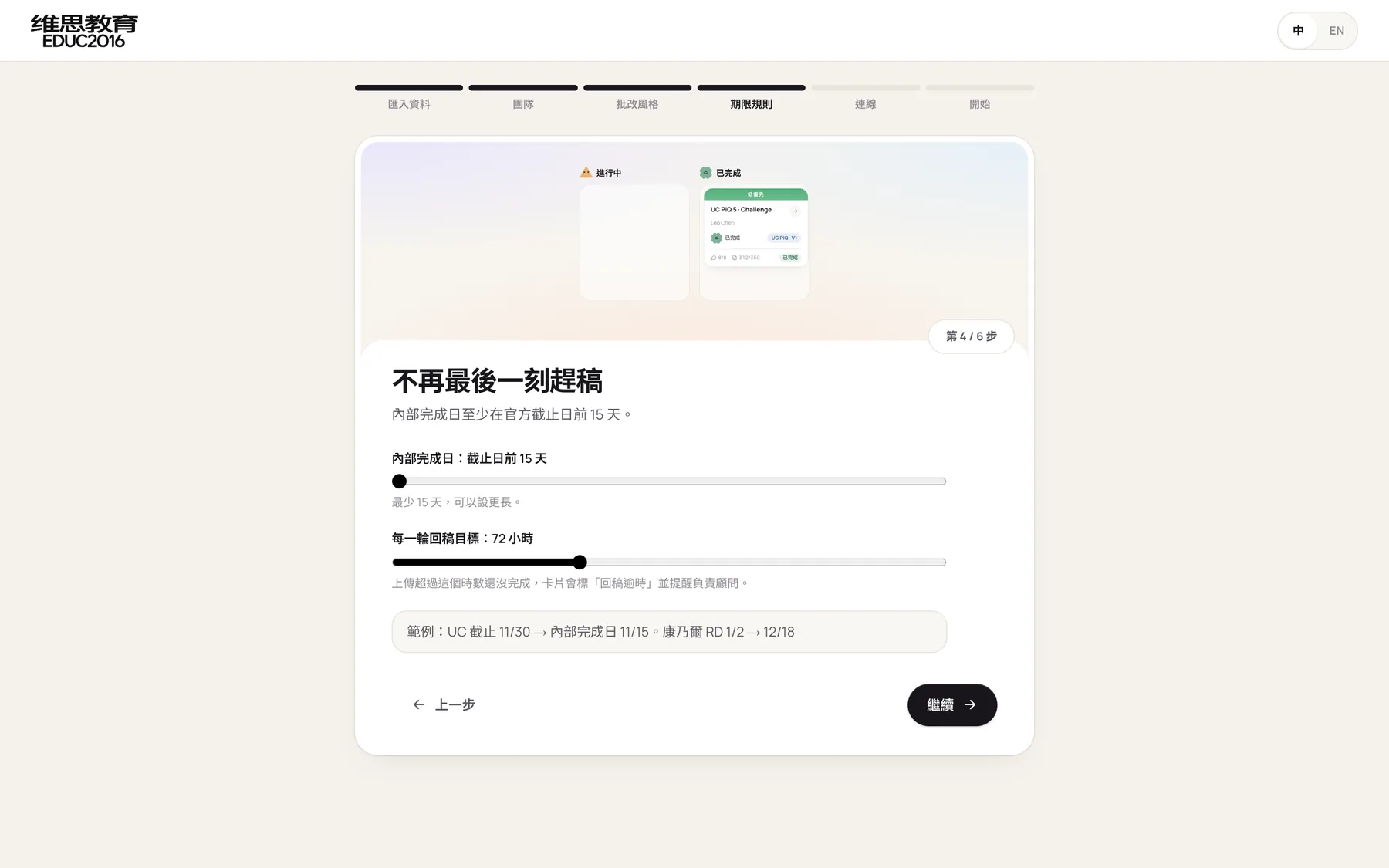
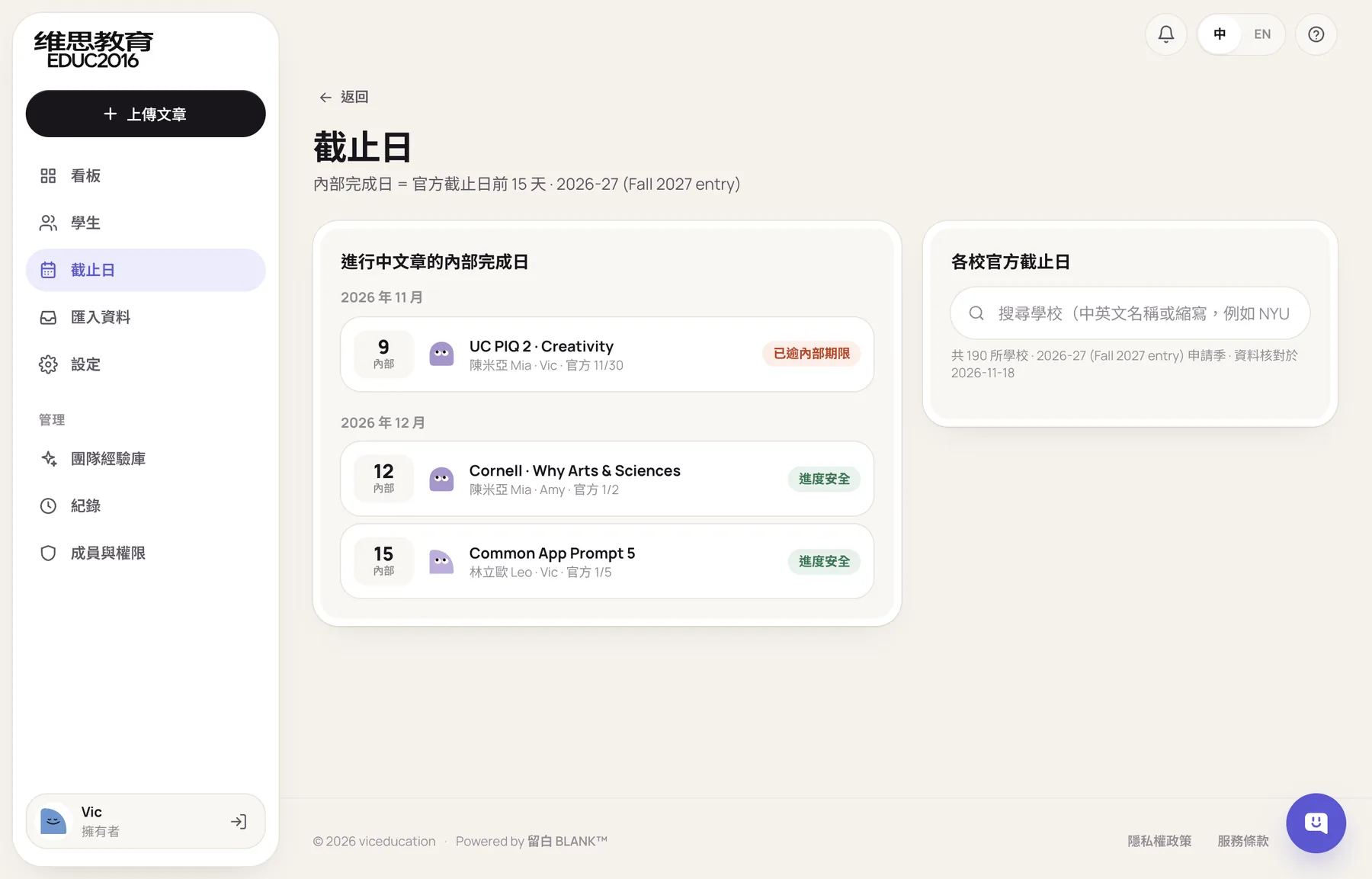
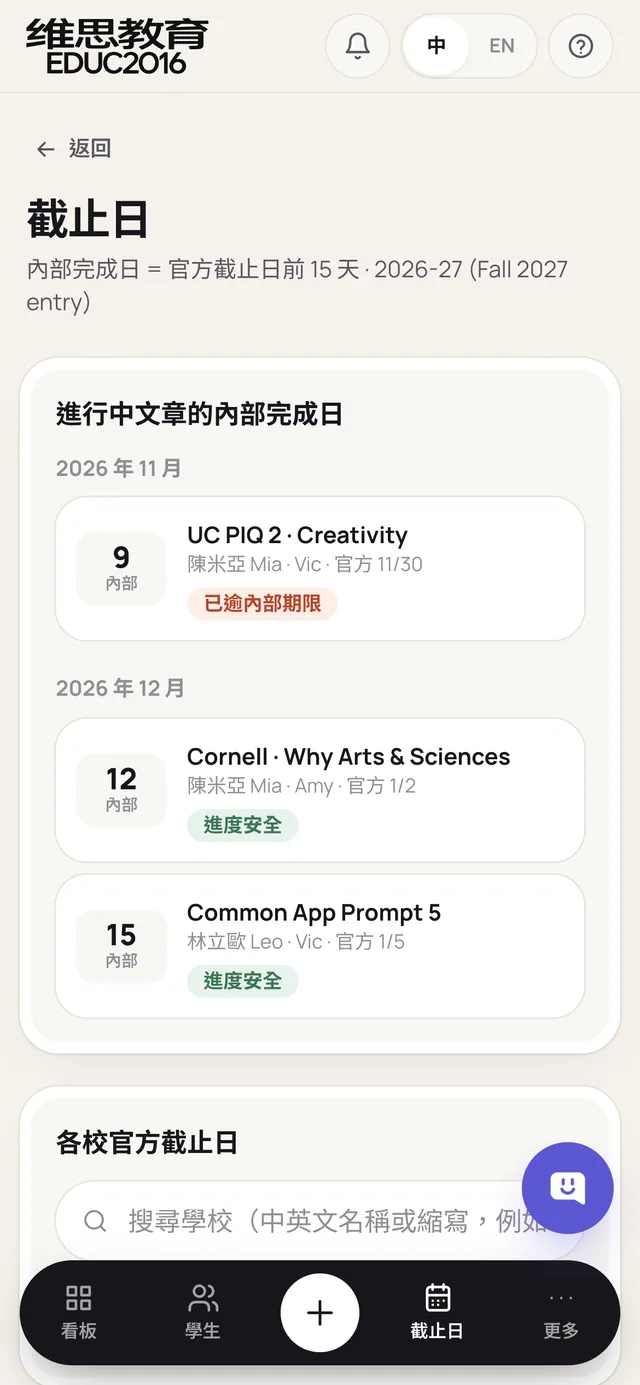
The Deadlines page lists the internal due dates of essays in progress, color-coded as overdue, close, or safe. On the right, you can look up each school's official deadline for every round.
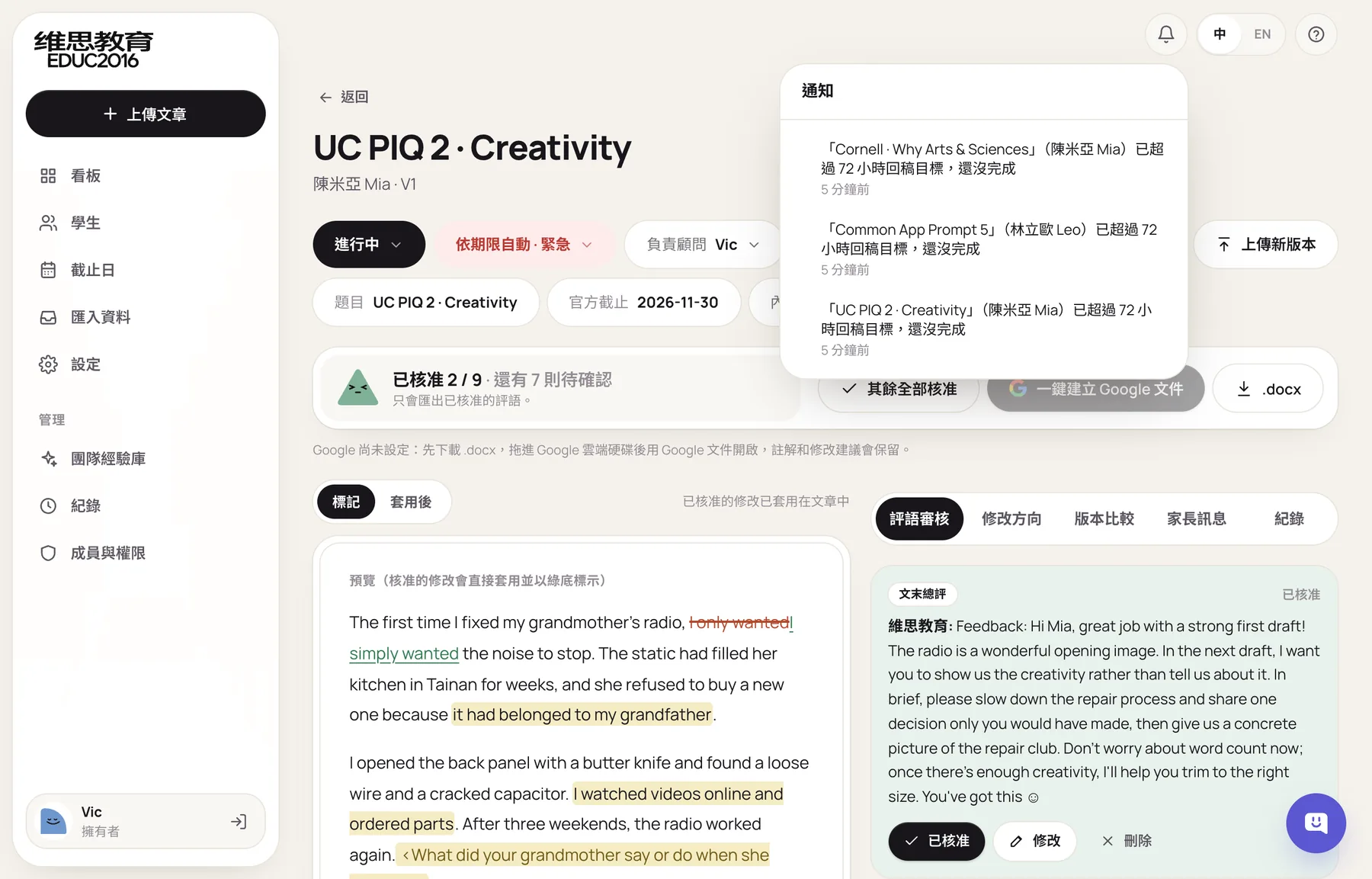
The per-round turnaround target started as a field that did nothing. It's now a real reminder: by default 72 hours, and if an essay isn't done in time, its card is marked "Turnaround overdue" and the lead consultant gets a notification.
One student, several consultants
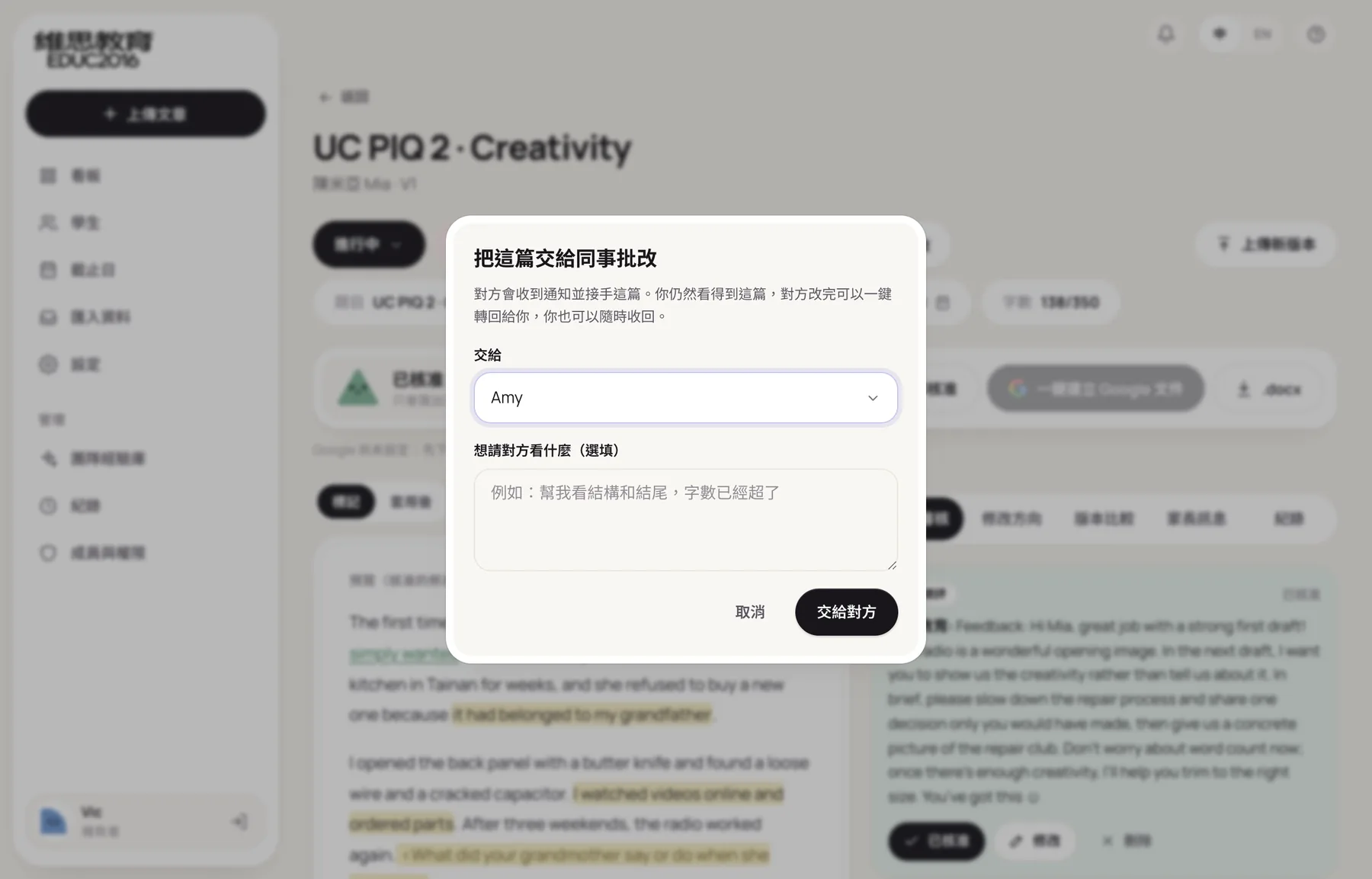
Consultancies often split one student across several people: a lead consultant, the consultant in charge, and a foreign editor. Those handoffs used to happen in LINE groups. The system added three ways to work together:
- Hand an essay to a colleague. One essay goes to another consultant, who sends it back in one click when done. The original owner can take it back at any time, and the card shows "Collaborating."
- Transfer a student. A whole student moves to another consultant.
- Team chat. Members of the same firm only, with unread counts and read times, and messages stay in the firm's own database.
Decisions we reversed along the way
Some designs only proved wrong in use, and we went back and changed them:
Finally, team settings: the signature, internal due date, turnaround target, and extra rules can all be changed by managers at any time.
What can the system do?
The system's structure, interface, and launch are covered in the VIC Education case study.
When don't you need a custom system?
- You handle only a few students a season. If one consultant looks after a handful of students, spreadsheets and Google Docs are enough, and a system won't add much.
- Your main business is school agency work and visas. If essays aren't central to your service, a study-abroad agency CRM's application stages and commission tracking will fit better.
- You don't have a settled review method yet. A system holds the method you already use. If every consultant reviews differently, agreeing on a method will help more than building a system first.
FAQ
Will the system write essays for students?
No. The system only drafts feedback for consultants. Missing content is requested through questions and placeholders for the student to fill in, and edits only touch the student's own sentences. Every comment needs a consultant's approval before it reaches the student, and the system records who approved it and when.
Our review process is different from VIC Education's. Can you build around ours?
Yes. VIC Education's system follows their review style and division of work, and every firm's feedback format, approval steps, and deadline rules are different. We start by walking one essay from intake to return with your consultants, then decide what the system should look like.
Is student data safe in the system?
Each firm's data is stored separately, and every query is limited to your own firm. The Google connection only gets access to files the system itself creates, so it can't see anything else in your Drive. Because most students are minors, the student profile has a built-in parental consent record.
Can we build just some of these features?
Yes. For example, just the board and deadlines, or just review and Google Docs export. We suggest starting with the part that takes the most time, using it for a season, and then deciding what comes next.
What to prepare before you get in touch
- How one essay travels from intake to return. Who handles it, which tools it passes through, and how many days it usually takes.
- Two or three reviewed documents. We'll work out the team's review style from them and remove personal details before using them.
- Your students and essays per season. This decides how detailed the board, roles, and notifications need to be.
- Where things most often go wrong. For example, mixed-up drafts, missed internal deadlines, or parents asking about progress.
With these ready, the conversation gets to the point faster. You can also book a free consultation, and we'll look at what fits your process.
References
- Google Workspace Help, manage approvalsknowledge.workspace.google.com
- Common App fraud policycommonapp.org
- Brown University Admissionadmission.brown.edu
- UCASucas.com